
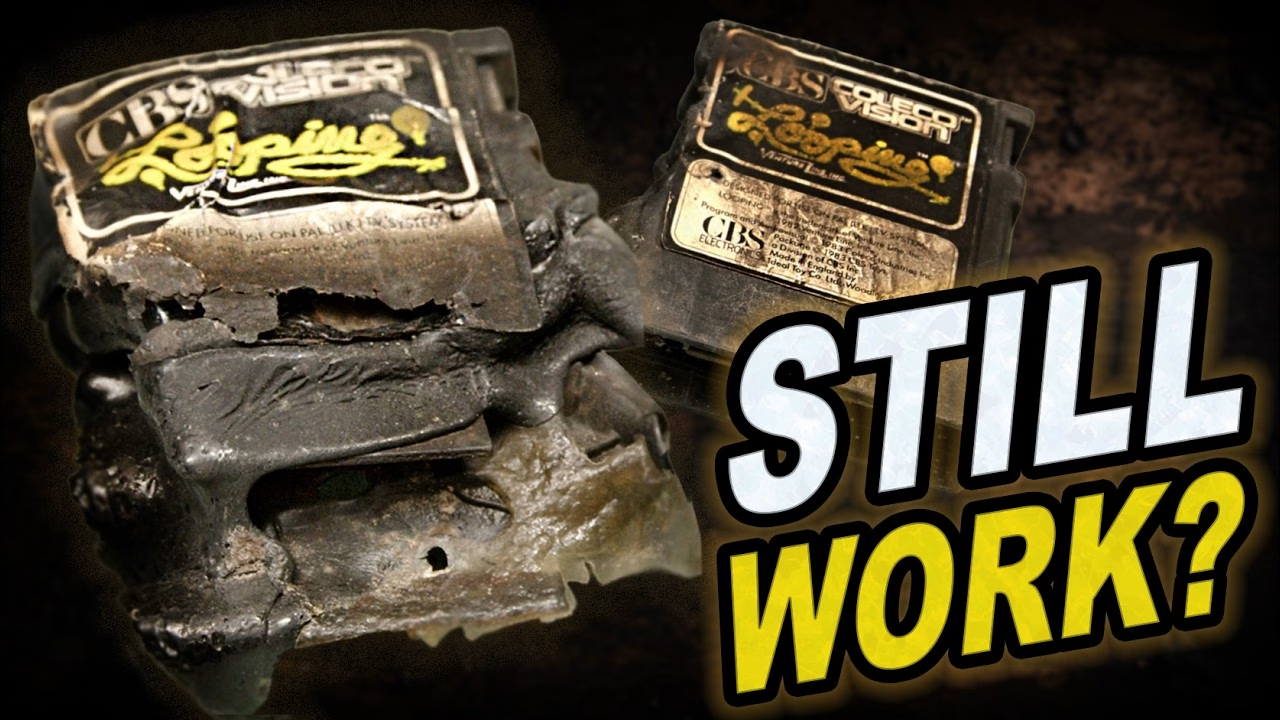
Can a ColecoVision cartridge survive a house fire? I had two copies of Looping (the ColecoVision version of the 1982 arcade game) pulled out of the remains of my house: one badly burned, the other only slightly less awful. To make it more interesting, I was fairly sure one of them didn’t work before the fire, but I couldn’t remember which. So this was either going to be a restoration or I’d end up polishing two smoke-flavoured ornaments. This video was sponsored by PCBWay, who provided the 3D printing for the replacement cartridge shells.
Opening the less burnt cartridge
I started with the less damaged one. For something that was in a house fire it’s not that bad, but the shell has warped so much it won’t fit in a ColecoVision any more, and there’s no saving the label. Of the two screws, one just spun in place and never came out, while the other came out easily (too manky to reuse, though). Brute force and ignorance did the rest, and the shell split far more easily than I expected, with only minimal melting near a broken screw post.
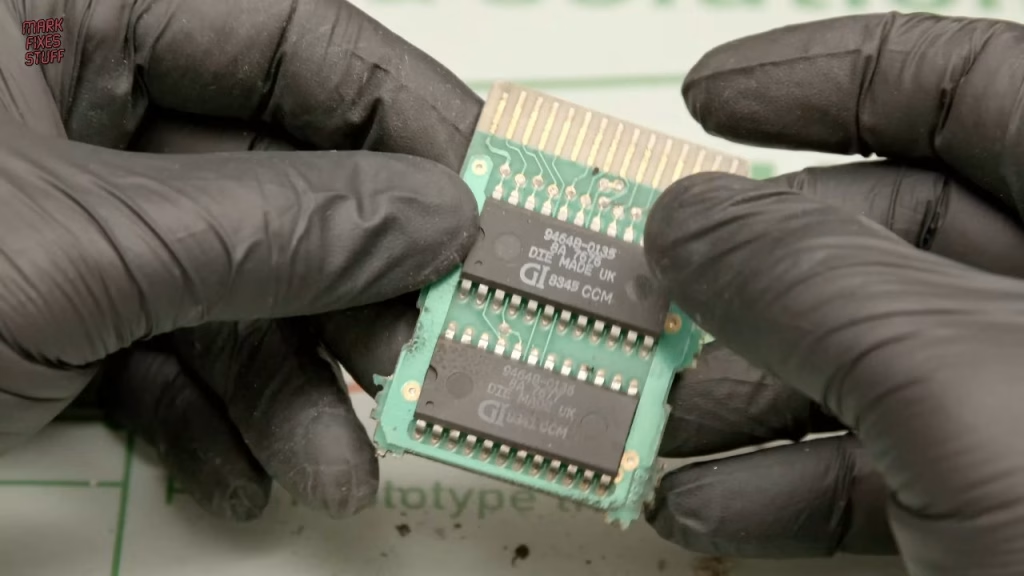
The PCB looked fine. The edge connector fingers weren’t much dirtier than any ordinary ColecoVision cartridge, but there was clear evidence of smoke ingress where heated soot had got inside the shell. I didn’t think it had damaged anything, so if this was the working copy, it might still be working. There were some contaminants under the chips too, nothing an ultrasonic clean couldn’t handle.
The badly burned Looping cartridge
The second cartridge looked like a bag of the proverbial. Again, one screw wouldn’t budge at all while the other came out, and bits were dropping off before I’d even started. Brute force won again, and it was easier to open than any other fire-damaged cartridge I’ve tackled.
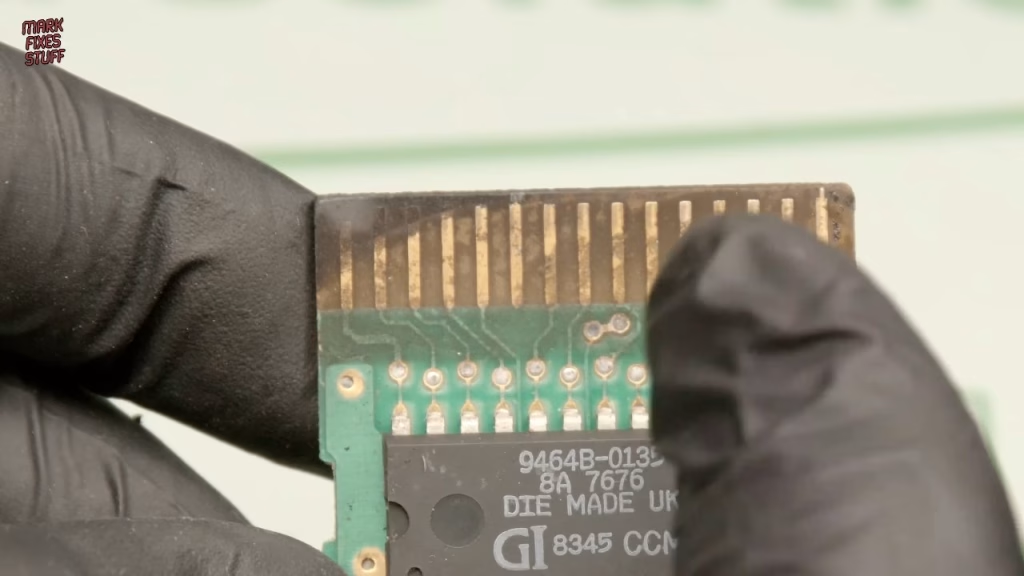
Interestingly, this PCB and the chip markings were exactly the same as the other board. I don’t know whether every copy of Looping is identical or whether that’s a coincidence. Along the top of the board was high-temperature soot damage, where superheated gases embed soot into the surface. The good news is that heat and water hadn’t made the PCB material swell or split, which has happened to a lot of my cartridges after the fire and the firefighters’ dousing.
Can an ultrasonic cleaner remove fire soot from a PCB?
Partly. Soot from a fire is so embedded in the surface that the cavitation process can struggle to get underneath it, but an ultrasonic cleaner still makes a good start. Kylie, my small ultrasonic cleaner, was set to 64°, using solution I’d already used once (fine for boards covered in soot). She has two transducers, so for peace of mind I made sure each board sat directly over one.
Early on there wasn’t much visible change on the burnt board, but the cleaner one quickly looked good enough that, if I’d been in a rush, I’d have just buffed it up. By the end both were as good as they were going to get. I dried them with a lint-free cloth, then used my battery-powered air duster (which runs pleasantly warm, like a hair dryer) to blow the water out of the nooks and crannies. The result on the most burnt board was remarkable.
Burnt plastic and the fibreglass pencil
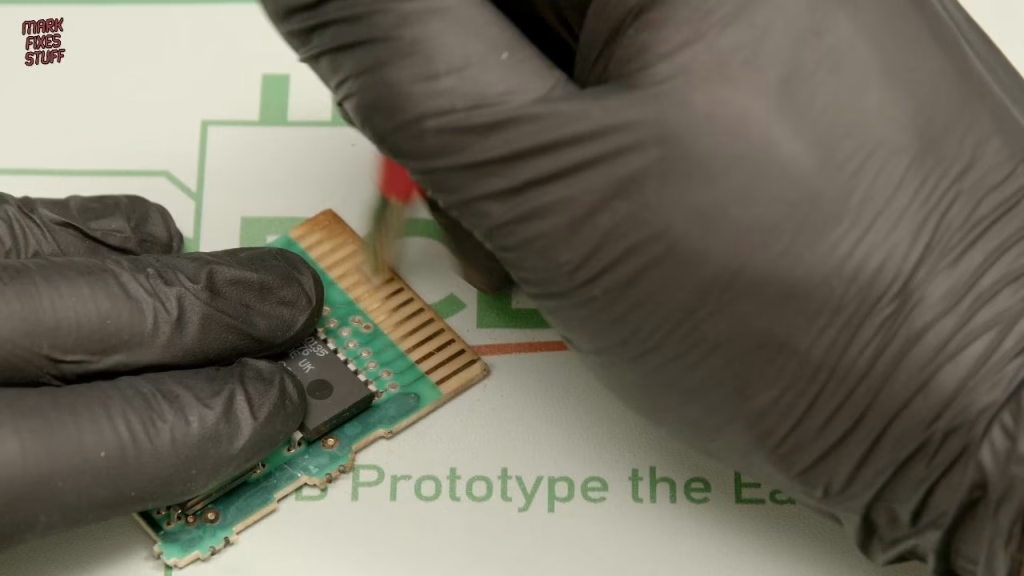
The ultrasonic couldn’t shift some specks of black on the substrate, which turned out to be burnt plastic. Most of it picked off easily with tweezers. Then I used a fibreglass pencil on the edge connector. Fibreglass is very abrasive, so use it with care, but on contacts pitted by a house fire it works beautifully. Side by side, it’s hard to believe which board came from the worst cartridge.
Making a new Looping label
While the boards cleaned, I made a label in Photoshop: a 7 x 9.2 cm document at 360 pixels per inch. The black backing has rounded corners made with the marquee tool, because I was cutting it on a Cricut Maker 3, which takes a PNG and uses the transparency to find the edge. The middle panel is another rounded rectangle with a white stroke, which lets me adjust the stroke thickness. I’m not trying to recreate the original label, which is why my little phoenix icon is on there. The Looping logo comes from a photo of the cartridge box with the background removed and the colours rebalanced. (And yes, I know it should be a vector.)
The Cricut Design software thought my image was massive, so I typed in the exact dimensions and printed two, because applying labels is exactly the sort of job where confidence causes mistakes. My matte vinyl sticker paper arrived folded in half in the post (I did get a refund), so I could only print reliably on the top half of each A4 sheet. The prints came out darker than I’d like, so after the Cricut cut them (it uses optical sensors and printed black marks to line up), I gave them a coat of semi-gloss colour protection spray, which added a nice sheen.
PCBWay 3D printed ColecoVision cartridge shells
Both PCBs fitted snugly into the PCBWay printed shells, and the top shell clamps the board in place. A teachable moment while screwing them together: I grabbed a screwdriver that was too small and it kept camming out. That’s how so many retro machines end up with stripped screws. The correct number 2 screwdriver put the joy back into it.
Did it work? Testing both Looping cartridges
I tried the most burnt cartridge first, since it was the least likely to work, in a ColecoVision that still needs cleaning itself. The title screen appeared, which isn’t always proof of a working game, but it started and played. Even after working out that you pull back on the joystick to climb, like a real aircraft, my gameplay didn’t improve much, but I played long enough to say with confidence that the cartridge works. It got its new label, bent around the shell first to check the proportions as there are no alignment marks on the printed shell.
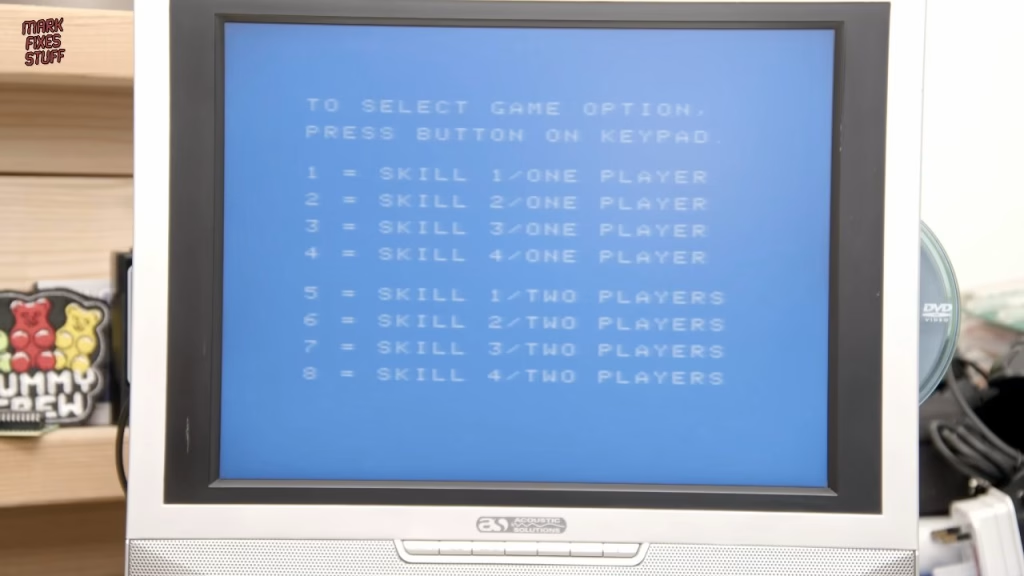
Then there was the other cartridge, the one I assumed was dead before the fire (it had given me a black screen in the past). I tested it mainly to avoid the comments, fully expecting nothing. It worked too. Both copies of Looping are now playable, from what was essentially a pile of burnt rubbish.
It would have been easier to throw this in a dustbin, but that just didn’t seem right.
Looping is a common title and I could easily have bought another copy. Would you have bothered? Let me know in the YouTube comments.
More from the house fire cartridge rescues: Rescuing a Fire Damaged ColecoVision Cartridge: Carnival from 1982, Melted ColecoVision Cartridge Still Works (Sort of): Rescuing Pit Stop from a House Fire, Fire Damaged ColecoVision Cartridge: Which Game Survived the House Fire?, Restoring a Fire Damaged ColecoVision Donkey Kong Junior Cartridge.
Related
For another machine rescued from the same fire, see restoring a soot-damaged Intellivision. If you’re cleaning up old cartridge contacts, my Atari Lynx “Insert Game” fix covers another cartridge connection fault.
Leave a Reply