
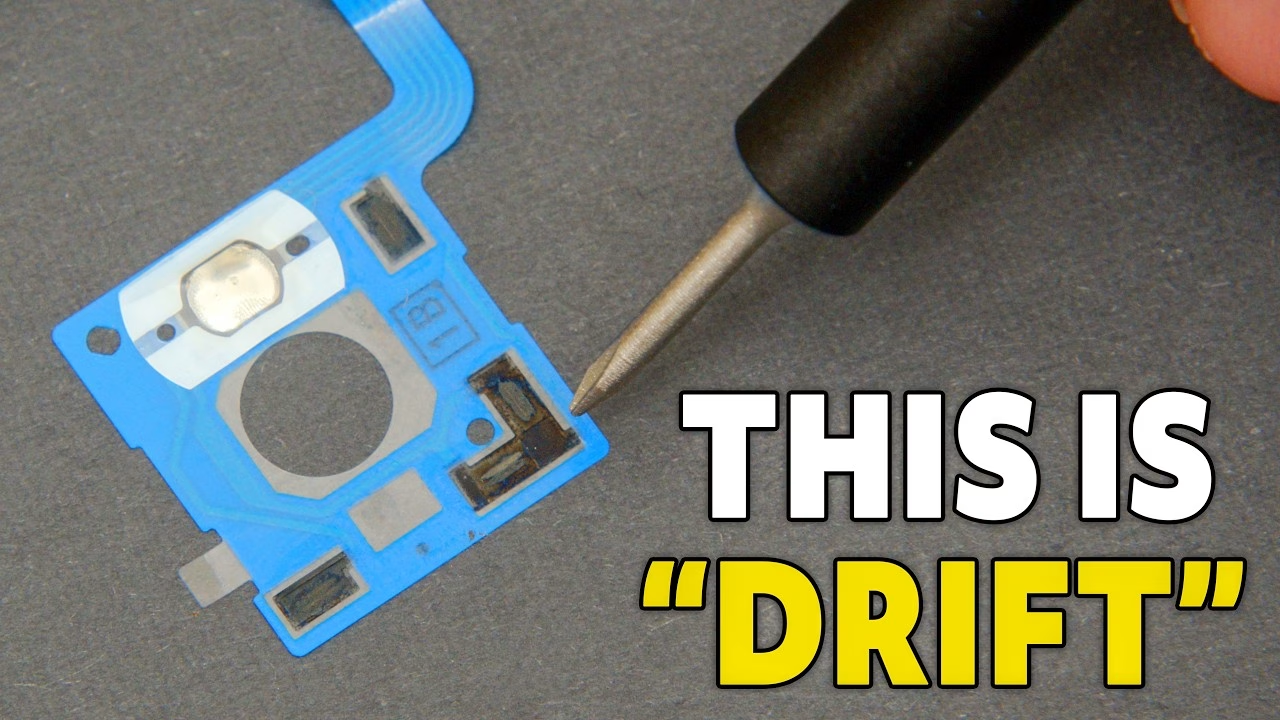
Joy-Con drift isn’t a software bug, and recalibrating only hides it for a while. The real fix is replacing the worn joystick, and in this job I fit GuliKit TMR joysticks to both a left and a right Joy-Con, show what actually causes the drift, and cover the calibration and restart step that stops new sticks showing “phantom drift”. This video was sponsored by iFixit, who sent me the GuliKit TMR joysticks and the tools.
What causes Nintendo Switch Joy-Con drift?
Inside the original stick are two potentiometers, one per axis: a strip of resistive material with a metal wiper dragging across it. Two things go wrong. The track wears thin exactly where you use it most, and the material that comes off doesn’t leave; it sits inside as conductive dust. So the stick is at rest but the reading isn’t, and the console genuinely believes your thumb is pushing. That’s drift: mechanical, cumulative and permanent.
What is a TMR joystick?
TMR stands for tunnel magnetoresistance, and it’s contactless. There’s no wiper; the stick reads the position of a small magnet instead, so nothing is rubbing off anything and the part that wears out simply isn’t there. If you’ve heard of Hall effect sticks, TMR is a step up: more sensitive, and much better at coping with stray magnetic fields, which matters inside a console.
Best of all, the GuliKit TMR stick is a drop-in replacement. Same footprint, same ribbon, same two screws as the original: no soldering, no cut traces, nothing modified. The iFixit kit I used includes a driver handle with the bits stored inside, curved anti-static tweezers, a long spudger and an opening puck.
How to replace a left Joy-Con joystick
The left and right Joy-Con are built differently, so I did both. On the back of the left one are four Y00 tri-point screws, one per corner, all 6.2mm. Take it easy with these: the external black screws are a softer alloy than the ones inside. Push firmly, turn firmly, not too fast.
Push the puck gently into the seam at the bottom edge (the opposite end to L and ZL) and slide the flat edge slowly up the side. It needs almost no pressure, and if you’re pushing hard you’re doing it wrong, as there are components right behind the shell. With the charging rail facing away, open it like a book; there are still two cables joining the halves.
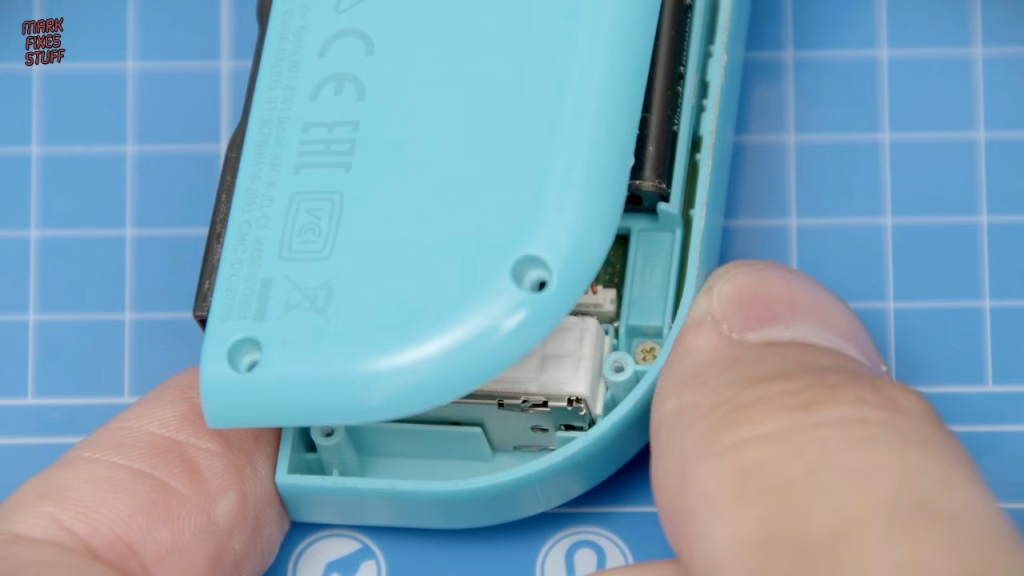
- Disconnect the battery first, using the black non-conductive spudger, so you can’t short anything while you work. Then lever the battery off its (not very good) double-sided tape with the puck.
- Remove three of the five Phillips 00 screws on the midframe (the ones at the top). They’re 3.5mm.
- Flip the midframe away from the board, lift the flap on the ZIF socket and pull the thin ZL button ribbon out with the tweezers.
- Disconnect the minus button ribbon, which is in the way. Its latch is on the opposite side of the socket.
- Disconnect the joystick ribbon from its ZIF socket before removing the two 3.5mm Phillips 00 screws holding the stick. (I did it the wrong way round.)
Pull the old stick out without tearing or removing the black gasket. While it’s open, clean out any build-up in the button recesses. Mine had what I’ve been reliably informed is Clinique foundation in the trigger and on the shell, which only came off once I tried IPA.
Installing the GuliKit TMR joystick
The new stick literally just drops through the hole. Move the minus button cable aside and the holes line up. The important bit with every screw on this job: put the screw in the hole and turn it counterclockwise until you feel it drop into the existing thread, then tighten. Screw in willy-nilly and you’ll cut a new thread and weaken the post.
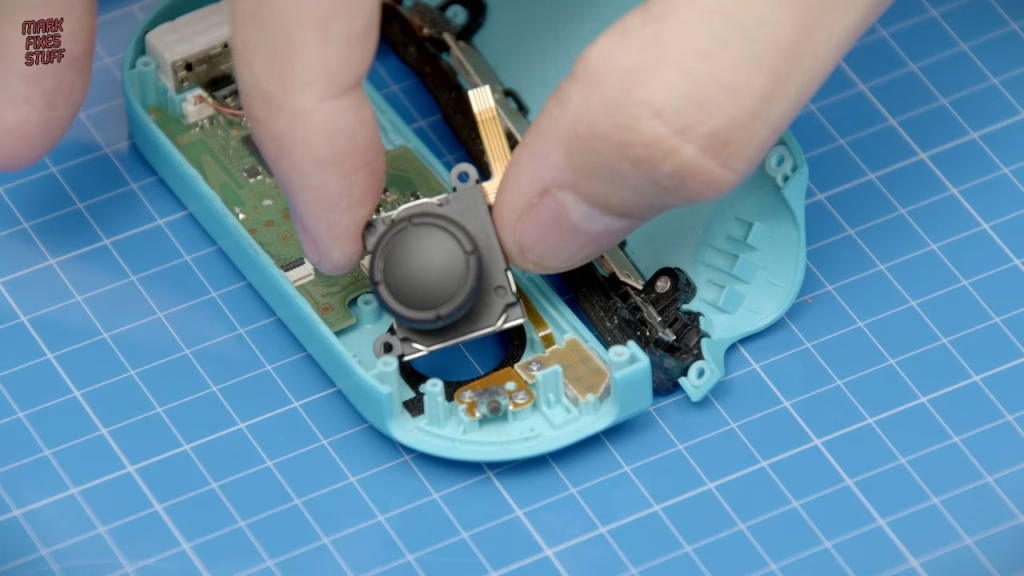
Refit the stick ribbon into its ZIF socket, close the latch and give it a gentle tug. Refit the minus ribbon, then the ZL ribbon, and fit the midframe routing that cable as shown in the video. Three screws back in, without over-tightening. The battery goes back on its tape with the leads exiting the gap at the top of the tray, and the connector clicks down flat. If you’ve lost a shoulder button along the way, gently flexing the midframe lets you pop it back in. Fold the ribbons inwards, close it like a book, check nothing is trapped, and refit the four Y00 screws.
How to replace a right Joy-Con joystick
Opening and the battery are the same as the left. The difference is the antenna. Before touching it, look at how it sits (take a photo): the grey cable routes through the battery cavity and has to go back the same way or the shell won’t close properly. Pop the coaxial connector off with the pointy end of the spudger and lift the antenna out.
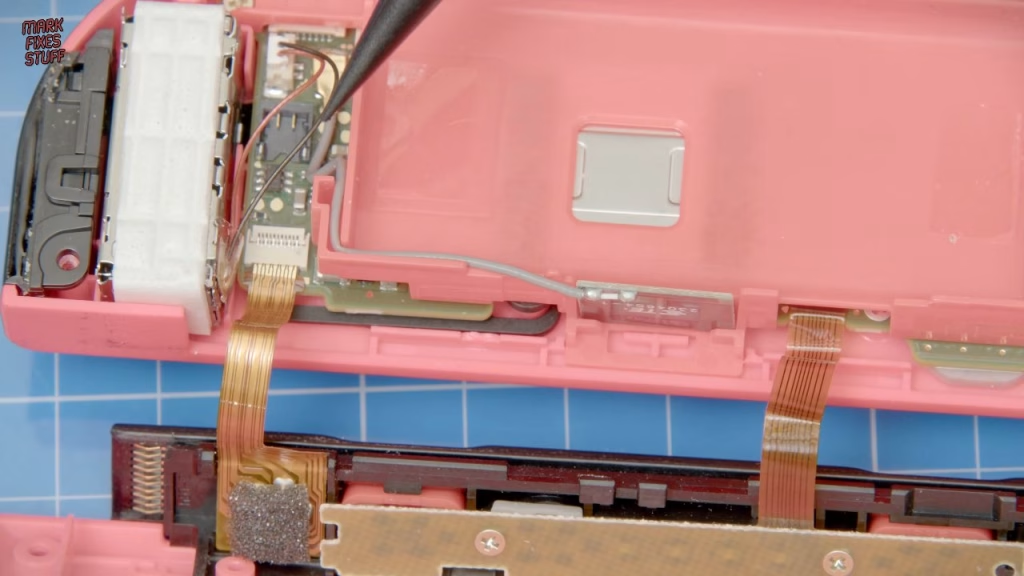
Remove the three 3.5mm Phillips 00 midframe screws. The midframe is attached by a very short ZR ribbon; some people leave it connected, but I disconnect it because leaving it risks tearing that fragile cable. This time I disconnected the stick ribbon first, then removed the two screws and pulled out a well-used, badly drifting old stick.
The new stick needs a little gentle persuasion into the hole, then the two screws go in (winding back to find the thread). When refitting the ribbon, line the stiffener up with the gold line. For the ZR ribbon, place the button side towards the Joy-Con and you get much more room to push it in and lock it. To flip the midframe back, use the groove near its top: rotate it, slide that slot along the lower body of the Joy-Con, move it upwards, then flip it into place over the screw holes. Reconnect the coax (it just clicks on), push the antenna wire into its channel so it sits below the level of the plastic, then refit the battery and check the cable is no higher than it. Close up and refit the four Y00 screws.
Why do new TMR sticks still drift? Calibration and a full restart
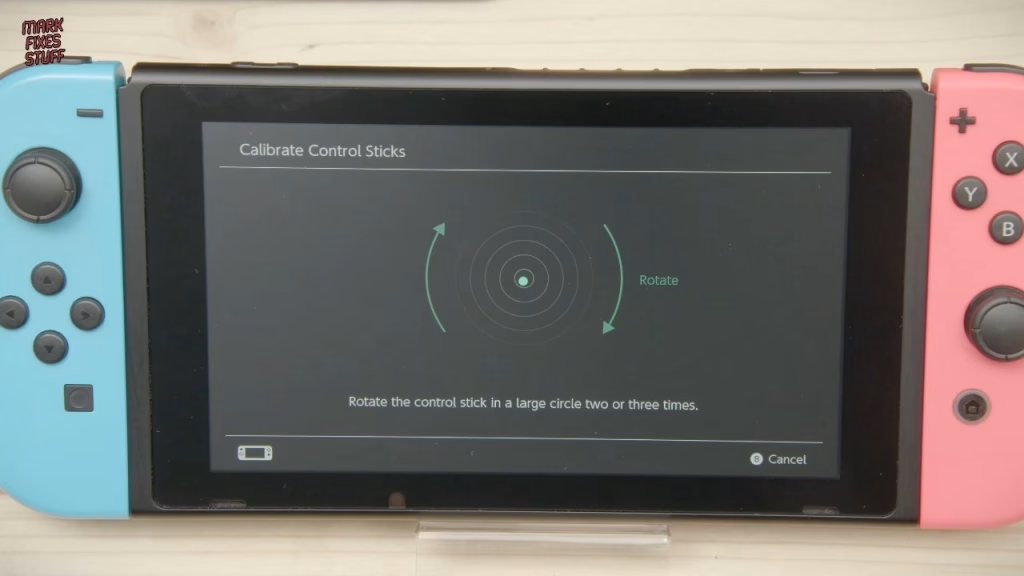
This is the step people forget. New sticks mean the controller needs recalibrating, and the Switch’s stick calibration screen showed just how far off the old compensation was. Calibrate both Joy-Cons and you get a reading smack bang in the middle. Then, most importantly, fully shut down the Switch: not sleep, a proper power off, then power back on. Before doing that, lots of people were reporting phantom drift even with brand new TMR sticks.
Did it work?
Yes. Both Joy-Cons are back together with TMR sticks, calibrated and centred. I’ve been ripped off on a certain marketplace before, with standard sticks turning up sold as TMR, so being able to get genuine TMR sticks and the right tools in one kit from iFixit is brilliant news.
Related
For another thumbstick swap, see my PS4 DualShock 4 thumbstick and battery replacement. I also teamed up with iFixit on a “parts only” Sega Game Gear repair, and if you’re kitting out your bench, here are my top 13 tools for fixing stuff.
Leave a Reply