
When a computer tape’s header tone wobbles, speeding up and slowing down instead of holding a steady note, the belt inside the cassette deck is almost always slipping. That was the fault on this well-used 1980s Cathay computer cassette recorder, which came to me in a lot from Matt M along with some Spectrum +3 bits. Before ordering a new belt, I cleaned it, tried flipping it inside out for a fresh surface, cleaned the pinch roller and heads, and finished with a head azimuth adjustment.
The deck itself is a useful one: it has a DIN port for connecting to a computer, EAR and MIC sockets, and a remote socket, so any old computer that can stop and start the tape will work with it.
Opening up the cassette recorder
There are a couple of screws on the back and more in the battery compartment. Keep track of where each came from: older kit like this often uses different length screws in different places (here the two at the front are longer), and there’s a difference between screws made for plastic, with a pointed end, and those for metal, with a flat end. Take the case apart with care, because the speaker is usually glued in and parts like the tape counter can be attached to the underside of the case. The control panel here is a separate piece.
Inside: the speaker, a board screwed down in a couple of places, and a grungy flat belt on a Mitsumi motor (great motors, by the way). You can never tell by turning a belt by hand whether it slips under load, but the drive wheel had a clear line of build-up around the middle, which is a good sign of why it was slipping.
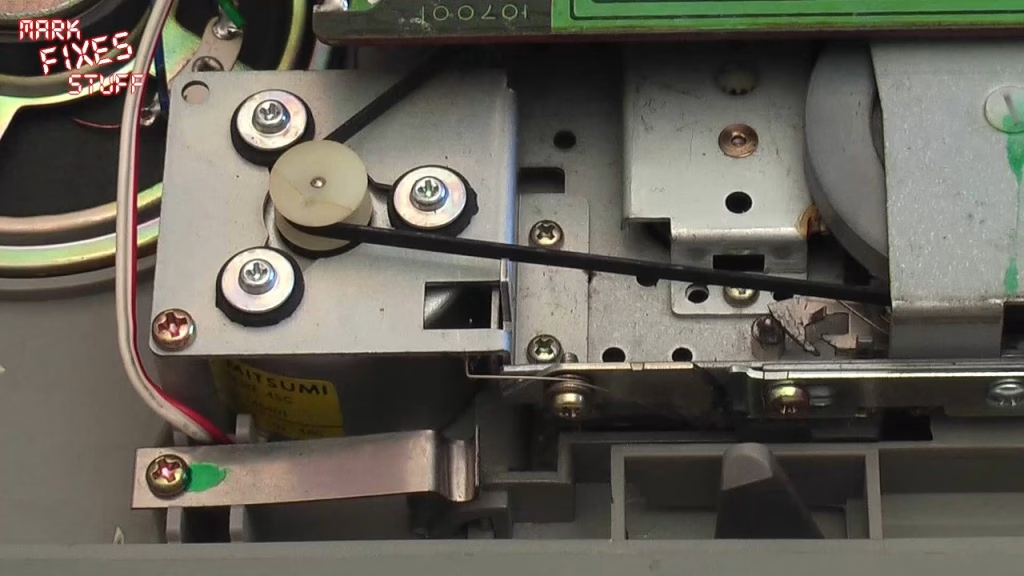
One tip on the board screws: one has a washer that connects the board to the ground plane, and the other has a spring washer to maintain contact even if it works loose. Don’t swap them around or the board won’t be grounded to the chassis.
What should you clean a cassette deck belt with?
Not isopropyl alcohol, and definitely not nail varnish remover (acetone). IPA feels like it’s working at first, but it leaches the softeners out of the rubber and leaves it tacky, then dries it out until it cracks and breaks. If you keep seeing black come off with IPA, that’s the surface of the rubber itself. My choice for rubber is window cleaner (Mr Muscle here, Windex in the US). Blue or green both work; I find the vinegar one works better, even though it stinks.
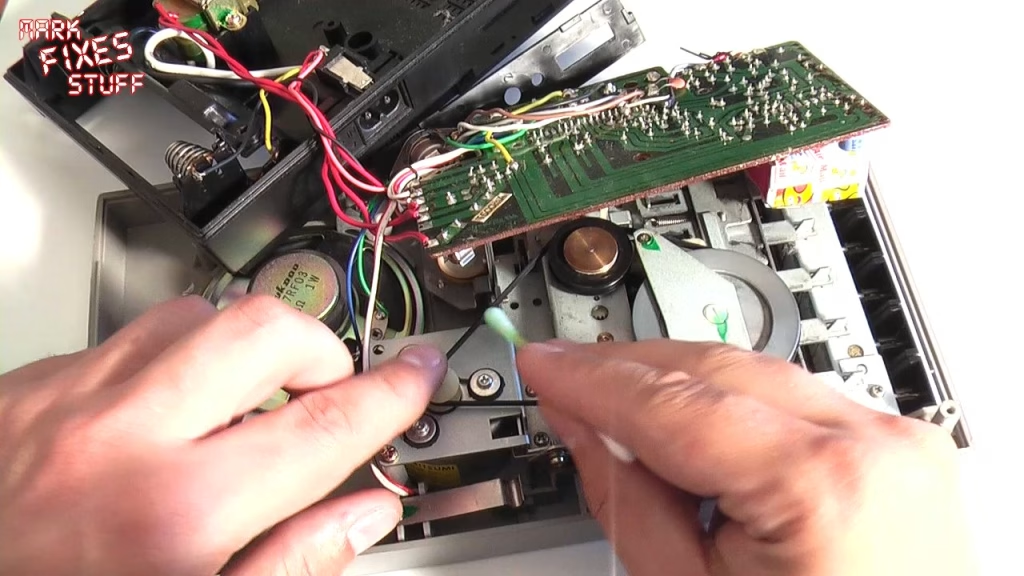
With window cleaner on a cotton bud, I cleaned the inside of the belt by turning the mechanism by hand, then let it dry and cleaned the wheels with a dry bud. Be careful not to stretch the belt while you do it: once a belt is stretched, it’s game over.
Turning the belt inside out
This is a trick I learned working as an engineer in a duplication plant, where we never had parts and always had to get the shift back running. If the belt is a plain flat belt (not shaped or V-grooved) and still has enough elasticity, you can turn it inside out so the worn side faces outwards and a fresh surface runs on the pulleys. It can get you quite a while more use.
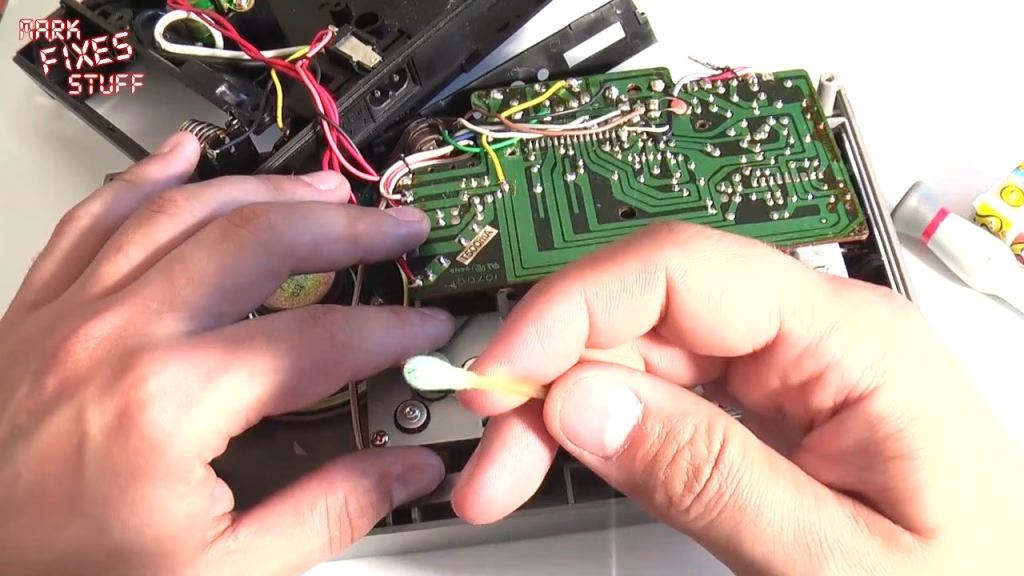
It’s not difficult, but it is fiddly, especially around a camera and tripod. Go round the biggest wheel first (here it has no lip, which makes it harder), then use a small screwdriver to hook it onto the motor pulley, and centre it on the wheels. Then give it another clean: more crud came off, and the belt was actually in quite good shape.
First test: no more wow and flutter
After refitting the board and wrestling the control panel and carry handle back into place, I tested it before spending any more time on it. Play, rewind and the tape counter all worked. With a known tape (Steve Davis Snooker for the Amstrad CPC 464), the header tone was clear and even, with no wow or flutter. The belt fix had worked.
Cleaning the pinch roller and heads
The cassette door pulls straight out on this model, which makes cleaning much easier (unlike the CPC 464 or Spectrum +2). The heads and mechanism were gross, so I picked out fluff and muck with a cotton bud, used like a broom, while trying not to wipe grease off the spindles.
The pinch roller matters most: if it isn’t gripping properly, the tape won’t be taken up and ends up spooled inside the machine. Again, window cleaner, not IPA. The deposit on it is oxide shed from tapes, and window cleaner lifts it without taking the rubber off; it just needs more elbow grease. I ran the motor to help and worked round it in sections for five or six minutes until I was back to black rubber. There’ll always be some wear on an old roller, so don’t chase perfection.
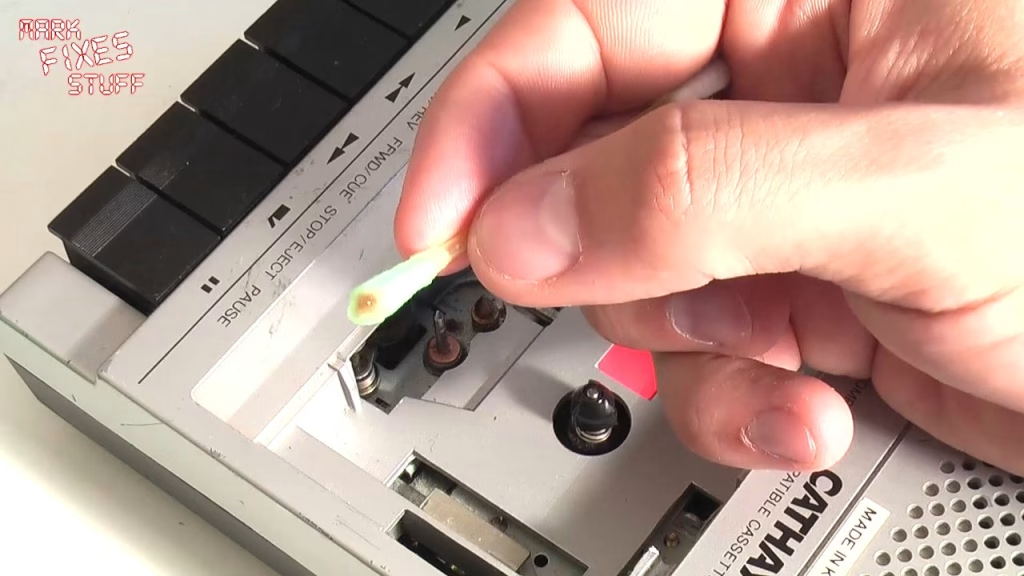
We’re here to repair things and not basically send them to their grave.
For the record/play head, I started with window cleaner (it avoids putting IPA on the surrounding plastic), dried it, then a quick wipe of the metal head face with IPA, dried quickly. Lots more came off, and there’s quite a lot of wear on the head. You can replace heads, but it’s expensive and parts are mostly for top-end machines; it’s often easier to buy a new deck, and new ones are still made.
Head azimuth adjustment
Azimuth is the angle of the head relative to the recorded tape. There’s usually a small hole in the case that lets you reach the spring-loaded adjustment screw with the tape playing (a cross-head is best, but a small flat blade fitted here). Play a known good tape and turn the screw slowly until the leader tone is at its sharpest and crispest. It can take a few goes, and don’t push on the screw while listening.
Did it work?
Yes. With the belt cleaned and flipped, the pinch roller and heads cleaned and the azimuth set, the tone was sharp with no wow or flutter, and no new belt was needed. I didn’t load a game on camera, but this deck is now in shape to load games on a computer.
Related
More tape loading on the site: fixing a Spectrum +2 Datacorder, adding an audio input to a CPC 464, the Tapuino virtual Datasette build and loading a Spectrum from an MP3 player with OTLA.
Leave a Reply