

I bought this Sinclair ZX Spectrum 128K +2 as “spares or repairs”. The seller told me the tape deck didn’t work, so it had been used for parts. In this video I get the main board running using a 30p buck regulator in place of the usual 7805, then find out why the Datacorder’s spools won’t turn. Spoiler: it isn’t the belts, and the fix is a tiny blob of glue. This video was sponsored by PCBWay.
What was missing from this Spectrum +2
From the outside this grey +2 looks pretty good. Inside, the 7805 regulator and the big metal heat sink that should cool it were both gone, and someone had repurposed all the screws. Everything else seemed present. These built-in tape decks have a couple of common faults, but first I needed to know whether the main board worked.
Can you use a buck regulator instead of a 7805 in a Spectrum?
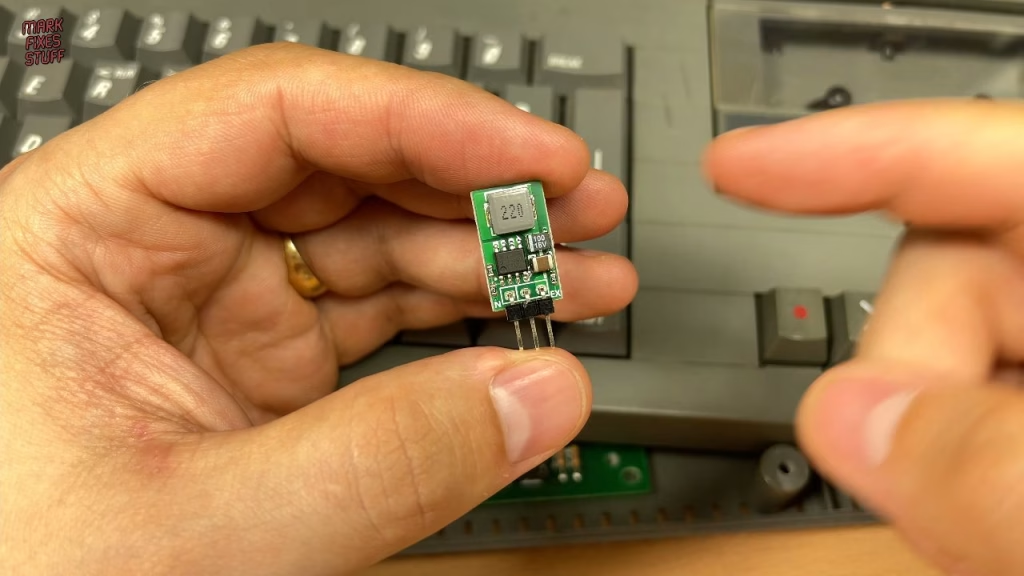
That was the experiment. I had a generic 5V buck regulator from China that cost about 30p and allegedly delivers 1.5 amps. The advantage of a buck regulator is that it’s much more efficient than a linear 78 series part, so it does away with the need for a heat sink. Trusted branded buck regulators exist, but at over 20 times the price, so this was worth trying. The module is pin compatible with a standard 78 series regulator, so it connects straight through pin to pin. As I don’t fully trust a part that cheap, I didn’t solder it to the board: I connected it temporarily with Dupont cables in the regulator position next to the tape deck connector, so it can easily be changed.
For video I used a Retro Computer Shack RGB SCART cable (its audio jack goes into the other port) and powered the machine through a handy mini switched extension from ZX Renew. Remarkably, it burst into life first time, and the keyboard worked perfectly too. The membranes in these models are quite robust; when they don’t work it’s usually dust between the layers.
Why won’t the Spectrum +2 tape deck play?
Pressing play gave no movement on the spools and a low hum from the mechanism. The left spool spun freely as it should, and pushing on the pinch roller let the spindle rotate a little before stopping again: a big clue. A lot of you will be shouting “change the belts”, and I did fit fresh ones, but that wasn’t the fault. There was resistance on the flywheel itself.
The cause is a common one. A small white plastic hat on the pause latching mechanism holds its spring tension, and over time these split and can no longer grip their post. This one had popped up and was fouling the flywheel.
Fixing the pause latch
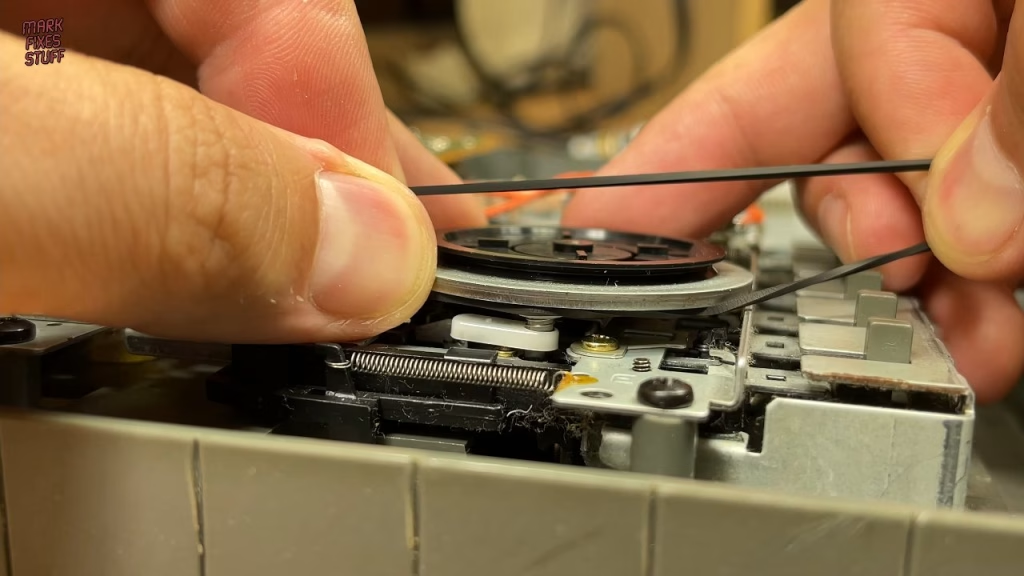
With the belts unhooked, the flywheel pulls up off the spindle. Some people use their fingers, but the force needed can send bits flying, so I gently lever the wheel while pulling upwards for a controlled removal. Note the small washer on the other end of the pinch roller spindle and take it off now so it doesn’t get lost.
I put a small blob of gel superglue on the post (not the runny stuff, for obvious reasons), placed the hat back on and held it until it stuck. After about ten minutes the latch dropped back into its groove when wiggled. Before refitting the flywheel I put a little silicone grease on the spindle. Make sure your grease is specified as plastic safe, meaning a low mineral oil content that won’t degrade plastic parts. The spindle comes out from the cassette door side, and the slightly shorter end is the cassette side if you lose track.
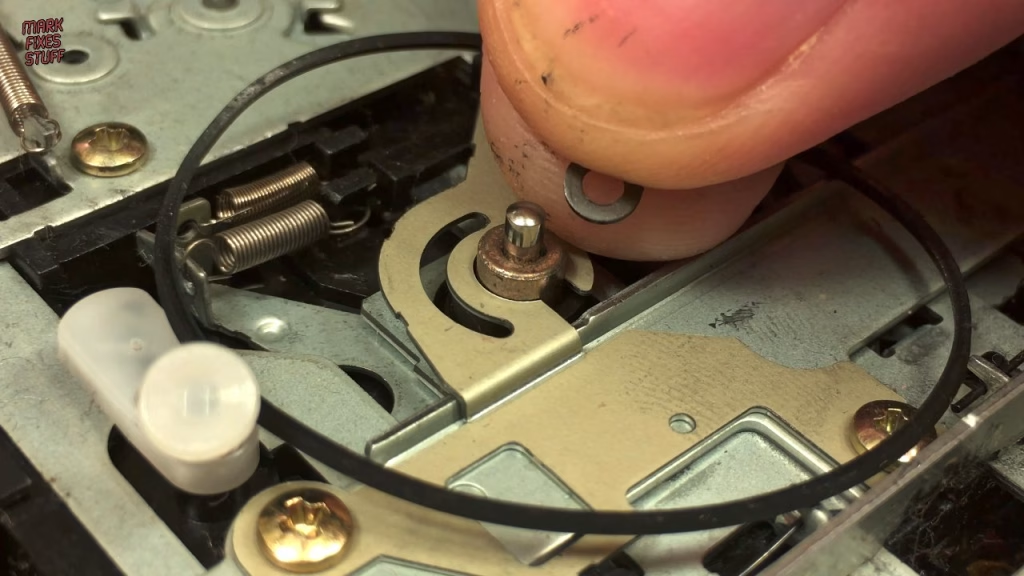
Refitting is fiddly. Close the cassette door (it’s the only thing stopping the spindle dropping out), don’t forget the dinky washer, and push the flywheel on with the smaller pulley underneath, holding the spindle with your thumb. Then flip the unit over and push the spindle home with a flat screwdriver. If you push it too far the flywheel won’t turn, so lever it back a few millimetres. Test it on its side, as the washer adds friction when the unit is upside down.
New belts, earth checks and a head clean
The smaller belt is an AV Belt 74 from CPC Farnell, pulled on over the top of the pause latch so it clears the glued part; a square section belt will straighten itself. The larger one is an AV Belt 107 and is much easier to fit. If turning the flywheel turns the other pulley, that’s a good sign.
I also check continuity between the earth points on the board and the metal chassis of the tape deck, especially the middle connection. A poor earth can cause load failures; if it’s bad, clean the contacts with IPA. The heads got a gentle clean with a cotton bud and isopropyl alcohol, and the loose board was screwed down with short 6mm M3 screws. M3 is very often the right choice for vintage kit, so it’s worth keeping a few lengths on hand.
Did the repair work?
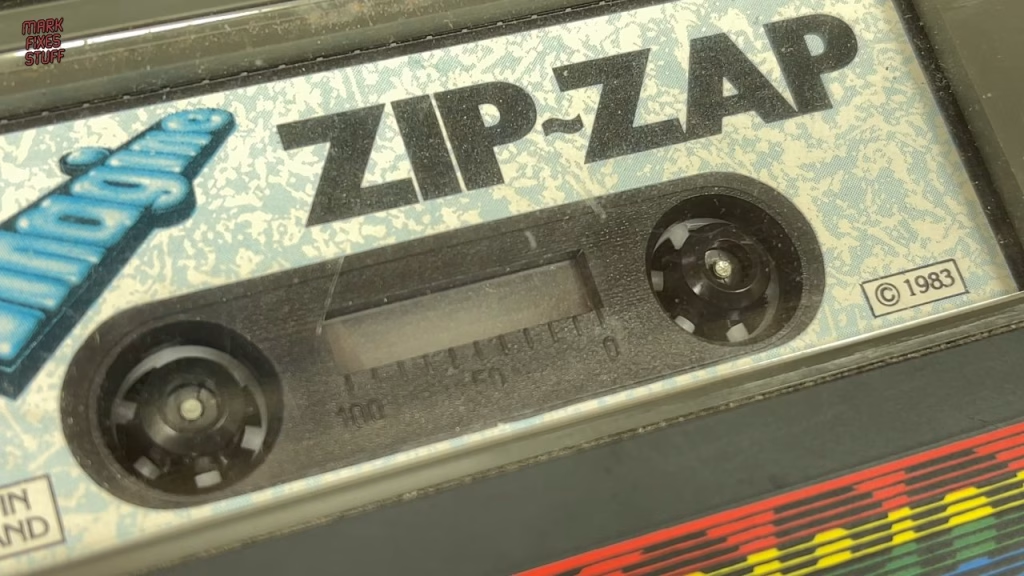
Yes. Rewind and fast forward both work with good resistance to the touch, and play now has a good amount of torque. I like to quickly fast forward and rewind old tapes to check they’re not stuck before loading. The tape rolled smoothly and the game loaded successfully after a couple of plays. The buck regulator also ran the board without complaint during testing, all without the heat sink the 7805 would need.
Related
If your +2 has a power problem rather than a tape problem, see the common Spectrum +2A/B power supply fix and how to test a 7805 regulator in a Spectrum. No tapes? You can load software from an MP3 player using OTLA.