

No cassette player for your ZX Spectrum? No problem. With OTLA and a mono audio cable you can load TAP files into a real Spectrum straight from a PC sound card, and even turn them into WAV or MP3 files for an MP3 player or phone. Better still, it is fast: the game in this video loaded in 27.9 seconds.
OTLA stands for On The Load Again (it’s a pun on a Willie Nelson song). It is a free tool written by Francisco Villa Rodríguez, available from http://code.google.com/p/otla/, for loading programs into vintage computers through their cassette socket at high speed.
The connections on the back of the Spectrum
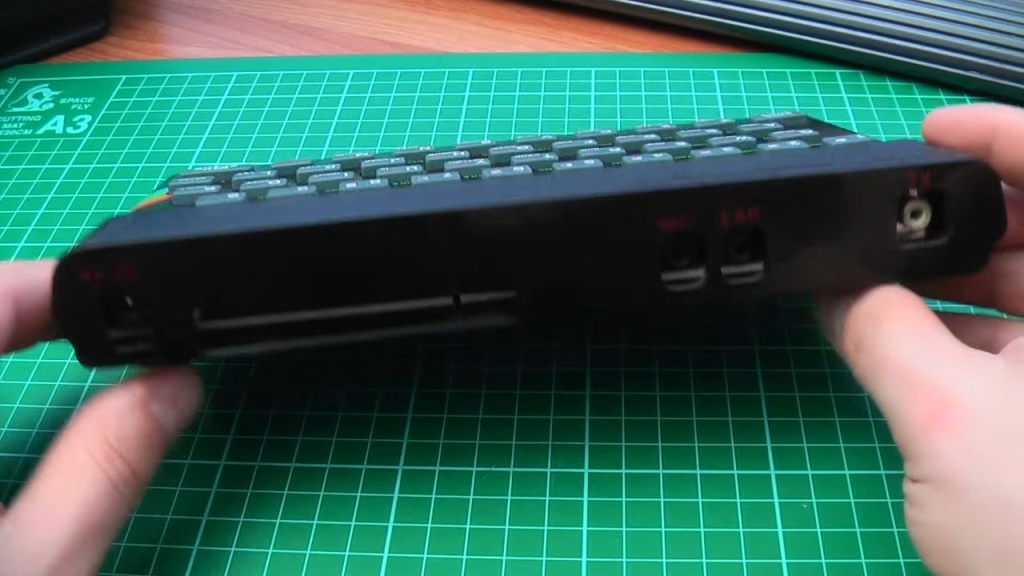
From left to right on my 48K there is the 9V centre-negative power connector (the power pack can supply up to 1.4 amps), the edge connector (nothing plugged in, so you know I’m not cheating), the MIC socket for recording and the EAR socket for listening for programs. The UHF output on this machine has been converted to composite video, so it goes into a SCART block on the back of my ancient TV.
On the 48K the sound comes out of the small speaker on the bottom of the case, which is a real pain if you are trying to play Jet Set Willy at midnight without waking the kids.
Use a mono cable into the EAR socket
The lead is a mono audio cable with a jack plug on each end. I made it myself, and the two connectors cost 37p. One end goes into the EAR socket (always remember the Spectrum needs to listen to the program, so it goes in its ear) and the other into the PC sound card output.
Mono really matters here. You can splice stereo cables together, but I have found you get poor results on some outputs.
Telling the Spectrum to load
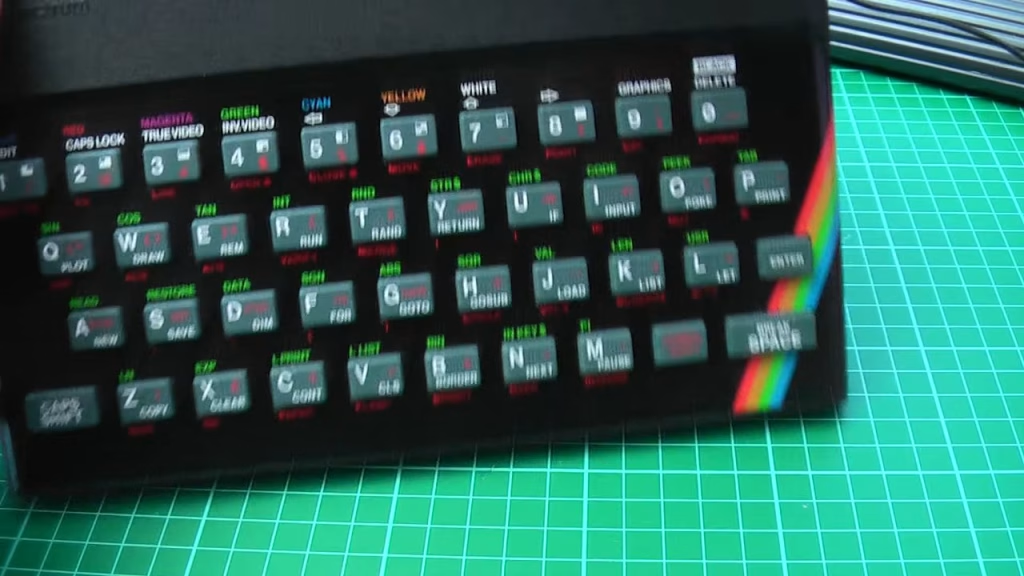
Power on, then press J (which is keyword LOAD on the 48K), hold Symbol Shift and press P twice to get the quote marks, then press Enter. The machine is now listening.
Setting up OTLA
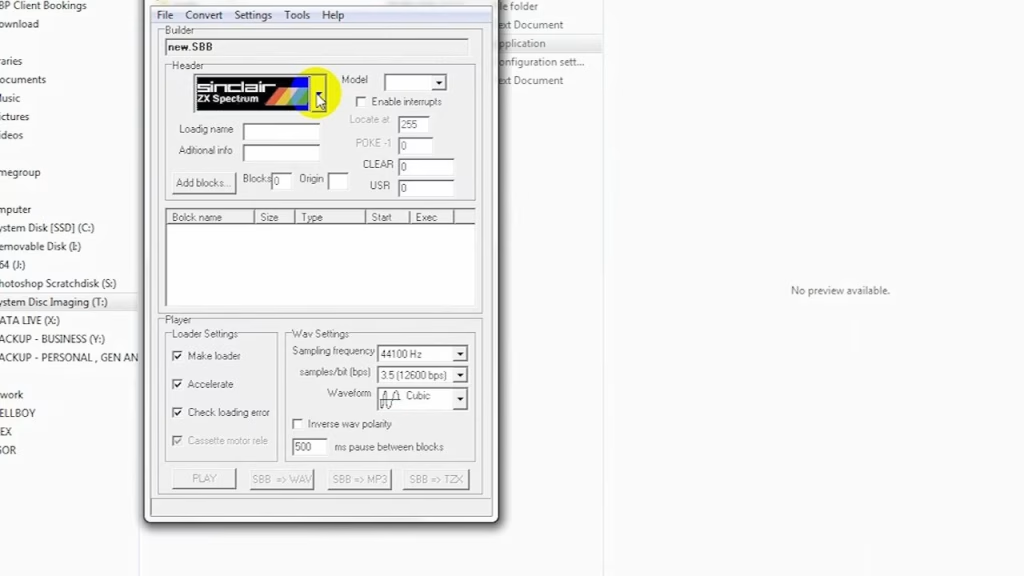
I downloaded OTLA, unzipped it to its own folder on the PC along with the Spectrum TAP file, and double clicked otla.exe. It supports several machines including Amstrad, MSX and ZX81 as well as the Spectrum, and you can choose a sub-model, though I left that blank and it worked fine. The settings I used:
- Loader settings left at their defaults
- 44,100 Hz sample rate
- Waveform left as cubic (the other options are described as experimental)
- Anything you type in the loading name appears as the header on the Spectrum itself
Then it is File, New, then Add, and pick your file. I chose Knight Lore. OTLA shows the blocks it will add; with no warnings or exclamation marks, click OK and then Play. (The first time you won’t see the prompt about overwriting an existing file.)
Did it work?
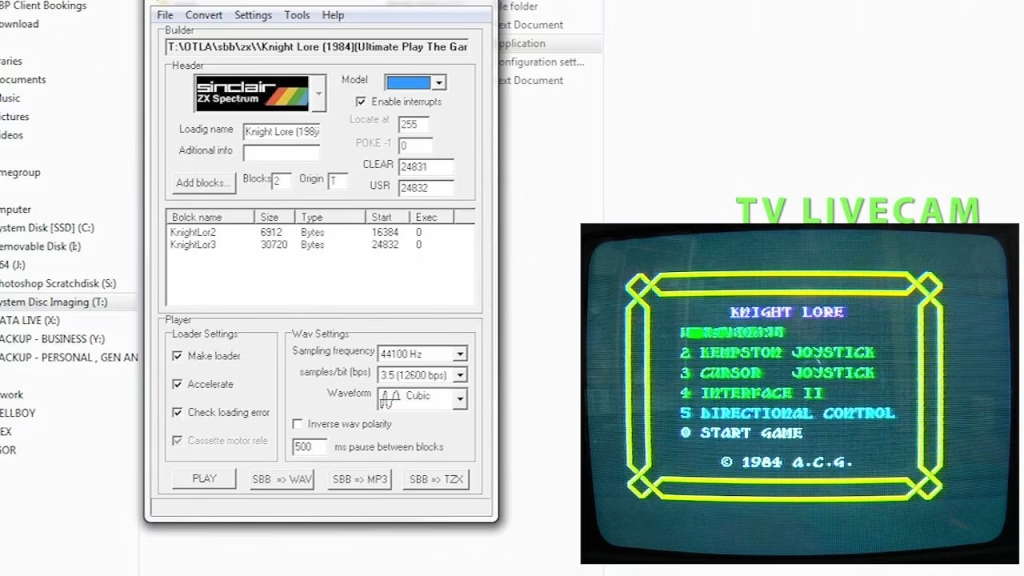
Yes. OTLA first loads a speed loader into the Spectrum, which then fast loads the game at about 1,200 bps. Knight Lore was up and running in 27.9 seconds, in real time. Across titles you can expect around 22 to 30 seconds.
OTLA can also output a WAV or MP3 file, so you can play it from an MP3 player or phone instead of crawling behind your PC. To be honest, not every title works with it, and snapshots either load or they don’t, so it does take some experimentation.
Related
Want to try it without making any files? Load Traxx (1983) straight from a video soundtrack, made with OTLA. I also added an audio input to an Amstrad CPC464 to load games the same way, and if your Spectrum is still on RF, see my no-solder ZX Spectrum composite mod.