
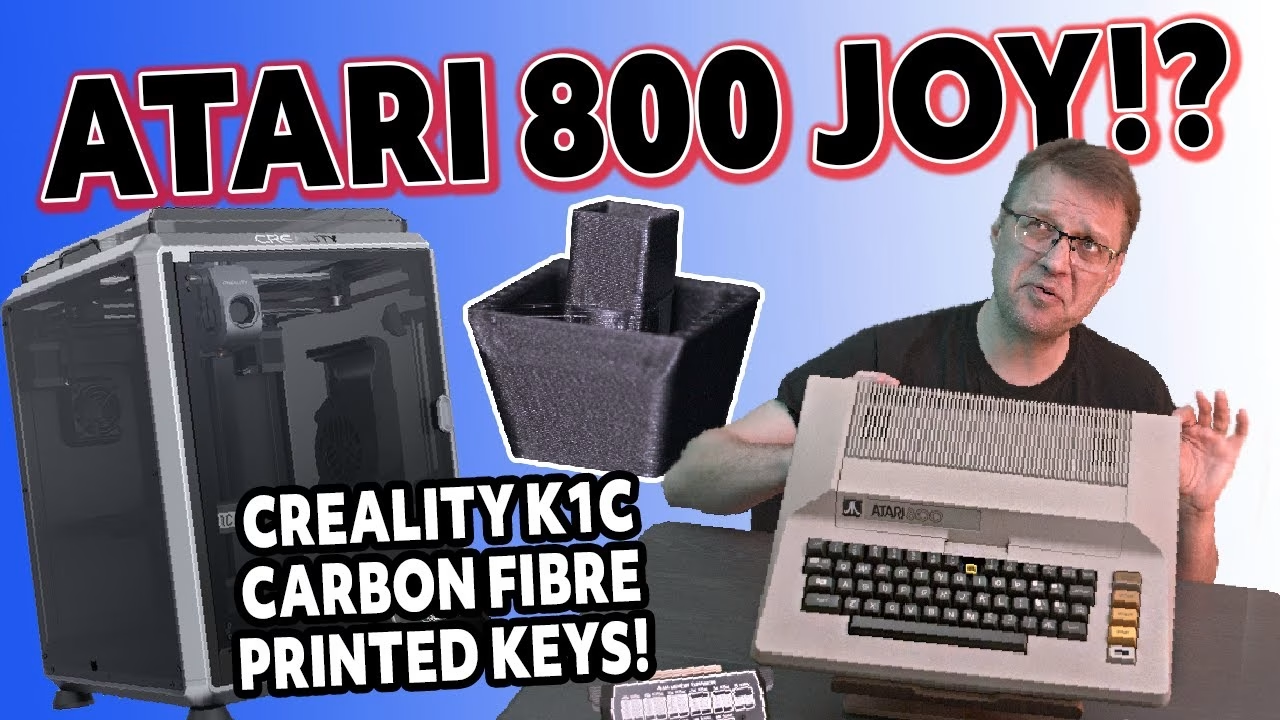
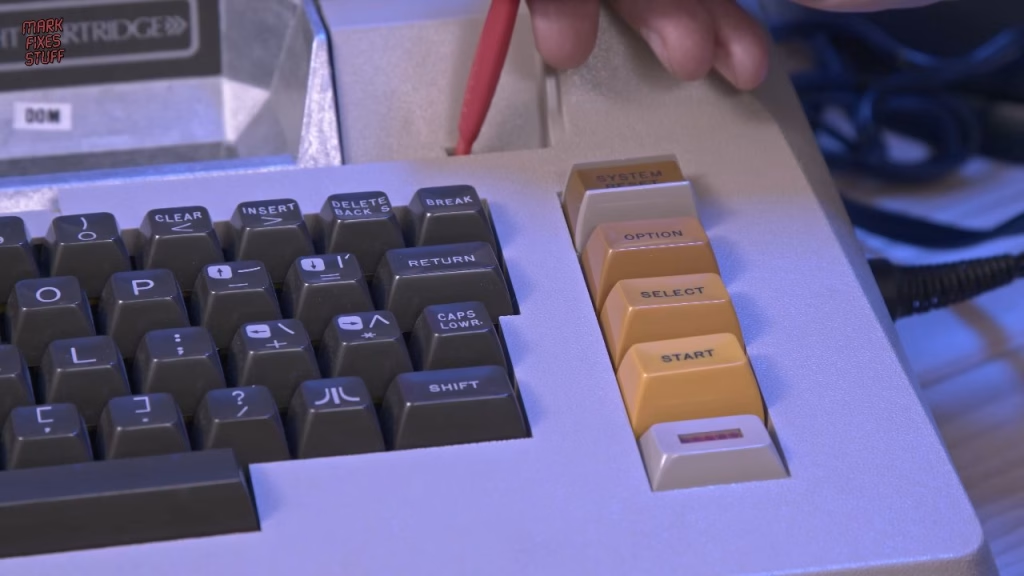
This Atari 800 turned up in a box while I was clearing a filming area for the laser cutter, and it came with a problem I couldn’t ignore: a missing key, leaving the keyboard contacts exposed to dust and grime. So the plan was simple. Expand it to 48K with the RAM cards that came with it, test the memory with a Super Salt diagnostic cartridge, and 3D print a temporary keycap to cover the hole. It took me a week, and by the end it turned out to be a complete waste of time (for a reason I’ll get to). This video was supported by PCBWay.
What came with the Atari 800
The machine was a generous donation from irata, and it came with more cards than it has slots for: two OS cards that appear to be identical, and four 16K RAM cards when the system only takes three optional RAM cards. First world problems. There was also a Galaxian cartridge I’d never played, and a Donkey Kong cartridge. The cartridges are ridiculously over engineered, which I’m entirely here for.
How do you expand an Atari 800 to 48K?
The four expansion slots live under the aluminium cover on top of the machine. On early machines like this one the cover is held by screws that go straight into the aluminium (apparently later machines use a plastic clip or toggle, though I’ve never seen one). You lift the cover and pull it forward to release the two clips into the main body. From above you can see the four card slots and the two cartridge slots; I’ve only ever seen the left one used.
Helpfully, Atari printed a diagram on the front of the OS card showing every configuration from 8K up to 48K. For 48K you fit the ROM (OS) card and then three 16K boards. The spare OS card and the fourth RAM card were surplus to requirements.
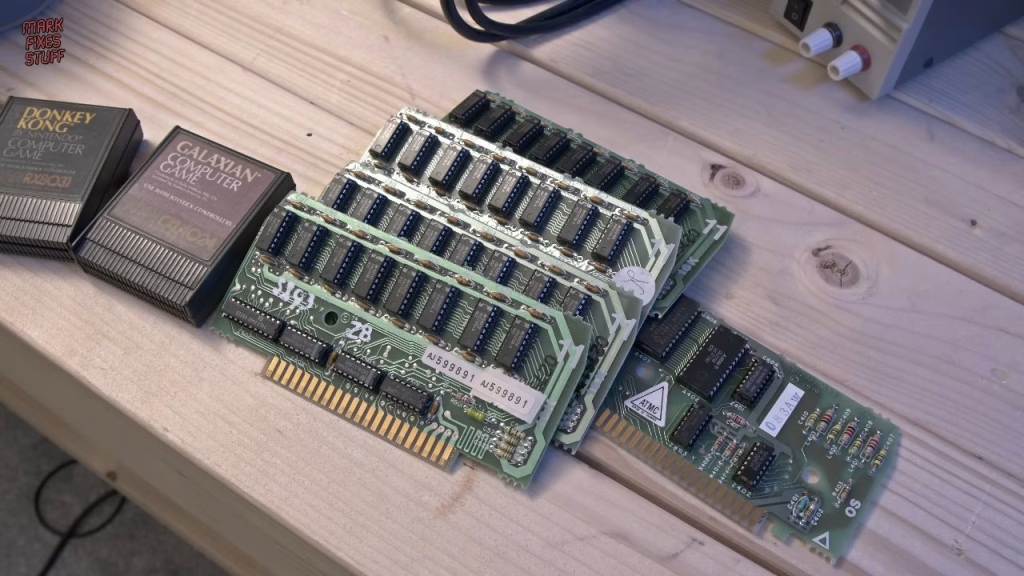
Refitting the cover caught me out. There are two tabs on the underside of the aluminium plate that have to mate with two holes in the computer, so you place it, slide it back and pop it into place. The experienced Atarians will already be shouting that I should have taken the screws out completely first, and they’re right: they were in the way and I didn’t want to force the cover. With the screws removed it clipped in easily. I then turned each screw backwards until I felt it drop into the original thread, started it with my fingers and finished it with a light twist until the driver cammed out, so I wasn’t cutting new threads in the aluminium.
Powering a US Atari 800 in the UK
This Atari came from the USA, so its power supply is a 110V unit. Plugging that straight into UK mains would melt the transformer, so I used a step down transformer to take 230V down to 110V. It’s not the most energy efficient solution, but it’s what I had. The transformer has an IEC inlet and a 220V/110V switch, so I suspect it can work as a step up transformer too.
The power adapter that came with the machine was box fresh, which felt almost wrong to open. If you’re wondering why I didn’t just use a different supply: it outputs 9V AC, and AC output adapters are much harder to come by than DC ones. I certainly didn’t have one lying around. For video I used a cable from Retro Computer Shack into the DIN socket on the side, which only gives composite, feeding a consumer LCD TV.
First power on: nothing. I was genuinely worried until Terry and Dave pointed out the obvious, which was that the TV wasn’t on the right input. Switching to AV1 brought up Memo Pad. With no cartridge in the left slot the machine boots straight into Memo Pad, which was enough to check the keys, including the contacts under the missing 8 key.
Testing the RAM with a Super Salt diagnostic cartridge
To check the new RAM cards I built a Super Salt cartridge, a reproduction of the diagnostic carts used when these machines were current in the late 70s and early 80s. It’s a very simple build: an EPROM, a small piece of 74 series logic and a single ceramic capacitor. I covered the full build, including programming the EPROM, in my separate Super Salt video, and the PCB can be ordered from the Super Salt project page on PCBWay. Some Atari 8-bits do have limited built in diagnostics, but the Super Salt can run even when a machine is quite badly broken.
Then came another schoolboy error. The cartridge door has to be shut, because a tab on the door goes into a slot and presses a micro switch that allows the machine to power on. A red spudger stood in for the door, and the Super Salt booted. From there I went into individual tests, selected the RAM test with R, and after about 30 seconds every bank came back okay. I tested a lot more besides, but that’s in the other video.
Setting up the Creality K1C
For the keycap I used a Creality K1C that Creality sent to the channel, which was good timing because my CR-6 SE had just died. The marketing says you can have it unboxed and printing in about three minutes (with an asterisk about lab conditions). Under Mark Fixes Stuff conditions, peeling the protective film off took five minutes on its own, and getting the ribbon cable into the back of the touch screen took another five.
A few other things I hit along the way:
- There’s a warning to set the supply voltage on the back before powering on, but on my unit there was only an on/off switch.
- The manual mentions a filter for the back of the printer that I couldn’t find anywhere.
- Three transit screws have to come out, and they were a real pain.
- The self check runs for nine minutes, and during setup the printer knocked its own magnetic lid off. Then it found new firmware and made me do the whole process again, lid knocking included. The forums say this happens to everyone, and some people shim the lid to stop it.
- The built in camera looked blurry until I found a protective film on it that none of the setup material mentions.
All told it took about an hour to be ready to print, which in fairness isn’t bad. Loading filament is easy: feed it up the chute at the rear until you feel resistance, through to the direct drive head, lock the lever and hit extrude.
Printing a replacement Atari 800 keycap
My 3D modelling skills are still developing, so I was pleased to find an Atari 800 keycap by Pluto63 on Thingiverse. I sliced it in Creality Print, which integrates well with the K1C, and printed it in Hyper Series PLA with carbon fibre in draft mode. It took a little over 17 minutes. I changed the first layer direction so it didn’t run corner to corner. There’s a bit of elephant’s foot and some stringing that a hot air gun would tidy up, but it’s very strong and that’s all it needed to be.
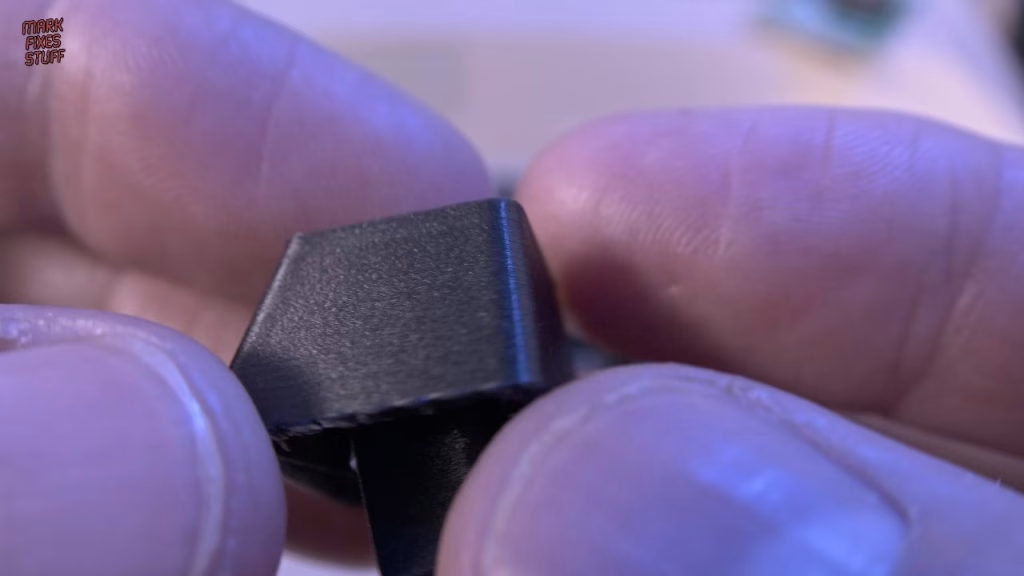
It’s a bit loose and looks out of place, but as a temporary cover to keep grit off the contacts while I hunted for an original key, it was far better than a gaping hole.
Donkey Kong, Galaxian and Defender
With the classic Atari joystick plugged in, Donkey Kong looked quite washed out with weak reds, and the score in the top corner was barely readable in real life, not just on camera. Galaxian, on the other hand, was surprisingly clear and bright. A video mod for this machine might be worth looking into.
Why it was all a waste of time
Looking for more games, I went back to the box the Atari came in. There I found Star Raiders (the game I used to play with my cousin), Defender, and sitting right there in the box, the original 8 key from this Atari 800. Days spent making a temporary one, and kind people had even offered to send me a spare. At least the machine is complete now.
I didn’t stay sad for long, because Defender was calling. I’m terrible at it, but that Atari joystick is one of the most responsive controllers ever.
Did it work?
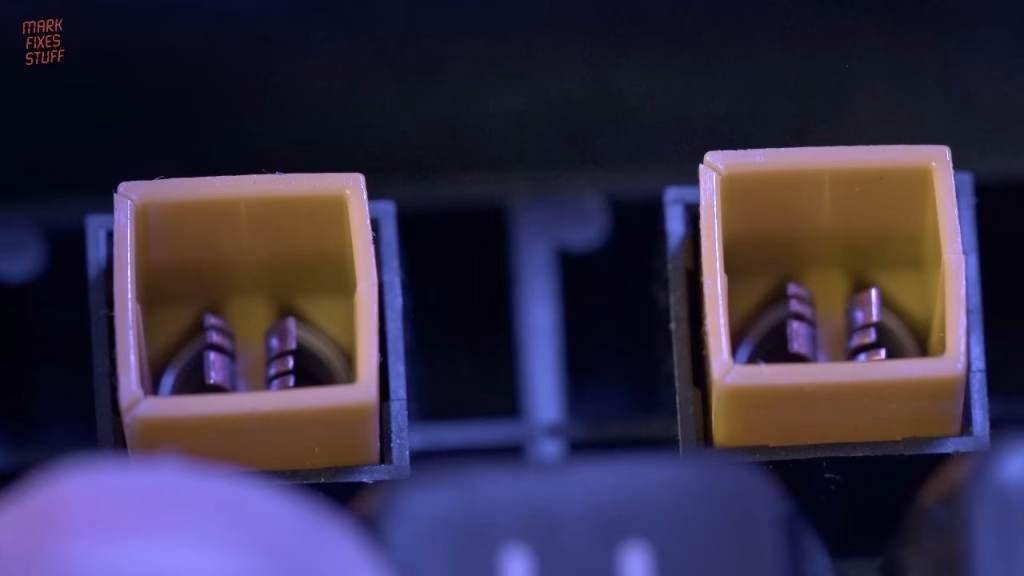
Yes. The Atari 800 runs happily at 48K, the Super Salt RAM test passes, and the original key is back where it belongs. There is one more thing playing on my mind, though: the keys fall off far too easily, and it’s not just the 8. In close up, nearly every yellow plunger on the keyboard has shrunk and cracked with age. That’s something I want to look into fixing.
More from the Atari diagnostic cartridges: Building an Atari Super Salt Diagnostic Cartridge: Is It Worth the Effort?.
Related
More Atari projects on the bench: building the A10400 Pico Atari 2600 and 7800 multicart and modding an NTSC Atari 7800 with a composite mod and recap. For more 3D printed retro parts, see my Anycubic Kobra X review.
Leave a Reply