
A PAL Mega Drive will only play cartridges set to the European region (or no region at all), and it runs them at 50Hz. In this guide I fit a switchless 50/60Hz region free mod from DA Retro to a PAL Mega Drive, with no toggle switches and no drilling of big holes in the case. Region changes are made from the reset button, and a tri-colour LED shows which region you’re in. Then I put PAL and NTSC side by side to see whether it’s worth doing. This video was supported by PCBWay.
Opening the Mega Drive (and keeping your screws in order)
The mod kit came from DA Retro. Alan is a really helpful chap, his mods are very well priced, and I don’t get a commission. Six screws on the bottom hold the case together, with no nasty clips. Lifting the top shell needs care because of the LED cable, which isn’t really designed to come off: the only way is to straighten the LED legs and physically pull the plug off them. That’s how it left the factory.
Here’s where a lot of people go wrong. The screws inside the Mega Drive are slightly shorter than the case screws, so keep each set separate. There’s one hidden screw on the shield that often gets missed, and another under the headphone board. The three screws in the heatsink by the regulators look like they thread into aluminium, but they go straight through into the plastic, so they’re self-tapping (and a different length again). The red threadlock on them is, frankly, redundant. The two screws either side of the cartridge slot sit in the posts most prone to breaking, because that’s where all the cartridge insertion stress goes; one of mine was broken and I glued it with resin.
Quick refresher: machine thread screws have a fine pitch and a blunt end, and go into an existing thread. Self-tapping screws cut their own thread on first insertion, usually into plastic. Mixing them up is how screw posts get destroyed.
Under the shield this one is an M5 PAL board. There’s also a VA4 variant with slightly different locations for the install, but it’s similar. Do I recap Mega Drives? Generally not: I’ve seen quite a few and never found a bad cap in any of them.
Cutting the region jumper and reset traces
Sega thoughtfully put region jumper pads on the board, and the mod ties into those. That means cutting the traces between the pads of jumpers 2 and 3. I used a flat ended cutting bit, which makes a cut about 1mm wide that would be easy to bridge if you ever wanted the machine region locked again. A scalpel is arguably neater, but I find I have to hack away more to break the connection. I checked continuity before and after with my multimeter to confirm each cut.
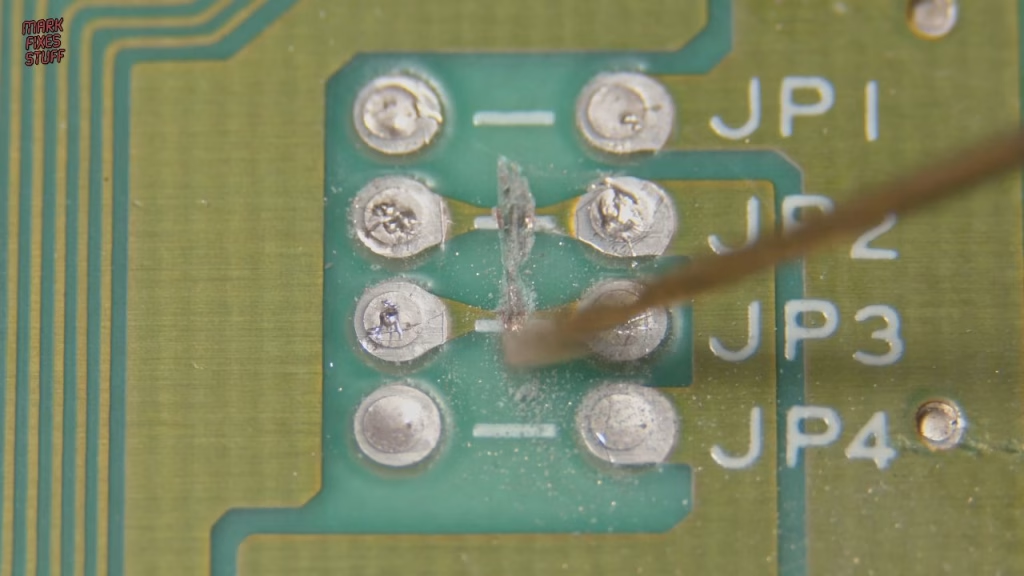
The mod also has to interrupt the reset signal, so there’s one more trace to cut on the underside of the board. To give myself a bigger pad to solder to on the reset line, I gently removed some solder mask with a rubber abrasion tip in my Dremel, stopping as soon as copper started to show, then cleaned up with isopropyl alcohol.
Wiring the DA Retro switchless mod
The kit includes the mod board, an instruction card, red, blue and yellow heat shrink, a tri-colour LED (red and blue elements, which together give purple) and what looks like 150m of single core bell wire. I soldered at 330°C because the board already has leaded solder, using 60/40 leaded wire (which, contrary to popular belief, isn’t banned for home use) plus plenty of flux. I tin the ends of the bell wire even though you normally wouldn’t: it gets fresh flux onto the wire so it tacks instantly to the pre-tinned pad.
- Jumper wires: JP1 right, JP2 left, JP3 left and JP4 right. On the mod board these go to the +5V pad, pad 9, pad 10, and JP1 to the minus (ground) pad.
- Reset: the wire from the reset button leg goes to pad 13 (marked “button”), and the wire from the exposed reset signal pad goes to pad 8 (marked “reset”).
- LED: the stock LED ground wire comes off, a new ground goes to that pad, and the two LED colour legs go to the 50Hz pad (pad 5) and the 60Hz pad.
The mod board has big solder pads (lovely for tired eyes), and the unused pads are there because it’s a multimod sold for different consoles. The adhesive pad on the back is some of the stickiest I’ve come across, so place it accurately first time. I put mine on the right, under the jumper area, and tidied the wiring with Kapton tape.
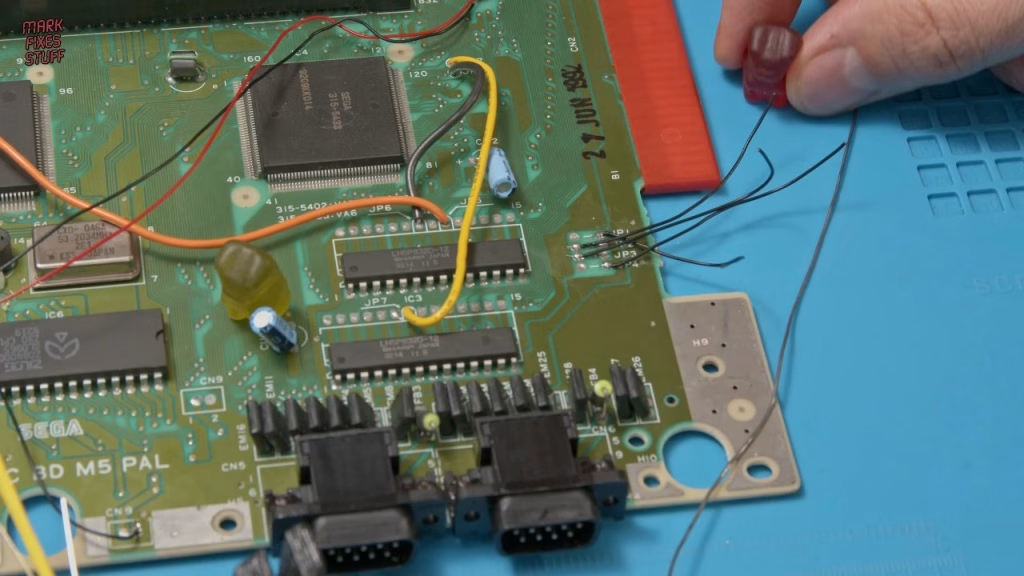
A note on the LED: the website instructions say the middle leg is ground (correct) and name which outer leg is red and which is blue. I suspected they were the other way round, but followed the instructions anyway. Heat shrink on all three legs was set with hot air at about 140°C.
Fitting the new LED
The original 3mm LED drops through two small holes in the case, so the bezel has to come out and the hole needs enlarging for the three legged LED. I drilled it gently at slow speed with a 2.6mm bit, slightly under size because the plastic tends to melt. I later reamed both the bezel and the case aperture a bit more so the LED sits proud: the stock LED only had to say “on”, but this one needs to be visible from all angles. It’s held in place with hot glue, which can be softened with a hair dryer if you need to reposition it.
Reassembly is the reverse, with a couple of catches. The resin in the repaired post left a pocket in the bottom, so I drilled it out using Kapton tape on the bit as a depth gauge. The board must go under the bent tab on the lower shield, not on top of it. And when you refit screws into plastic, turn them anticlockwise until the thread drops in, so you don’t cut a new one.
Did it work?
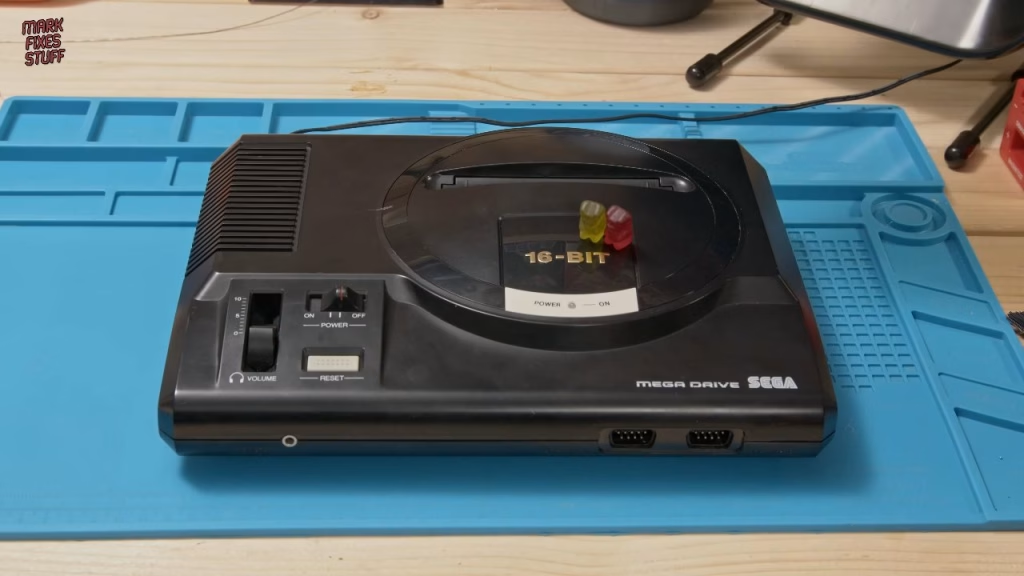
Powered from about 9V on the bench supply (centre negative), the LED lit straight away. Holding reset cycles through the colours and releasing it locks the region in. It turned out blue is EU PAL, purple is USA NTSC and red is Japanese NTSC: the opposite of what I’d intended, so my suspicion about the LED legs looks right.
Is a Mega Drive 50/60Hz mod worth it?
Truxton in PAL at 50Hz didn’t feel slow to me. Then I ran the same ROM from a multicart in Japanese mode, where it presents as Tatsujin, and it was night and day: snappier gameplay and a bigger playfield. Oddly I found it easier, perhaps because I could move more freely and anticipate the bullets better. I can’t see myself going back to the PAL version.
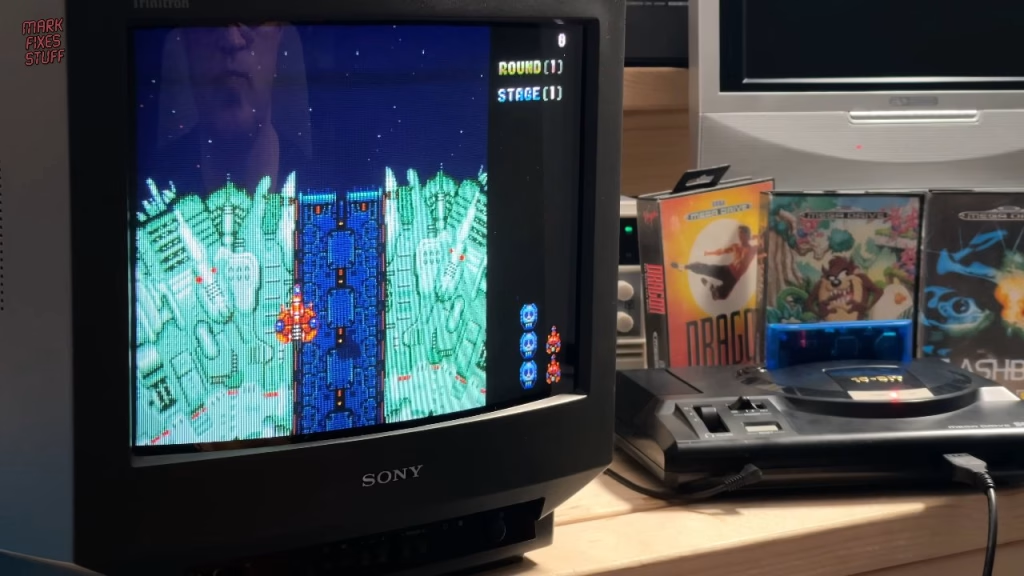
Ghouls ‘n Ghosts becomes Dai Makaimura in Japanese mode with a bigger playfield, though I couldn’t say it was noticeably faster. Toki gets the full screen back, runs slightly faster and becomes JuJu Densetsu. One more thing: genuine Japanese cartridges won’t fit a European Mega Drive slot without cutting the top shell. I chose not to cut mine and ordered a slot extender instead.
So is it worth doing? Yes. It’s a great mod and a lot of fun to install. Thanks to Dean for the console and Alan at DA Retro for the mod. The tools I used included my Kaiweets ES20 electric screwdriver and KM601 multimeter; Kaiweets gave code MFS15 for 15% off at the time of the video.
Related
More Mega Drive projects: changing the save battery in a Mega Drive cartridge, a Mega Drive pad adapter for the C64 and Amiga and a Mega Drive controller adapter for the Atari 7800. If your joints aren’t flowing, see how to spot and repair a dry solder joint.
Leave a Reply