
If you have a Sega Mega Drive (Genesis) cartridge where the game seems to save, but the save has gone the next time you power the console on, you almost certainly have a flat save battery. It is just a plain battery, not rechargeable, and it is fairly easy to replace. Here I change the battery in a copy of Shining Force, mistakes and all: I have highlighted them in the video itself rather than with annotations, as people seem to have those turned off.
Why won’t my Mega Drive cartridge keep its save?
Battery-backed cartridges keep their save RAM alive with a small battery on the board. When it wears out, everything works while the console is on, but the save disappears as soon as the power goes off. This Shining Force cart worked perfectly apart from exactly that.
Tools you need
- A 3.8mm gamebit driver to open the cartridge (I have reviewed a gamebit set in another video)
- A replacement battery with solder tabs: I recommend Varta or another decent brand, otherwise you will be doing this again quite often
- Side cutters (or scissors) and leaded solder: do not mix unleaded with leaded
- Brasso to clean the edge connector contacts (it is aggressive, so be quick)
- A multimeter to check the result
Opening the cart and removing the old battery
With the gamebit screw out, the cartridge pops open and the battery is right there. My solder sucker had just fallen apart, but as it turned out I did not need it: one of the tabs was a dry joint and the old battery came out with almost no work at all.
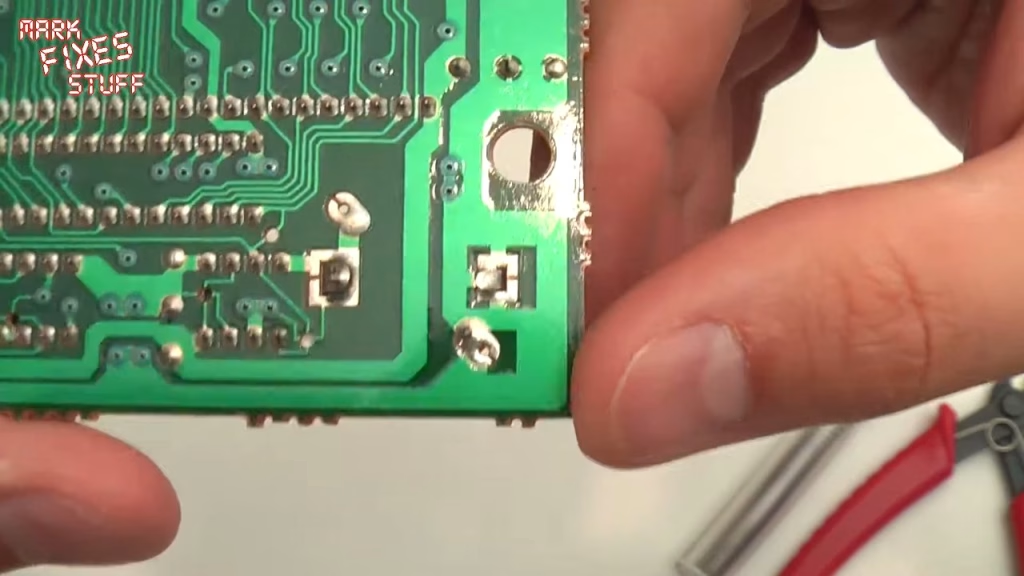
When a battery is harder to remove, my usual approach is to snip the tabs with side cutters and then desolder the tabs on their own. If you leave the battery attached, it acts as a massive heat sink: the joint takes longer to heat, which risks heat damage and lifted pads.
Preparing and fitting the new battery
The positive side is marked on the board (the negative is not), and there is a circle screen printed where the battery sits. The new battery’s tabs were wider than the holes, so I trimmed them down. The tab metal is very thin, like double thick tin foil, so scissors are actually easier than side cutters. I used the old battery as a template for the tab positions.
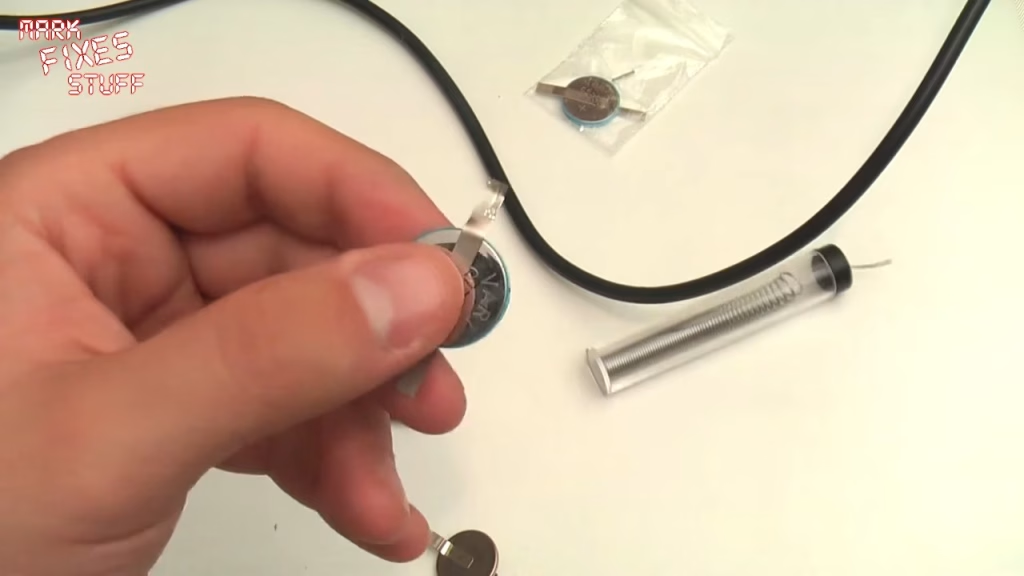
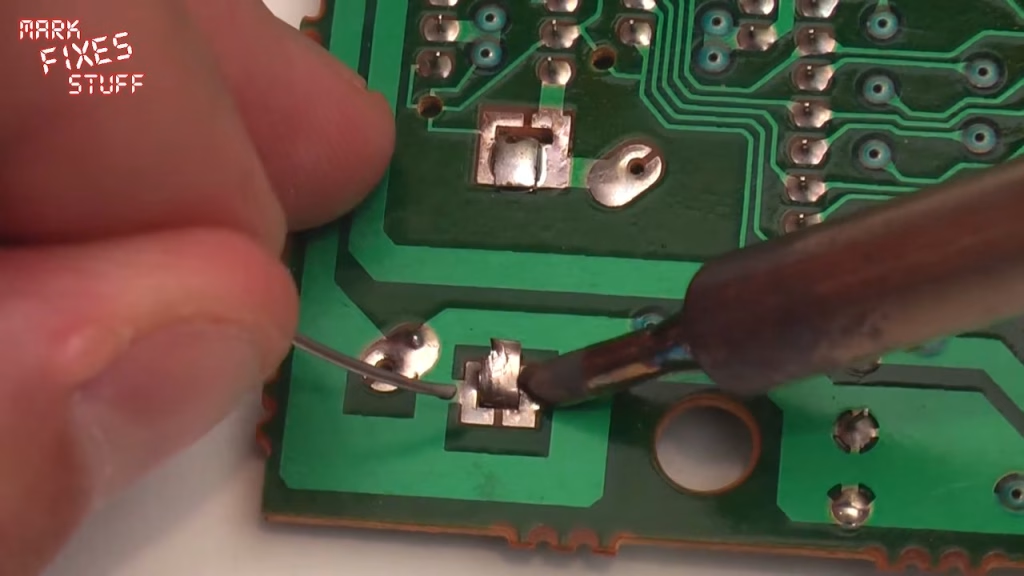
With the positive to the left where the positive symbol is, I pushed the tabs through, snugged the battery into the printed circle and bent the tabs over on the back. Then I trimmed the negative tab clear of the board and soldered both with big, generous blobs of solder, heating the tab and the pad at the same time. My first attempt did not get enough heat into the tab near the battery, so I went back and redid it. Not a beauty contest winner, but nice and solid, and the battery did not get hot.
Did it work?
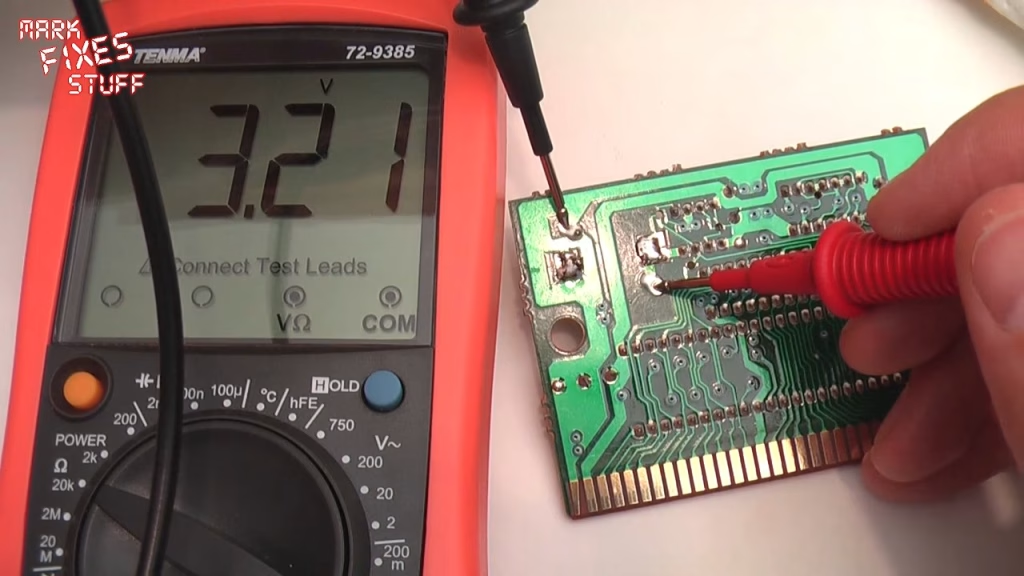
With the multimeter on the 20V DC range, the new battery read 3.21V across the joints, so the connections are good. While I was in there I also put the ESR meter on the nearby 47uF 16V capacitor, which I would normally just replace but had none in stock. It read fine, with an ESR under an ohm and the meter’s good-range beep, so it can stay for now. The cartridge was not mine, so it went back to its owner rather than waiting for a capacitor to arrive.
Related
For more Mega Drive work, see my Mega Drive overclocking parts update and the Mega Drive controller adapter for the Atari 7800. For another battery swap, there is my PS4 controller repair with battery replacement.