
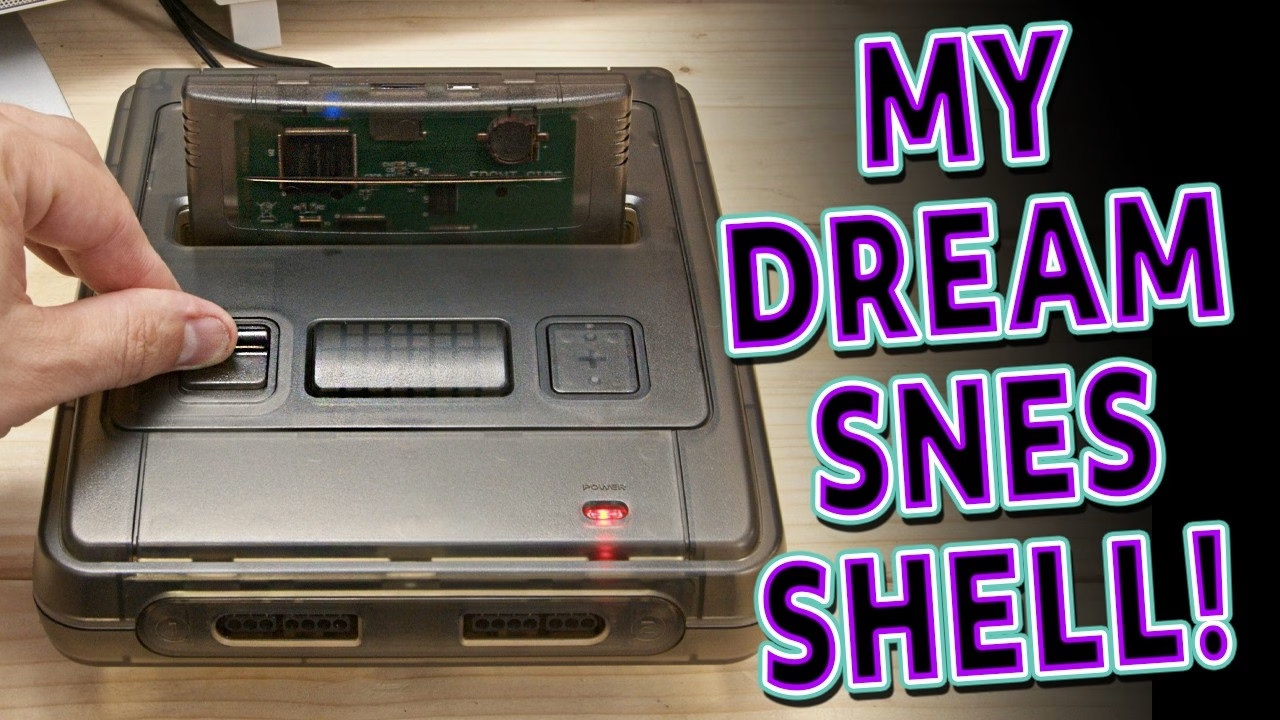
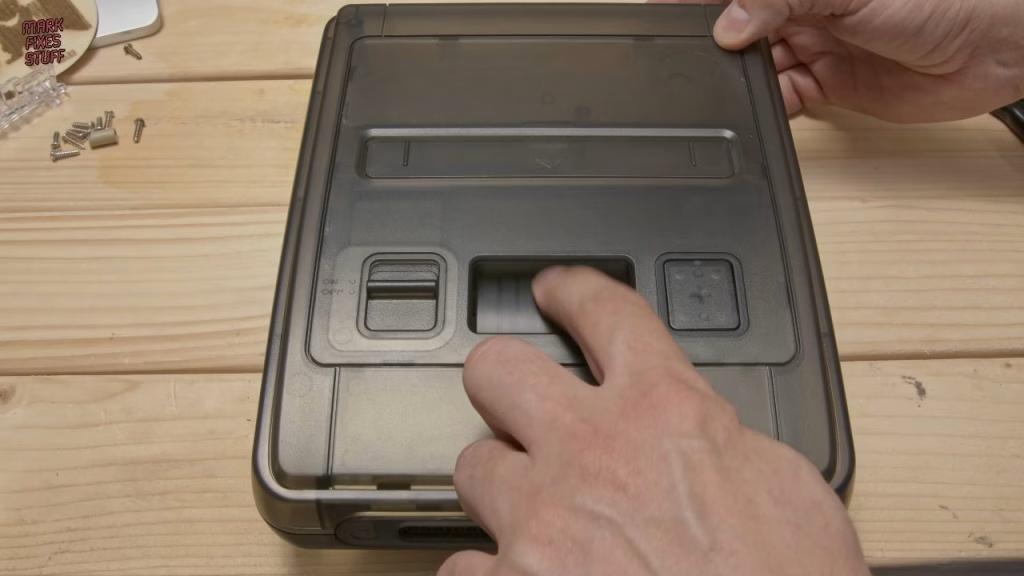
This PAL Super Nintendo looked tired from the top, yellowed and scuffed, but from the side it was properly smashed, with one corner of the shell caved in. Rather than shell out for another SNES, I shelled out for a new shell: a smoke grey replica from AliExpress. Before any of that, though, it wouldn’t even start a game, and the culprit was a filthy cartridge slot, which I cleaned with a 3D printed tool I designed for the job. This video was sponsored by PCBWay.
Why won’t my SNES start a game?
I tested it as found, using a known-good cable and a 9V DC supply with an adapter (fine, as the SNES rectifies its input internally), and my one and only cartridge, International Superstar Soccer. The power LED lit, so the internal fuse was fine, but there was no video. Wiggling the AV cable gave a flicker and then a stable picture, so the AV port was dirty, but the game still refused to boot.
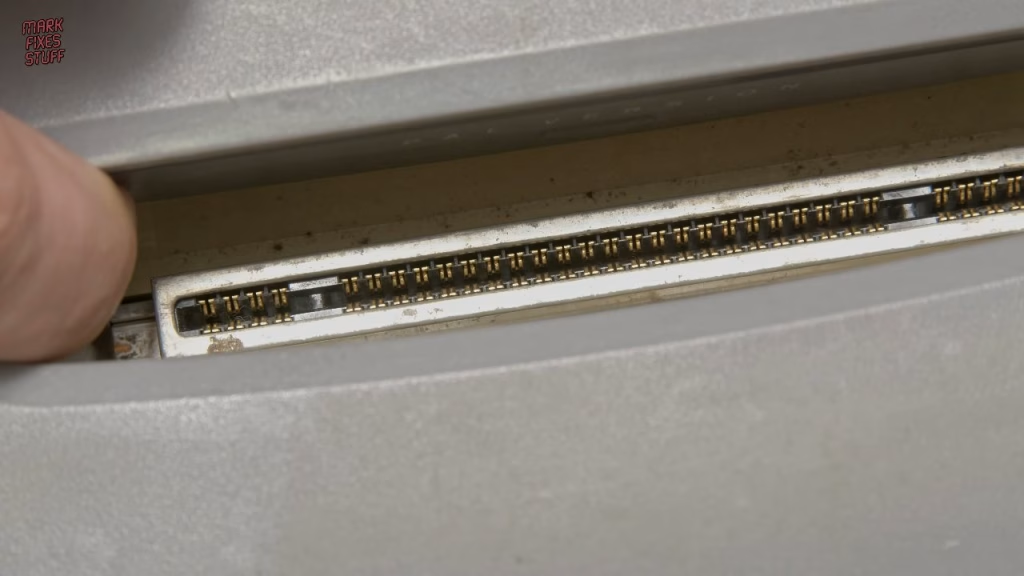
Everything else I was using works on my other SNES, so the console was the problem. The AV contacts came out filthy after some plastic-safe WD40 Contact Cleaner, and looking into the cartridge slot I could see physical dirt on top of the pins. I gave them a good dousing and left it to soak in.
3D printing a SNES cartridge slot cleaning tool
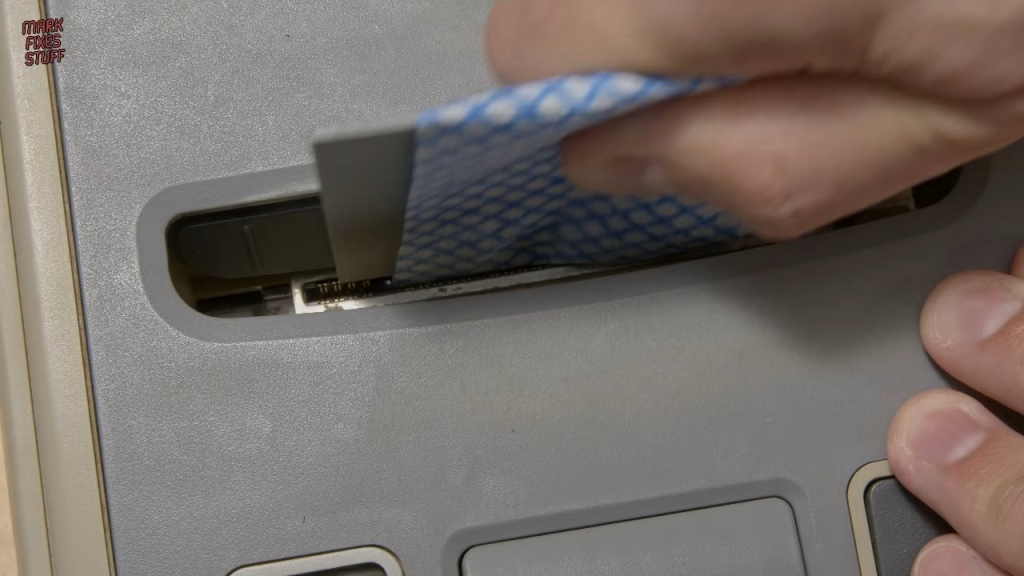
Before my house fire I’d made slot cleaning jigs from Mylar (about half a millimetre thick), and brushes never feel like they get deep enough. This time I measured a SNES cartridge and designed a tool to wrap a cloth around:
- A blade 59.5mm wide to match the central contact fingers, based on a 1.2mm PCB thickness and around 10mm finger depth (I drew it 12mm deep).
- Thinned to 0.6mm so a wrapped cloth fits without bending the pins back too much.
- A larger handle area to grip while pushing it in and out.
- A separate lolly-stick style piece for the side contacts, because there’s a divider between the central and side pins.
At 0.2mm layers it took about 11 and a half minutes in plain PLA on my Creality K1C, sent over Wi-Fi. That printer gave me nothing but trouble out of the box: it murdered its hotend by pushing filament back up into the wiring loom, and the smooth PEI plate had terrible adhesion. A Micro Swiss hotend and a new bed fixed both, and prints have been consistent since.
Wrapped in a J-cloth knock-off, the tool fitted the slot perfectly and the side piece reached the smaller contacts. My one worry is fibres being left behind, so I might use tougher kitchen towel next time. I also cleaned the cartridge contacts with a cotton bud, and the game booted. Back of the net.
The smoke grey replacement shell
I bought the shell on AliExpress (several sellers offer it, so I won’t promote one). It came with a Phillips screwdriver and a 4.5mm gamebit driver, a new back panel, cartridge eject mechanism and lever, matching controller ports with a ribbon cable and a 3M sticky pad for the ferrite, and, oddly, two identical barrel jacks. The plastic is better than I expected, with a little flex rather than brittleness. Some screws were missing, so yours might come with more.
Taking the SNES apart
Gamebit screws have little head depth, so push down hard, especially on a 30-year-old console. Magnetising the bit helped a bit; brute force helped more. One screw just span, because its post on the smashed side had completely disintegrated. The controller port board (which also carries the power LED) comes off with its ribbon after freeing a stubborn screw by gripping the post. I kept the ferrite choke.
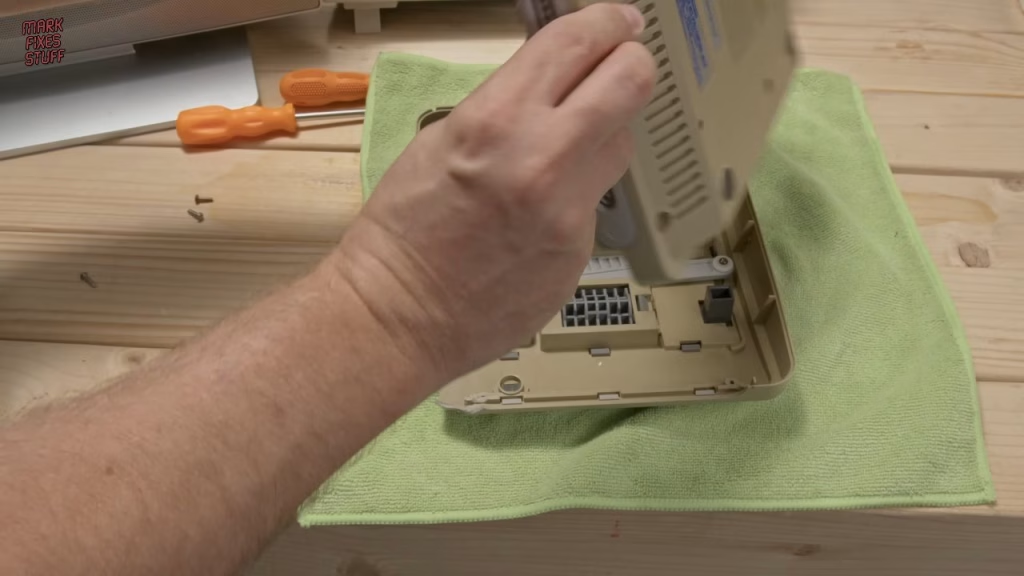
I switched the power switch on with the supply disconnected to let the capacitors in the power section drain, then removed the switch (it’s keyed, as is its plug). The cartridge eject see-saw comes out by pulling its spring-loaded axle rod: note how the spring sits in both the shell and the mechanism, or your eject button will flop around. Then four same-length screws, the two longest screws that tie the slot to the base, and three at the back (one longer and silver). Keep the two threaded metal inserts in the base for add-ons.
Moving the barrel jack to the new back panel
The power connector is part of the back panel, so swapping panels means desoldering it. First, the screw holding the 7805 regulator to the heatsink comes out, so the heatsink can’t drop and bend its legs. Through a gap you can see the 1.5A fuse, which would have been my first suspect had the LED not lit. A black screen like mine is often just a dirty slot, but it can also mean a CPU or PPU fault, and those chips only come from working consoles.
I used a desoldering gun on the jack’s lugs, then removed the RF modulator (four pins) so the back panel could flex. My technique, your mileage may vary: flex the panel while heating each pin and walk the socket out. I cleaned the holes with fresh solder, brushed out a lot of fluff, and noticed what looked like spilled liquid near the modulator. It could be capacitor leakage, though it’s in odd places; the capacitors are on order. The modulator went back in, then the new jack, using unleaded flux-cored solder to match the factory solder, since mixing leaded and unleaded is never a good idea.
Fitting the board into the new shell
The board wouldn’t sit flat: it see-sawed on a locating peg that was too big for its hole. I wasn’t going to drill the board, so I trimmed the peg; the board is screwed down in multiple places anyway. If you’ve bought this shell and had the same problem, let me know. After that, the back panel lined up nicely. Screws cut fresh threads in new plastic, so go steady. The eject mechanism reuses the old bar (spring into the shell hole first, then push the bar through), the ferrite bead goes on the new pad, and the ribbon has a natural bend, so ease it in until it seats.
Did it work?
Yes, it fired straight up, although the power LED is now blue rather than red, which is annoying. With a donated multicart that happens to be exactly the same smoke grey, I played Super Mario Kart, Earthworm Jim, Super Air Diver (Lock On in America) and finally Killer Instinct, which taught me you can never go back. Still to come on this one: a 50/60Hz switchless mod and the capacitor replacements.
Related
For another cartridge slot fault, see repairing an Atari Jaguar with a broken cartridge slot. If you want to check a 7805 like the one in the SNES, here’s how to test a 7805 regulator with a cheap multimeter, and for more Nintendo restoration, rebuilding a Game Boy from broken parts.
Leave a Reply