
This tatty, untested Sega Saturn was donated to me by Mike Dailly, the man who wrote Lemmings. It gave a black screen and nobody knew whether it worked, but brimming with confidence I’d already bought a Fenrir optical drive emulator so it could load games from an SD card. First I had to find out why it wouldn’t boot, then fit the Fenrir, update its firmware and test games from Europe, the USA and Japan to see whether the automatic region switching works. This video was sponsored by Altium.
Why does this Sega Saturn give a black screen?
My test setup was a dodgy CRT (thanks to Neil from RMC, though I don’t have the remote, so the on-screen display stays on), a cheap RGB SCART cable from Amazon and the dusty, musty Saturn. Power on: solid black screen. Looking at the reset button, it seemed to be either broken or stuck, and I wondered if that had something to do with it.
There are only five screws holding a Saturn together, all handily the same size. Inside, everything looked pretty standard, with nothing mushy or wet. The battery and MPEG card compartment had no battery in it. There was a crack showing someone had been in before (it doesn’t affect the board, and I’ll glue it later), and the drive’s ribbon cable had been left disconnected.
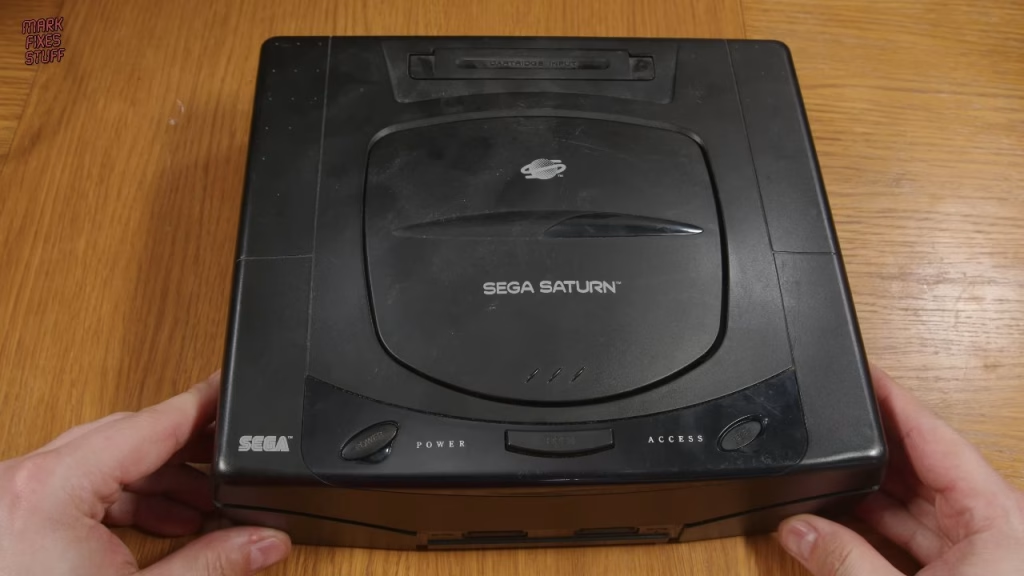
I left the drive unplugged and tested with the case off, where the reset button had a good action. This time the board sprang into life. To confirm it, I held reset down while powering on: black screen. Release it, and the console boots. The jammed reset button was the whole fault.
For control I bought an officially licensed Retro-Bit controller from eBay for about £24 delivered. I’m a sucker for transparent electronics and it looks pretty snazzy. It got me past the date and time screen and into the BIOS disc screen, where it sat checking the disc format forever because the drive was unplugged. Now I knew the console worked, I could test the drive without fear of introducing further faults.
Does the original drive still work? A charred Clockwork Knight
With the drive ribbon cable reseated (these cables are floppy, so use your fingers to keep it stiff) and all the other cables checked, the console flashed to say the lid was open, which is fed from a sensor on the drive board. Pressing the door switch simulates a closed lid and makes the laser look for media.
For a disc, my box of charred salvage held exactly one Saturn game: a copy of Clockwork Knight from a partially burned case. I cleaned it with window cleaner and a lint-free cloth, wiping from the centre outwards so you don’t scratch along the data track. There was significant heat damage, with mottling in the polycarbonate underneath. I really thought the laser would be dead, hence finding it unplugged, but the drive saw the disc, spun it up and detected it as bootable. Pressing A delivered another shock: it booted, the FMV ran smoothly and the game loaded into the first level as if it were still the mid-1990s.
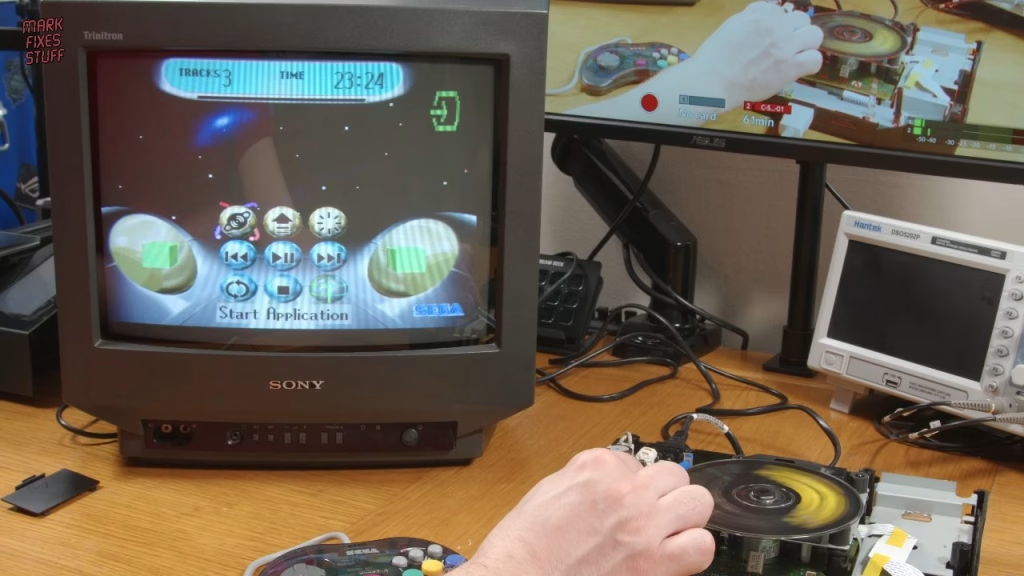
This is one resilient disc. I’m impressed.
The Fenrir optical drive emulator
With nothing much wrong with the console or its drive, I felt a bit guilty about what came next. The Fenrir replaces the Saturn’s drive mechanism entirely, so no discs are needed. Mine is the 20 pin version; there are 20 and 21 pin versions, and a serial checker on the Fenrir website tells you which you need. In the box are the Fenrir, a very understated sticker and a simple 3D printed mount.
I preferred a nicer, slightly more complex Fenrir mount by Moriartym on Thingiverse, so I printed that instead (my third attempt, but it came out well). The board itself is a simple beast: an Espressif ESP32 does the grunt work (with Wi-Fi and Bluetooth built in), alongside a power socket, an LED and a latching flat cable socket. Lining up the microSD socket with the slot in the holder, the board clips straight in. If yours isn’t as snug, double-sided tape would do.
Installing the Fenrir
Unplug the drive’s data cable, power cable and lid detection cable, lift the mechanism and loosen the screw beneath its base just enough to remove the earth bonding strap, then tighten it back up. The drive went into storage for another needy console. After checking my microSD card fitted through the slot in the new mount, the mount simply sits on the four drive posts.
The existing 20-way cable bends over so the blue line meets the flat socket, and the power cable plugs into the board. The lid detection switch isn’t needed with the Fenrir. I also popped out the reset button cover so I could guide the button post properly through the hole in the case; you can see what happened before, and it now has a nice springy action.
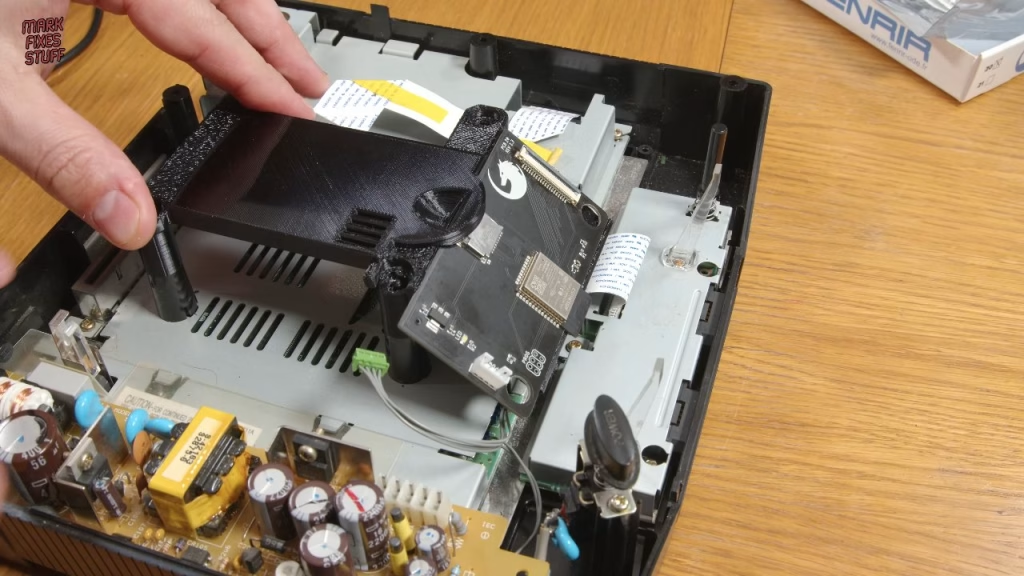
Before closing up I fitted a new CR2032 save battery (these are really hard to get into: slide it in and push down until it snaps into place) and refitted the expansion cover. I didn’t clean the console yet, as the next video strips it down again for a mod.
Preparing the SD card
The Fenrir takes any size of card; I used a 64GB one, formatted with Rufus, which I find more reliable for removable media, especially SD cards. I copied across a selection of European, Japanese and US disc images to test the Fenrir’s automatic region patching.
Did the Fenrir work?
After setting the language, date and time, the Saturn ran through its BIOS animation, checked the drive and booted into the Fenrir. The firmware it shipped with was older than Stonehenge, but Cotton 2 ran great and looks beautiful (it supports 1MB and 4MB RAM carts, which I don’t have).
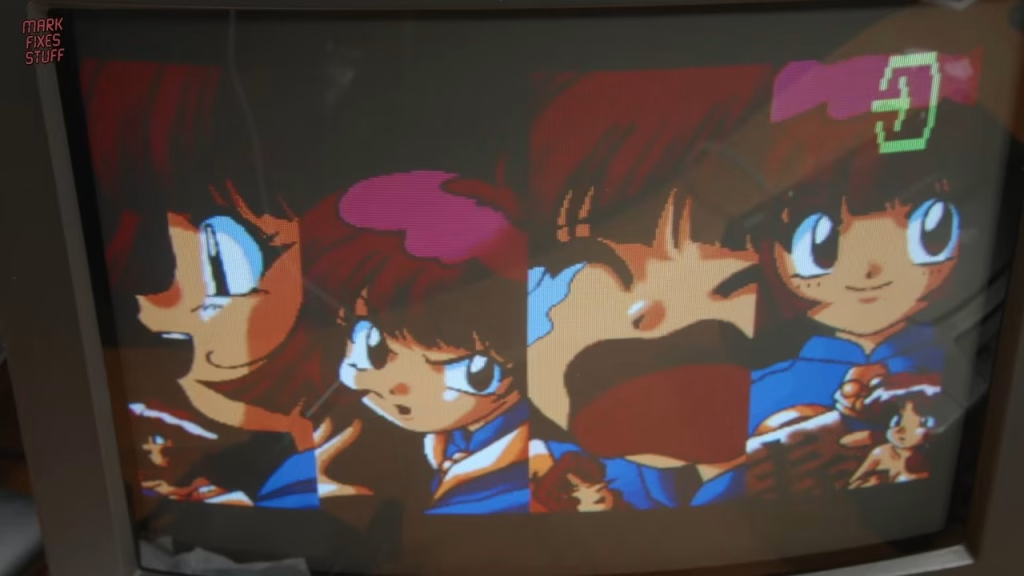
Boot with no SD card and you get an info screen that reminds you to update. You just put the update.bin file in the root of the SD card. On the next boot you’ll see the checking disc message; don’t panic, run the application and you’ll soon be in the new firmware, which adds cover art, in-game reset, backup and restore for the internal memory, and a very comprehensive system information page.
I spent a good few hours trying everything I’d copied to the card, and everything worked: FMV was smooth and the music and sound effects stayed in sync as far as I could tell. I was a PlayStation owner back in the day and wasn’t impressed by the Saturn’s 3D, but now the games look excellent, the 2D stuff really shines and many have real heart. Parodius (from a Konami MSX compilation) gets ridiculously hard ridiculously quickly, Daytona USA turns out to be excellent fun, and the Saturn version of Castlevania: Symphony of the Night, a game I adored on PlayStation, will get a lot of play.
I bought the Fenrir myself and I love it. What it can’t do is switch the console between 50Hz and 60Hz for proper NTSC game speeds, so next up this Saturn gets a full clean and a switchless region mod.
More from the Sega Saturn upgrades: Installing a Switchless Sega Saturn Multi-Region Mod: 50Hz vs 60Hz Testing.
Related
More optical drive emulators and Sega work on the site: installing an XStation ODE in a PlayStation, the Super SD System 3 for the PC Engine and fitting a custom BIOS to a Dreamcast.
Leave a Reply