
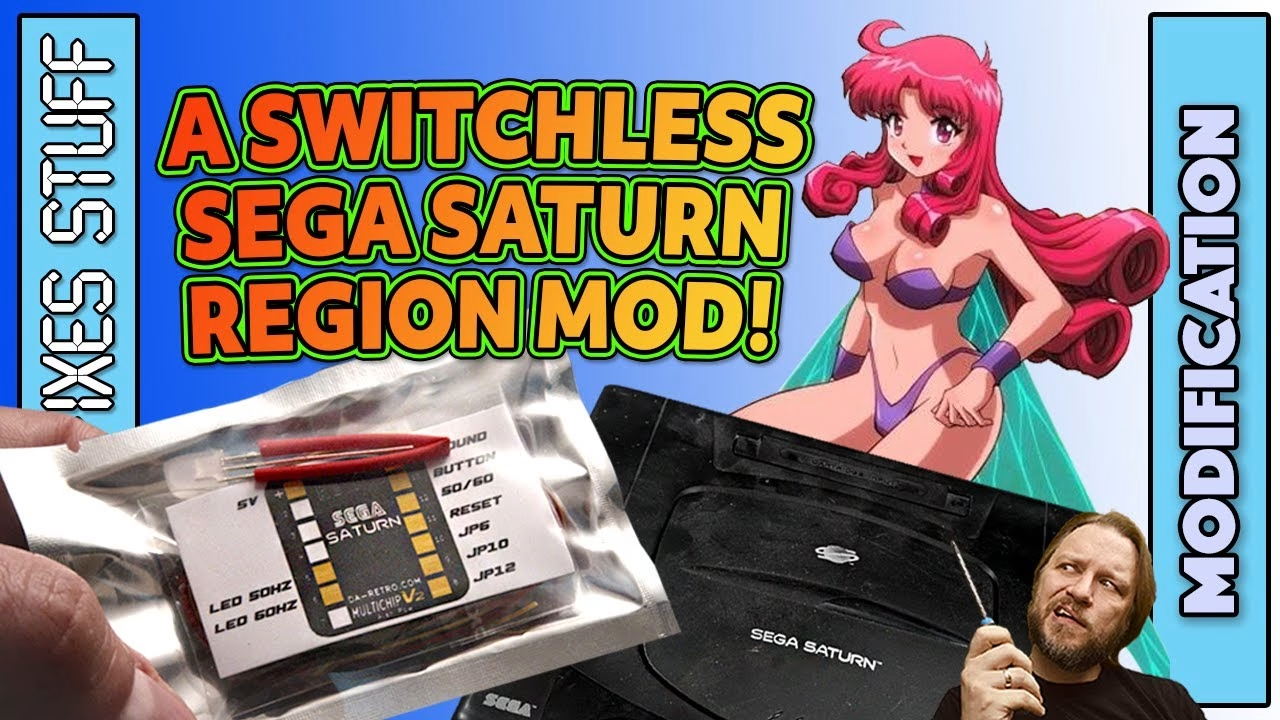
My PAL Sega Saturn already has a Fenrir optical drive emulator, so it will happily run game images from any region off an SD card. What the Fenrir can’t do is change the console’s region or refresh rate, so every game was stuck in slow, squished PAL 50Hz. The fix is a switchless multi-region 50/60Hz mod from Da Retro, and in this post I install it, give the battered case a proper bath, and then test the difference on real games. This video was sponsored by PCBWay.
Why does a PAL Sega Saturn need a region mod?
A PAL Saturn runs at 50Hz. Games written for Japanese and American 60Hz machines run slower and with borders or a squashed picture. A multi-region mod lets the console switch its region and refresh rate, so US and Japanese images run as intended: full screen, at full speed. On this mod the region is selected with the reset button and shown by a tri-colour LED, so there’s no need to drill the case for switches.
Opening the Saturn and removing the PSU
This is the scrappy Saturn from Mike Dailly that I got running in a previous video. Five external black screws (all the same length, which is handy) release the top shell, revealing the Fenrir and the 3D printed mount from the earlier install, which has been working great. The Fenrir comes out with just two cables.
The PSU has to come out first. It’s held in by one gold screw, plus the switch connector and two black screws on the rear power socket. Keep that gold PSU screw separate. The PSU board then lifts gently off its pins: no levering, just pull it off. A previous owner had snapped a piece off this PSU board, so I glued it back with plenty of strong glue and let it ooze out of the crack. Looks don’t matter here, strength does, and by reassembly the repair had hardened really nicely.
Stripping down to the main board
Next out are the insulation sheet, the LED light pipes (they feel like they won’t come out, but they do), and the ribbon cable between the controller board and main board. Seven screws hold the shielding over the main board: five around the outside, two longer ones either side of the expansion cartridge slot (keep these separate, as they’re too long for the other holes and will push through the bottom of the case), and an odd domed screw in the middle that straps the CD mechanism to the main board’s ground plane. You don’t need that for the Fenrir, but I put it back anyway.
The controller board comes out with two screws, the power switch unscrews so the case can be cleaned, and the famously troublesome reset rod slides off. Finally I unplugged the small flat flex cable and the CD-ROM cable from the main board.
The Da Retro switchless mod board
The kit includes a tri-colour LED, heat shrink tubing, a lot of wire, a connection guide and the mod board itself. It’s based around a PIC chip on a large breakout board with a self-adhesive pad, and the guide shows the best place to stick it so it can reach every point.
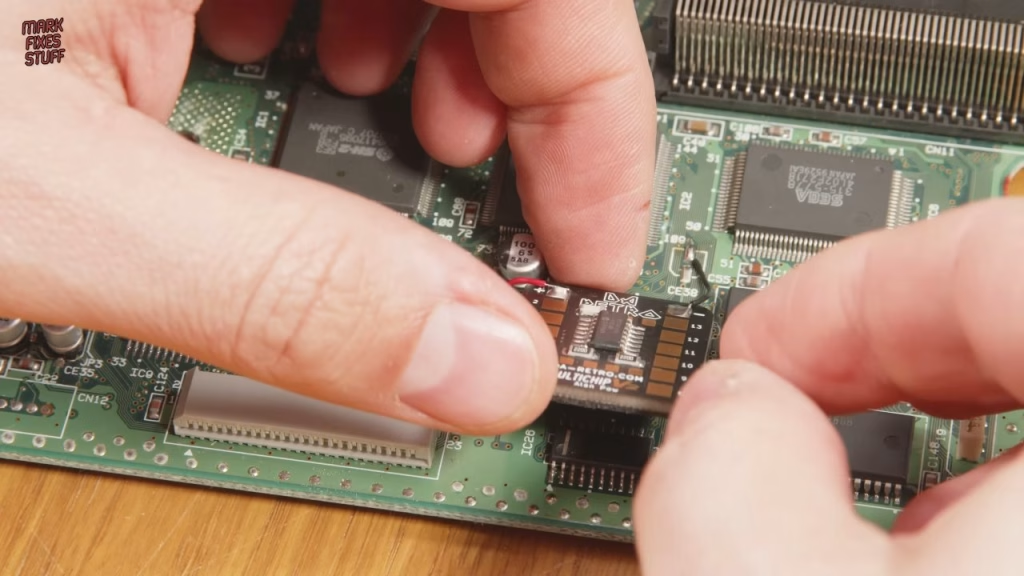
Ground comes from the negative pad of CE38, an unpopulated electrolytic capacitor position, linked to the negative-marked pad on the mod board. The 5V supply is picked up from a leg of L2, a 100µH inductor. With power and ground soldered (and the ground wire shortened, because it looked messy), the board gets pressed down onto the main board.
Wiring the 50/60Hz point and cutting tracks
The 50/60Hz switch point is towards the back of the board; fresh solder, then a wire to pad 12 on the mod board. Then there are tracks to cut at JP10 and JP12. Before cutting, I check the link in continuity mode on a multimeter, which reads near zero resistance, then cut until the meter shows OL (open loop). It takes the guesswork out of whether you’ve actually severed a track, and JP12 was much more stubborn than JP10. A quick clean with IPA, then the pads adjacent to JP10 and JP12 are wired to pads 9 and 8 on the mod board.
The last job on the top side is cutting the trace to pin 1 of IC20, a clever custom PLL chip that can switch between PAL and NTSC. Pin 1 tells it which model of Saturn it’s in, and disabling it lets the mod do the switching. On the underside, the track at JP7 is cut and a long wire from the right-hand pad of JP6 is run round to pad 10 on the mod board. Ugly, but functional.
The controller board: reset line and tri-colour LED
On the underside of the controller board there’s a track to cut that disconnects the reset button, as that signal gets rerouted through the mod. I was tired of nibbling at tracks with a scalpel, so I used a 1mm etching bit in the flexible attachment on my Dremel. It’s much faster, but I showed the scalpel method on the main board for anyone without one.
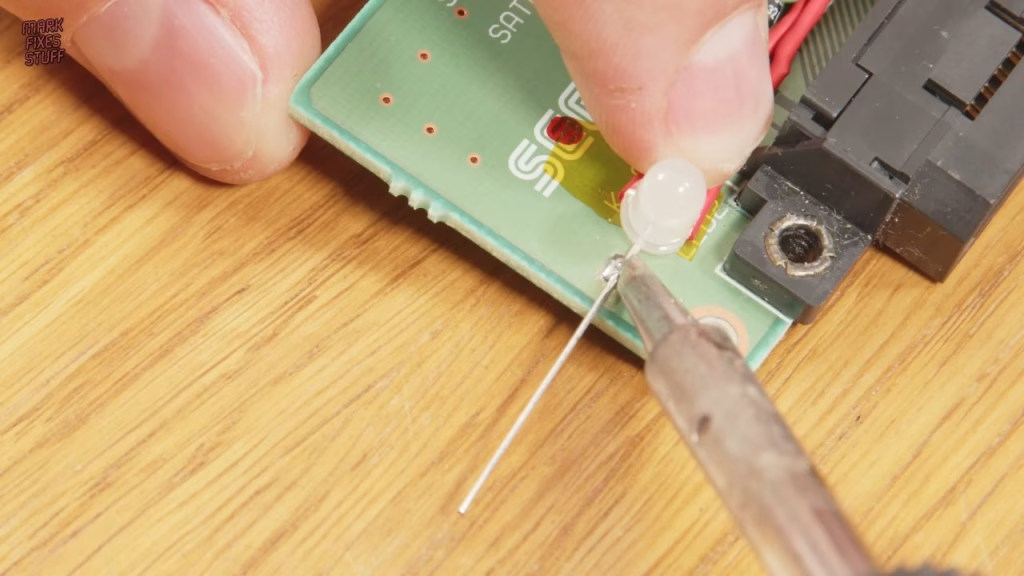
The original LED came out with a desoldering station. When holes won’t clear, the counter-intuitive trick is to add a big blob of fresh solder first, which improves thermal contact and gives the pump something to draw on. The replacement is a three-legged tri-colour LED with ground in the middle. It can’t use the original holes or it won’t line up with the light pipe, so I soldered wires to the red and blue anodes first, sleeved them with the supplied heat shrink (hot air at 100°C, or run your iron near it), bent the anodes flat over polyimide tape and fixed the ground leg to the board with a big blob of solder, lined up with the light pipe.
A soapy bath for the Saturn case
With the hard electronics done, the case halves went in for a relaxing non-bio bath. The plastics came up clean easily. I didn’t strip the mechanical parts out of the top shell, as I can re-grease them later if needed. The laser warning sticker may not survive, but since fitting the Fenrir there’s no laser in there anyway. The shielding just got a wipe: most of the marks on it are light corrosion that won’t shift, and no one will see it.
Reassembly and the final mod connections
With the controller board back in position, the last four connections are easiest to make with the boards in place: the button and reset lines, and the two LED inputs, where pad 5 is 50Hz and pad 6 is 60Hz. The shield takes a bit of wiggling, then the MPEG card bracket and top shield go back, with plenty of space so no wires are pinched.
Then the classic mistake: halfway through refitting the power button, I realised its cable has to be routed underneath the PSU I’d just installed. Out it all came again. Luckily I hadn’t yet screwed the rear socket back in. Then the Fenrir went back: CD data cable, power cable, and the lid switch cable, which isn’t used with a Fenrir. My cat made off with one of the light pipes, but the drive access light does nothing with the Fenrir anyway, so I used that one on the region LED. A polish with car dashboard cleaner brought the colour up (and made it smell like a tobacconist’s wash bag).
Did the region mod work?
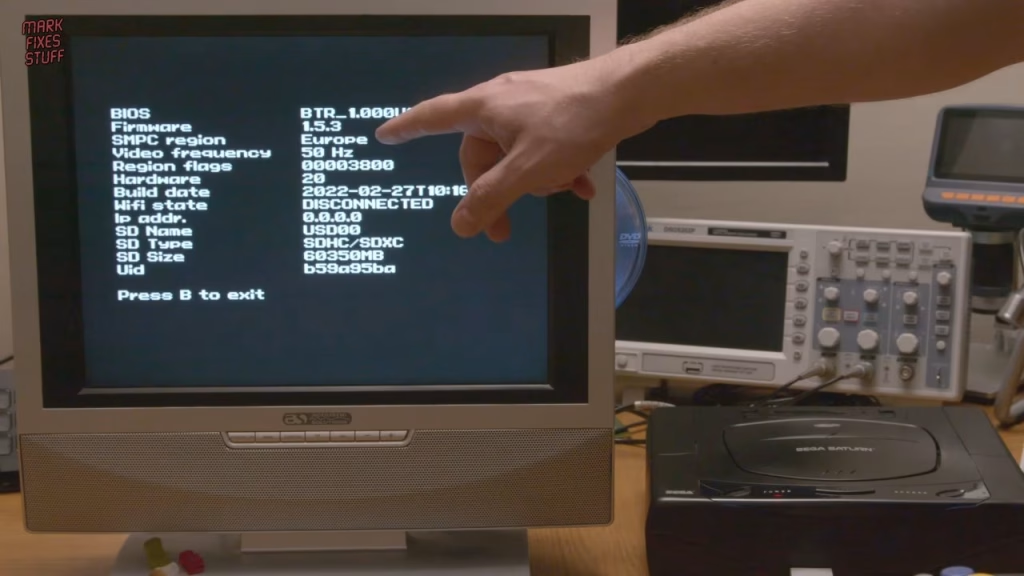
Cabled up with the lights down, I was slightly fearful, but the Saturn booted with RGB output. The Fenrir info page confirmed red LED is Europe 50Hz. Holding reset cycles the LED to purple, USA 60Hz, and again to blue, Japan 60Hz. It works.
I filmed the intro of Cotton 2 in European 50Hz and Japanese 60Hz modes from the same disc image. The 50Hz version is squished and slow, and the 60Hz one reached the start screen almost nine seconds earlier. In play, 50Hz feels fine, but 60Hz is faster, full screen and far more responsive, and going back to 50Hz feels sluggish and compressed. I played it for about an hour and a half and learned two things: it needs to be played at 60Hz, and I’m rubbish at it.
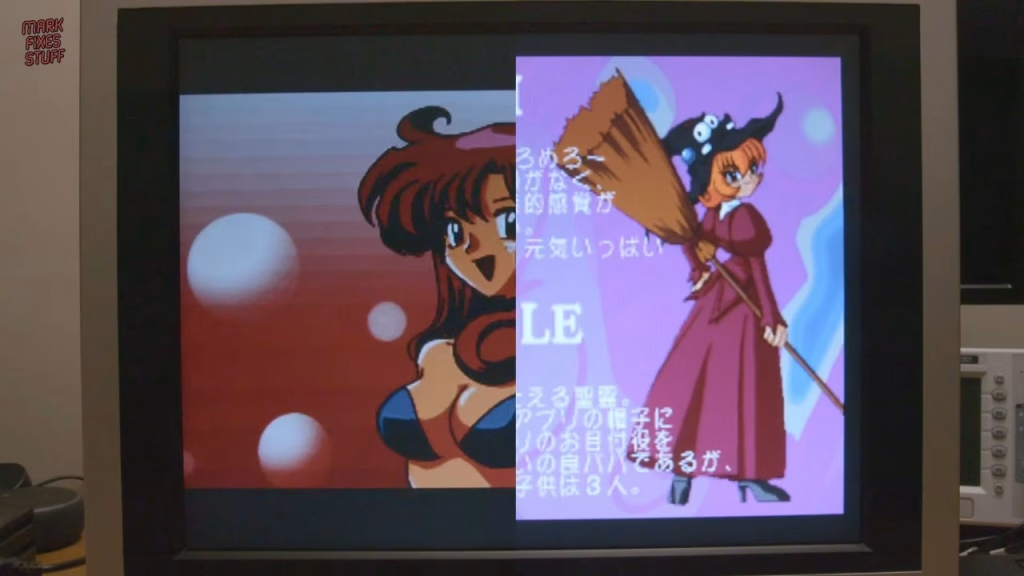
Alien Trilogy was fine at 50Hz but really shone at 60Hz. Fighting Vipers felt turgid at 50Hz, with a real delay on the buttons, and the response became instant at 60Hz (I still got my backside handed to me). Daytona USA Championship Circuit Edition’s European release uses some tricks to fill the screen, but it’s still 50Hz, and the 60Hz version is much faster and a better experience overall. After that I stopped comparing, decided 60Hz is simply better, and enjoyed Bulk Slash and Darius II.
More from the Sega Saturn upgrades: Sega Saturn Fenrir ODE Install: SD Card Loading on a Junk Console.
Related
More Sega mods on the site: installing a Dreamcast custom BIOS, a quick Master System II composite mod and the smashed Mega CD rescue.
Leave a Reply