
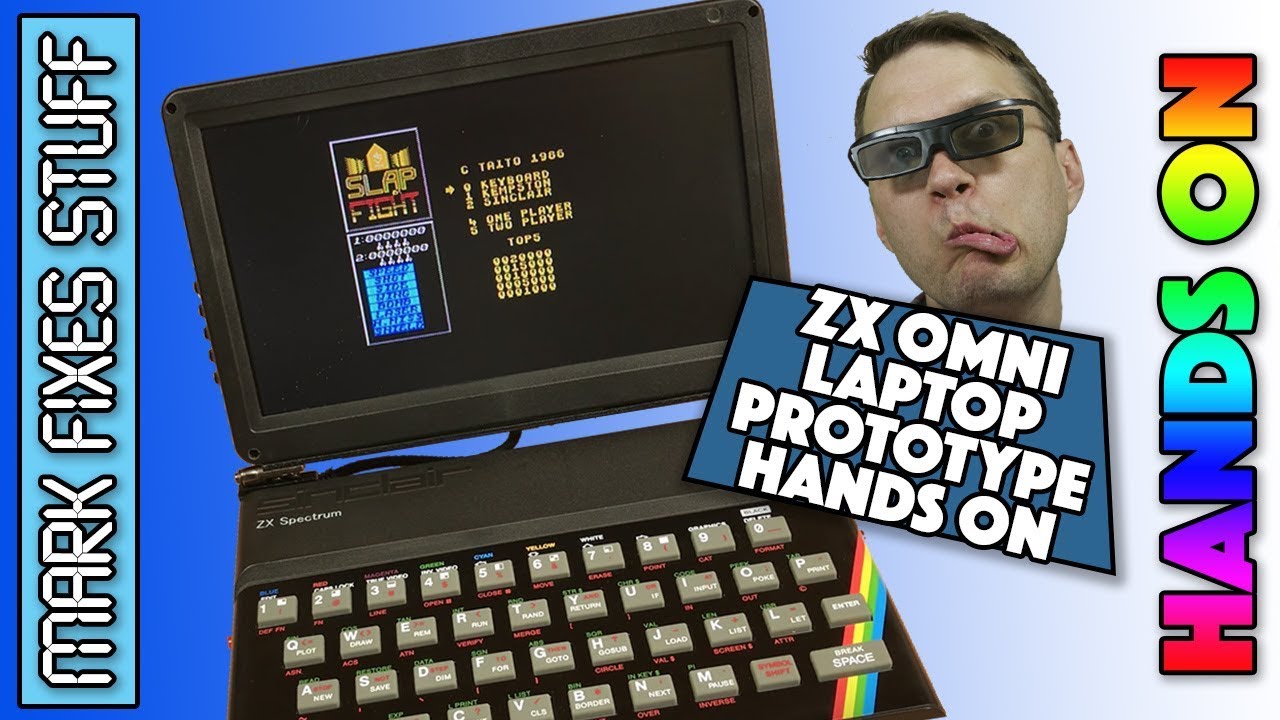
What if you could fold a ZX Spectrum shut and carry it around? The ZX Spectrum Omni Laptop (the Omni 128 HQ) is a self-contained, battery powered portable Spectrum manufactured entirely from new parts. The internal board is designed by Don Superfo and the case is designed and manufactured by Djordje Mitic of Retro Radionics. In Europe it will be available from zxrenew.co.uk. I was lent the prototype for a hands-on look, and here’s how I got on.
Build quality: it feels like a Spectrum
It’s really well made. It genuinely feels like a Spectrum, with two very strong hinges, and all the extra bits and bobs are neatly built into the case. As we’ve come to expect from Retro Radionics, the faceplate, key mat and case are really good. I won’t say they’re indistinguishable from the originals, but they’re close, the colours are great and the new shot blasted mould works well. Underneath there are two well-made brackets running up to the hinges, so it’s properly done.
Ports, SD slots and switches
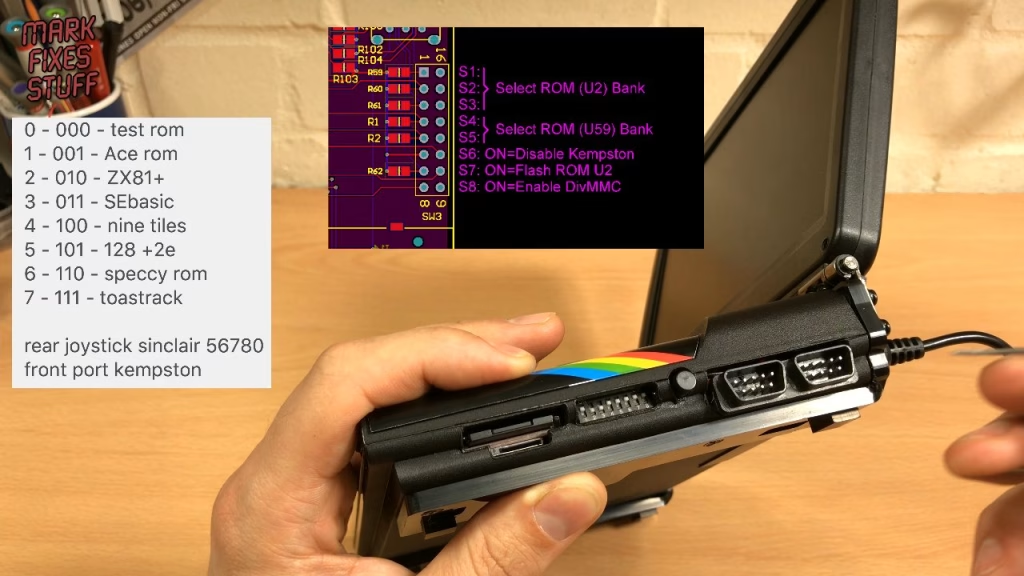
Running along the side from left to right there are two SD slots: a full size SD card on top and a microSD (TransFlash) slot below. I didn’t manage to get the microSD slot working, but that’s probably me, as the machine can be picky with cards: several of mine worked and a few didn’t. Next to them is a bank of DIP switches that tells the machine what to be (there’s information on what each does in the ZX Omni Facebook group), then an NMI button that brings up the menu for loading games from SD.
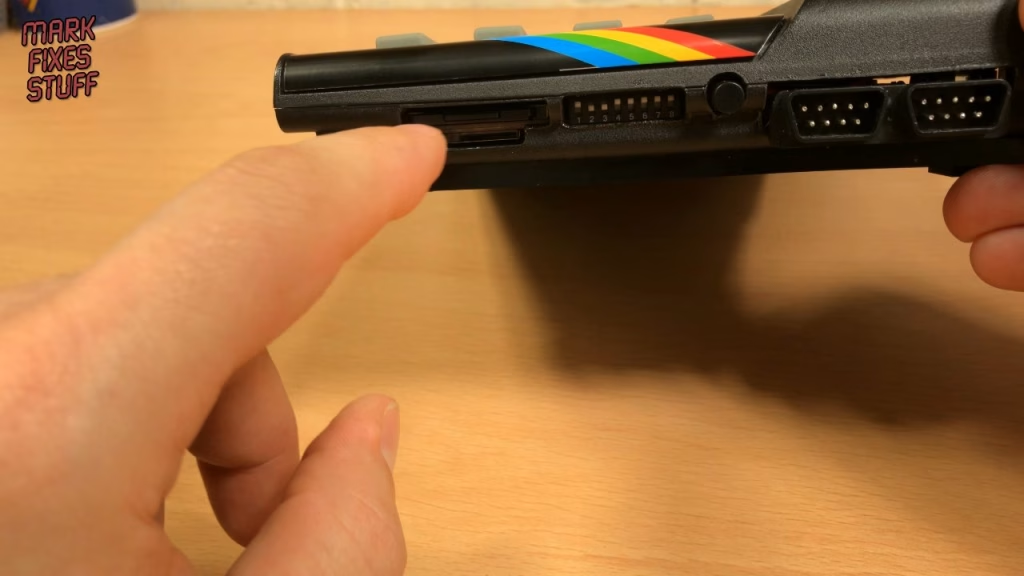
There are two joystick ports: Kempston at the front and Sinclair at the rear. That’s the interface that maps to number keys, not the later Sinclair/Amstrad joystick standard, and any Kempston-style stick works in either port, so two players can go Kempston and Sinclair at the same time. There’s a reset button on the left.
Round the back, from left to right: power input and power button, an edge connector (which I don’t believe is compatible with Spectrum add-ons), EAR and MIC, and an HDMI output which wasn’t working on this prototype and is expected to come as an option in a later revision. There’s also a DIN plug, the same type as the Omni desktop uses for SCART, which here powers the screen.
Screen controls
The buttons beside the screen all have functions, which I had to work out myself. One is power on and off for the screen, which you don’t really need (I pressed it by mistake and got very confused why the screen wasn’t coming on). Two of them are volume up and down when pressed on their own, while another opens a sub-menu with colour, contrast, brightness, language and zoom, where you can switch between 16:9 and 4:3. The source button flips between AV1 and AV2, which makes it pretty much redundant.
Playing games: Slap Fight, Kempston and Sinclair
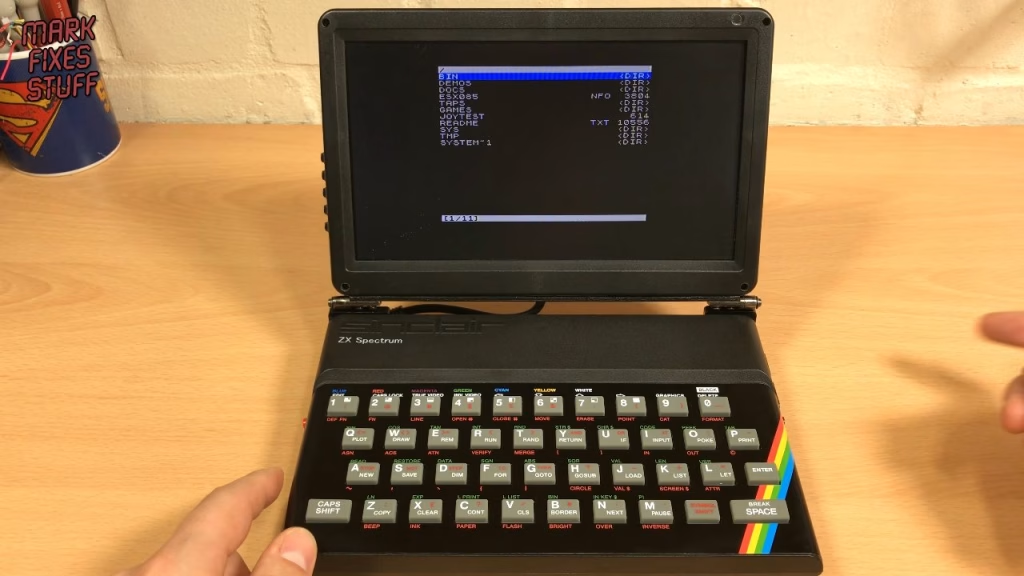
With the DIP switches set to the 128K Toastrack ROM, it powers up, finds the esxDOS volume and starts in 4:3 for you purists. Pressing NMI gives a tidy menu, so I went straight to Games and loaded Slap Fight. I plugged my Konix Speedking into the Kempston port (lots of people hate them, I love it), then moved it to the Sinclair port to prove that works too. Both worked great.
Sound, speakers and power
The beeper sound through the built-in speakers is quite quiet even at full volume, and the 128K AY music is a bit tinny: tiny speakers in a screen bezel can only do so much. Plugging a small near-field speaker into the back makes a big difference, and switches off the internal speakers. When the batteries started to run low I swapped to the supplied power supply, an internationally rated 9V 2A centre positive unit with a US plug and UK adapter.
16:9 or 4:3?
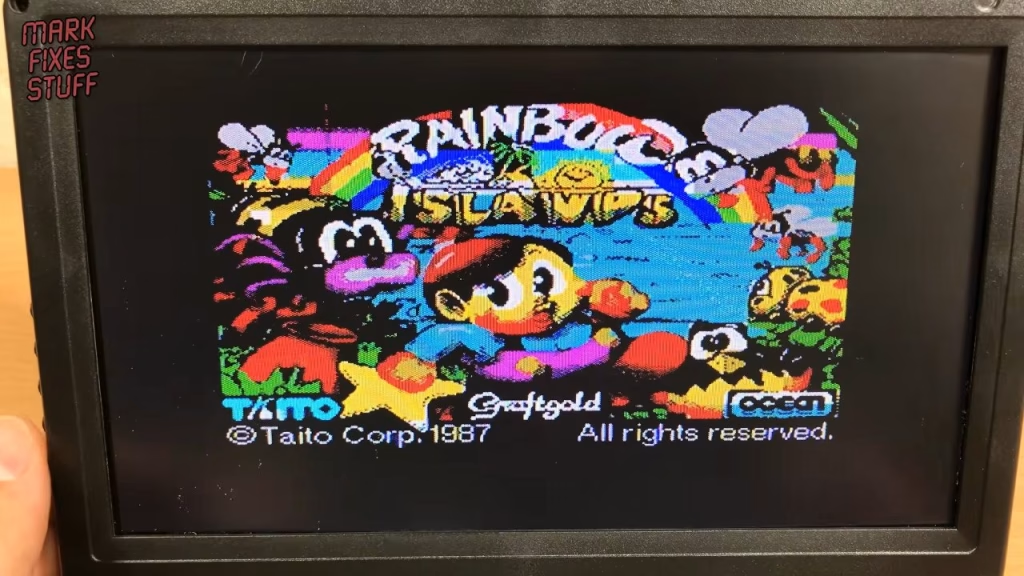
I loaded Rainbow Islands (one of the best games on the Spectrum, if you ask me) to show the difference between the screen modes. I know some people will be horrified at 16:9, but because of the shape of a Spectrum the laptop needs a wide screen, so if you’ve got it you might as well use it. Switching back to 4:3 is a couple of button presses. If you see banding on camera, that’s moiré between the LCD’s dot pitch and the camera sensor, not the screen itself.
Switching ROMs with the DIP switches
The laptop can hold up to eight ROMs: a test ROM, the Jupiter Ace, ZX81, SE Basic by Andrew Owen, the Nine Tiles ROM, the Amstrad 128K +2e, the standard Spectrum ROM and the 128K Toastrack ROM. It even implements the Ace and the ZX81, but I don’t have the knowledge to use those, so I stuck to the Spectrum ones. The last three DIP switches select the bank in binary: up-up-up (1-1-1) is bank seven, the Toastrack. Set 1-0-1 and it boots with the Amstrad copyright message.
The most interesting one is the Nine Tiles ROM (1-0-0), which shows a 1981 Nine Tiles Networks copyright message. Press J and you don’t get LOAD, so it doesn’t appear to have tokenised BASIC, and it has a very strange little cursor.
Verdict
This was a cursory look, as we’re all limited for time, but I’m very impressed with how this project has turned out and had a lot of fun with it. It’s a prototype and there are a few teething problems (the microSD slot and HDMI in particular), but it’s a very good, genuinely portable Spectrum. Well done indeed to Don and Djordje. It isn’t mine to keep, so thank you for letting me have a look. The laptop is based on the Omni Desktop, which I also have and will be featuring in further videos.
Related
More modern Spectrum hardware: Retro Radionics’ coloured Spectrum cases and key mats, the ZX-HD HDMI interface and the DivMMC EnJOY SD card interface.