
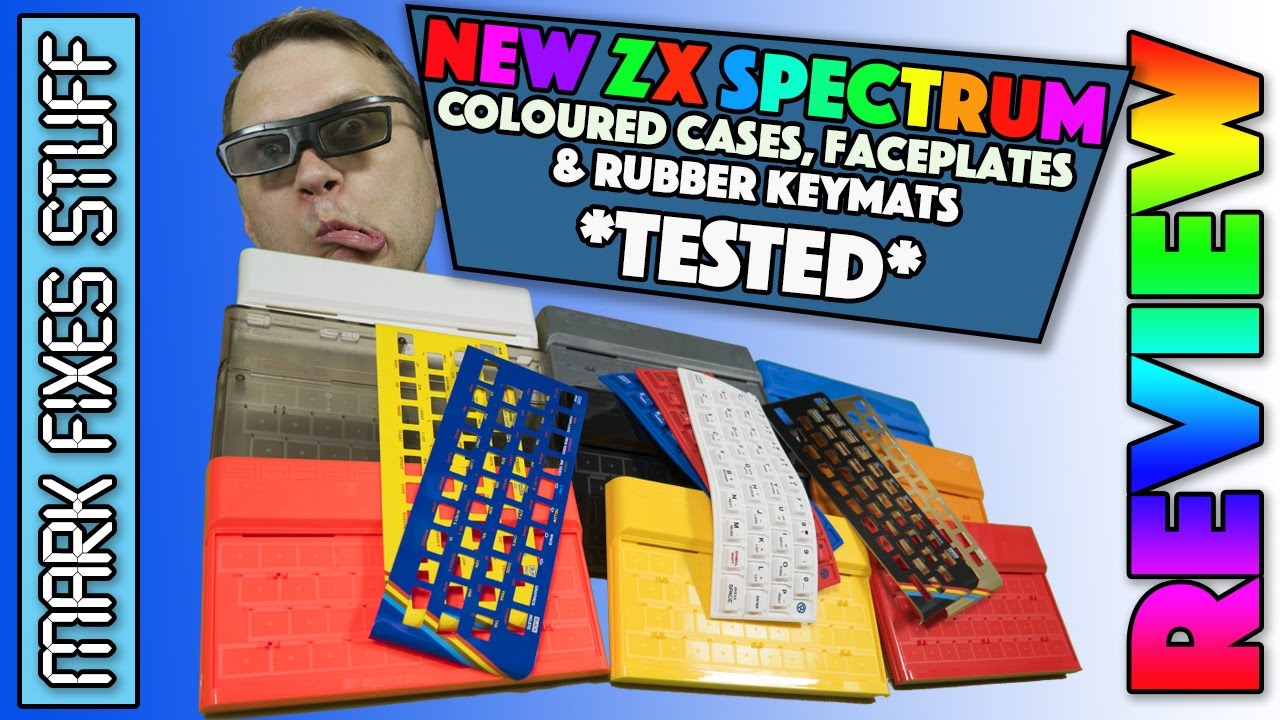
Brand new moulded cases for the Sinclair ZX Spectrum 48K are something the Spectrum community waited a long time for. A box arrived from Retro Radionics full of them: bright colours, clear and smoked transparent cases, a glossy black one, plus new coloured key mats and faceplates, including a glow in the dark one. In this video I unbox them all, test fit a real Spectrum board into the clear case, fit a new keyboard membrane from the same supplier, and compare the results with an original Spectrum.
Unboxing the new Spectrum cases
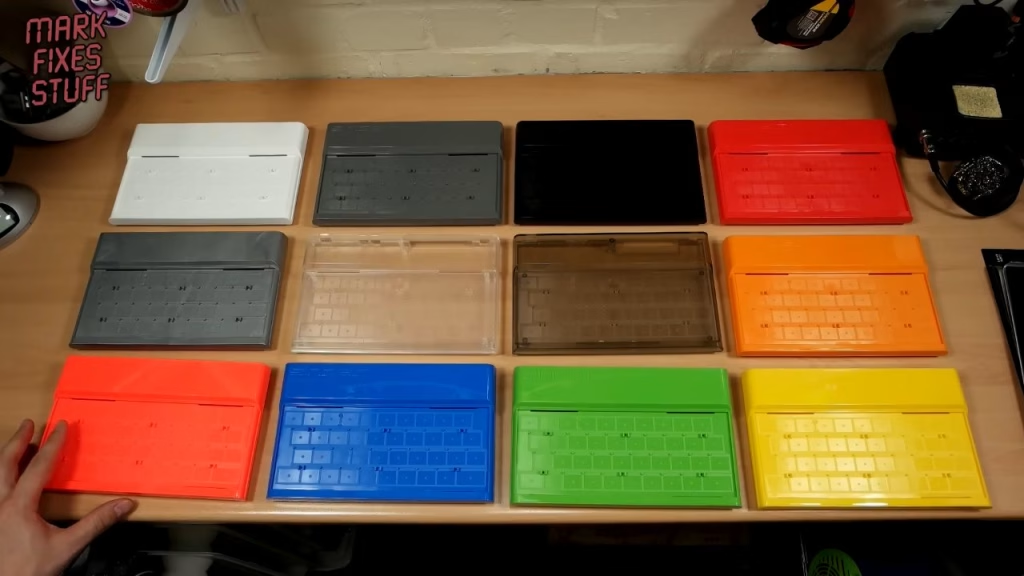
Inside the big box were lots of smaller boxes, and inside those a veritable cornucopia of colours for your 48K Spectrum: white, a marbled metallic silver, what I can only describe as nuclear infused peach, a handsome grey, totally clear, a beautiful blue, glossy black, a smoky transparent green, yellow, orange, lime green and classic go-faster red. The detailing on the back is spot on, and they’re very well made.
Some came as complete sets. A clear smoky case had a white keyboard overlay and white keys; the silver marbled case came with a silver faceplate and black key mat; and the glossy black case came with Retro Radionics’ new matte black faceplate on top of a black key mat. That combination really is something.
Are these replica Spectrum cases?
No, and that’s important. They’re not replicas or reproductions: they’re new modding parts for people with orphaned boards or who want to customise a machine. There are deliberate differences, for example the black case is shiny and its ZX Spectrum lettering is raised rather than white. So there’s no danger of “mint” Spectrums turning up on auction sites being passed off as originals.
Test fitting a real Spectrum board
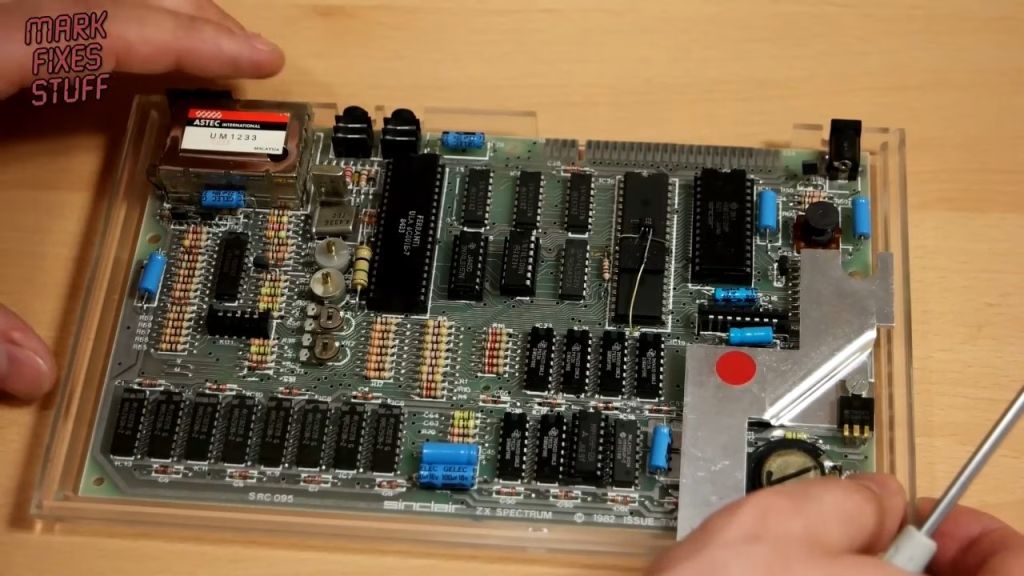
For a test fit I used a Spectrum from the repair box that someone sent to the channel a long time ago. Its faceplate was bent and tattered (not beyond repair, so I’ve kept it), the key mat was frankly a biohazard, and there was no keyboard membrane at all. Underneath was an Issue 2 board with the Issue 2 mod on the Z80, not composite modded and not recapped, so a pretty minty candidate for the clear case. I don’t actually know if it works: this was just about checking the fit.
The sample cases came without screws or feet (the retail versions will include a set of rubber feet and screws with each case), so I borrowed the screws from my daily driver. The board lined up well with the original length screws and no cracking noises. Screwing into new ABS feels firmer than an old case, as it’s a denser plastic, so don’t over-tighten and kill your new case.
Fitting a new keyboard membrane
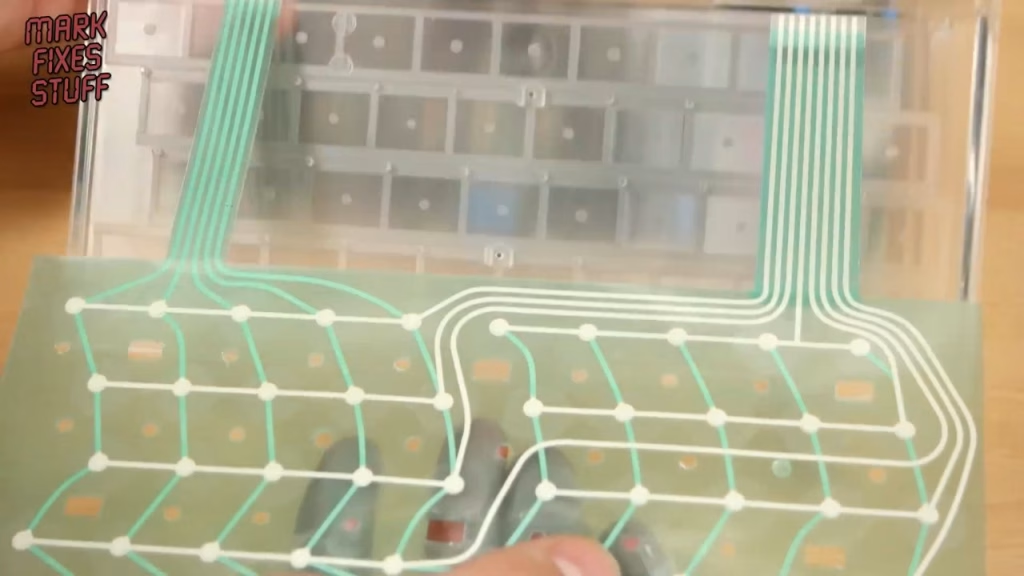
The new 48K keyboard membrane is also from Retro Radionics (they do Spectrum+ versions too). It goes through the case, the registration was spot on, and one small bit of plastic that hadn’t been knocked out popped out easily. The tails have a stiffener and the material feels much thicker and more robust than the membranes we used to get. I might trim the loop where it goes up over the modulator.
Key mats, faceplates and the glow in the dark test
Fitting a clear key mat over the posts uses the usual massaging method, though it’s harder when everything is transparent and you can’t see what you’re doing. I tried the glow in the dark faceplate with the lights off: it glowed for me, but sadly the camera refused to pick it up. In the end my favourite on the clear case was a white key mat with the aluminium-style silver faceplate. The faceplate bend is accurate and the fit along the edges is flush, so a bit of double-sided tape will hold it down.
How do they compare with an original Spectrum?
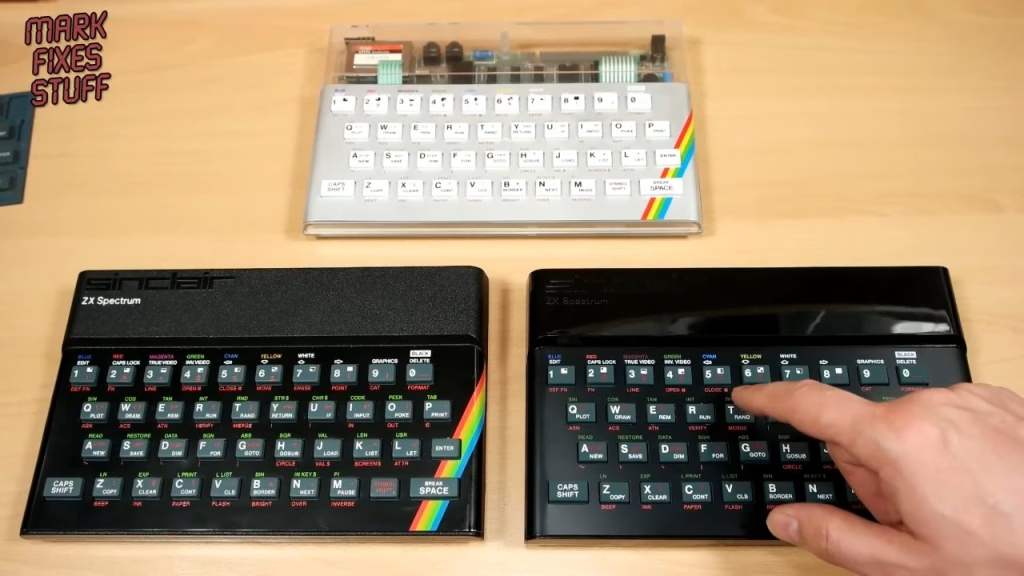
I put the new black case, matte faceplate and original green key mat next to an all-original Spectrum. Stacked together, the colours are pretty close. They do look slightly different to the naked eye, I won’t lie, but there’s not much in it. The glossy case does pick up a few fingerprints along the front, though they look worse on camera.
Then I whipped up some colour combos: the silver with black key mat, the “green sleeves”, the blue lagoon, red, white and blue for patriotic British computing fans, the banana milkshake, the grey day for the executive in your life, burnt orange, and an all-black one that could be none more black.
Verdict
These are amazing, no two ways about it, and a real boon for the Spectrum community. A big thank you to Djordje for sorting this out. Versions for machines like the Just Speccy 128, with custom cutouts on the back for the Harlequin and similar boards, are in the works.
Seller links:
www.zxrenew.co.uk
www.retroradionics.co.uk
Join the Facebook group at www.facebook.com/groups/spectrum4everyone and visit the community driven Spectrum fansite at www.spectrumforeveryone.co.uk.
Related
More on Spectrum keyboards and cosmetics: replacement coloured key mats, faceplates and membranes, safely removing a rubber key Spectrum faceplate and Retro Radionics’ ZX Spectrum Omni laptop.