
This PAL Atari 7800 is in very nice condition, but RF sucks. So it gets a Deluxe composite video mod kit from The Future Was 8 Bit, a recap, a cartridge slot clean, and a reversible replacement for Atari’s bespoke power connector. All of it is done with no cutting, drilling or board damage, and the original parts are bagged so the console can be put back to stock. I made a few blunders along the way and left them in, so you can avoid them. This video was sponsored by PCBWay.
Opening the Atari 7800
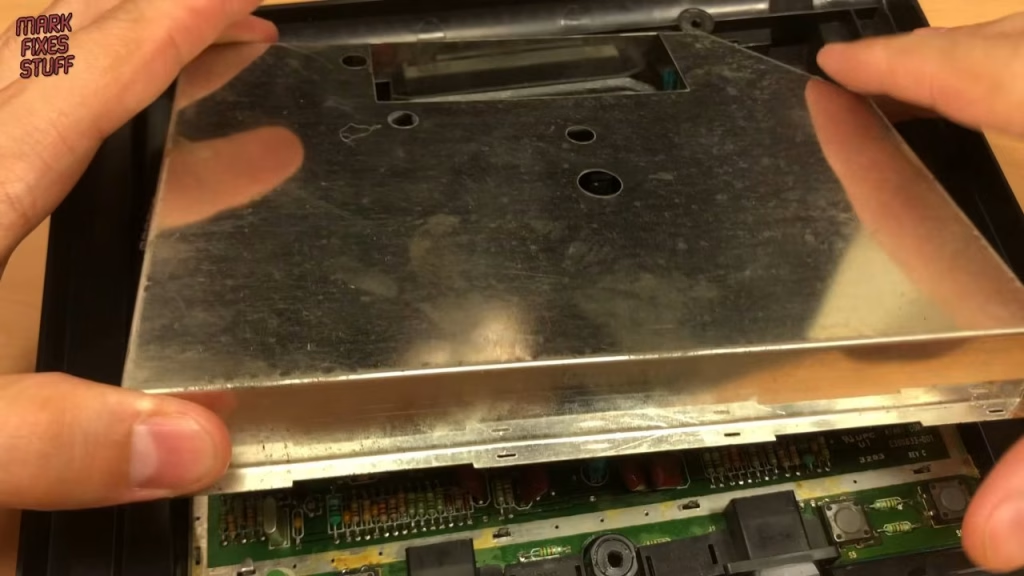
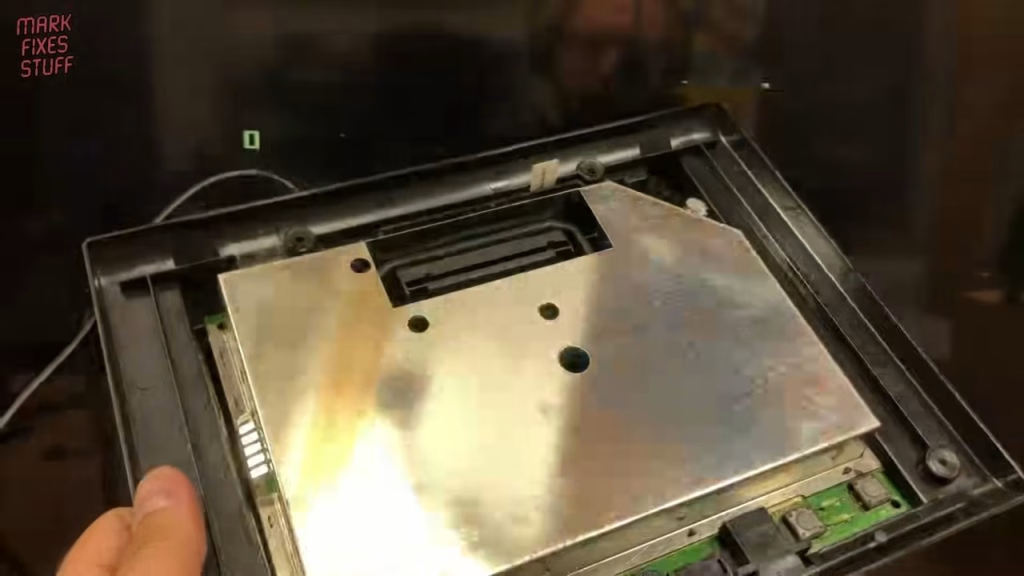
The aluminium strip is in really nice condition, so take care not to scratch it. There are five case screws (two at the back, three at the front), all the same size and type. This is a UK PAL console; I did a previous video modding a US NTSC machine, and the process differs a bit. With the top shell off, my wire wrap tool was again pressed into service to straighten the tabs on the RF shielding: its flat slot straightens each tab as you twist it. There’s more shielding on the underside too, which I levered off gently with a blunt tool. Atari sure did love a bit of shielding.
It’s a really clean board with a functional layout: two adjustable parts set the colour phase for the 7800 and 2600 sides of the console respectively, and there’s a lovely vintage Fairchild chip with a decorative moulded ridge along its length.
Removing the RF modulator and RF-only components
I want everything reversible, so the RF modulator was desoldered carefully. A desoldering gun cleared the pins and even the modulator can’s ground plane connections easily; I’ve done these with a solder sucker before, and the gun is a hundred times easier. Then several parts that only serve the RF output come out:
- L6, the adjustable coil that tunes the sound carrier for the RF output (it’s easy to find under the board thanks to the big tool hole).
- Q8, a 9018 type transistor designed for amplifying AM/FM outputs. With the modulator gone it’s not needed and could add noise.
- R32, which drops the audio level for the old modulator. We actually need to amplify the audio, so it goes.
- The resistor balancing the video signal, as the mod board now handles that.
Also note R33, just above, which carries sound from the POKEY chips found in a few cartridges. We’ll come back to that. Everything removed goes into a bag with the modulator.
Replacing the Atari 7800 power connector
The original power supplies are hard to find, and the connectors are non-standard and wear out over time. Even though they’re keyed, you can still push the plug in reversed. After desoldering the old socket (unhooking its legs takes some persistence) and checking the board with a continuity meter to note the pin polarity, I soldered in a pair of header pins instead, held with Blu Tack while soldering. A label with the polarity went on later.
Recapping the three electrolytic capacitors
There are only three electrolytics in a 7800, but they all connect to large ground planes that steal heat from your tool. The positive legs came out easily; the negative legs were a pain even with the desoldering gun turned up 20 degrees to 350°C. When a hole won’t clear, add a fresh blob of solder: it improves thermal contact and gives the gun something to draw on. On the second cap I added fresh solder while desoldering, and the part literally fell out, though the hole still needed another go. On the third, near the front, I went straight in with fresh solder and both holes cleared instantly. When fitting replacements, follow the plus marking on the board for the longer positive leg.
Why soldering iron tip size matters
I deliberately used a tip that was too small for fitting the new caps, to show the problem. A small tip doesn’t have the surface area to feed heat into a big ground plane quickly. The joint gets there eventually, but by then you’ve cooked off the flux and possibly barbecued the component. A bigger tip heats the joint fast and keeps the heat local. New irons often come with a tiny conical tip, great for surface mount parts the size of a grain of rice, but for retro work you’ll want something larger as well. Most decent mid-range irons take a range of tips, so experiment.
Making the power cable (and a wire lesson)
I tried being lazy with some Dupont jumper wire that already had the right connectors. The tinned wire looked dull, the gummy crew gave me knowing looks, and sure enough solder just ran off it, until the heat melted my heat shrink. Lesson: some wire is cheap and nasty, and some is meant to be crimped, not soldered. I switched to proper silicone hookup wire and crimped Dupont terminals on with my small kit (the square wings grip the wire, the triangular ones grip the insulation). My crimper is a bit rubbish so I often finish with small grips, but it worked.
The socket is one of ten I bought years ago, with a round face and an offset hole; filed flat on one side, it’s ideal for the 7800 and fixes with a nut, so no case cutting. (If anyone finds these for sale again, please let me know.) Heat shrink went on with my hot air station at 100°C. The jumper header lets a future user swap polarity if they don’t have a suitable supply. Red is the centre pin, and because I’m using a centre negative Sega Mega Drive PSU, the red wire goes on the negative pin.
Wiring the Deluxe composite mod
The small mod board takes the liberated signals and amplifies them to proper composite levels, and sits in the hole left by the RF modulator. Its cable carries video, audio, 5V and ground. I cut the pre-tinned wires to length for neatness and used leaded solder, as the board was made with it and mixing alloys can give poor, brittle joints.
- Yellow (video): left-hand side of the removed resistor position at R62.
- White (audio): right-hand side of R32, picking up the TIA audio.
- Red (5V) and black (ground): the bottom two former modulator pin positions.
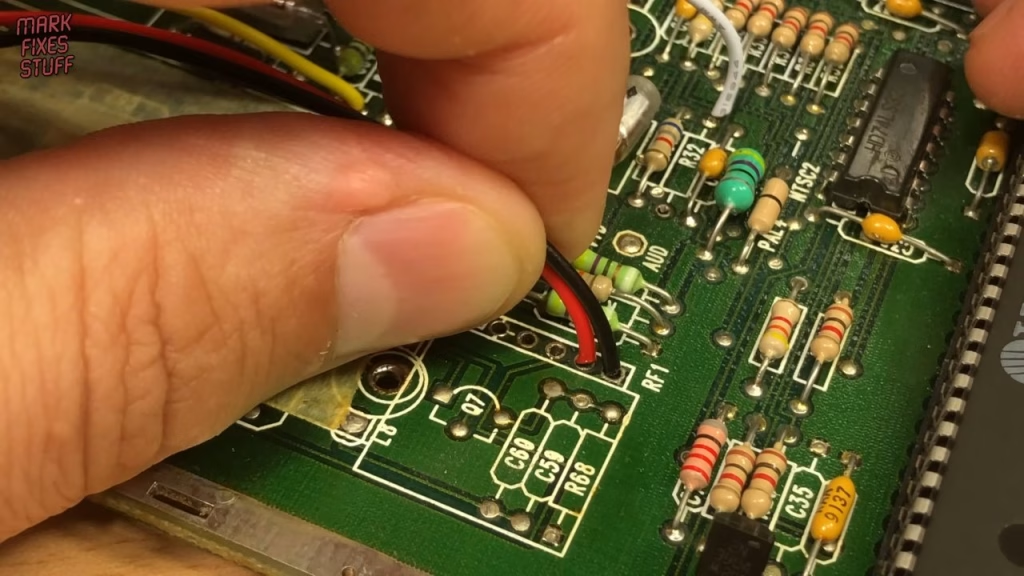
For POKEY sound, which is routed from the cartridge through R33, I used the existing resistor’s lead to bridge the two points. On some consoles the TIA audio is much louder than the POKEY sound; in that case fit a 6.8K resistor between R32 and the white wire instead. Only a couple of games use POKEY: Ballblazer and Commando.
Cleaning the cartridge slot
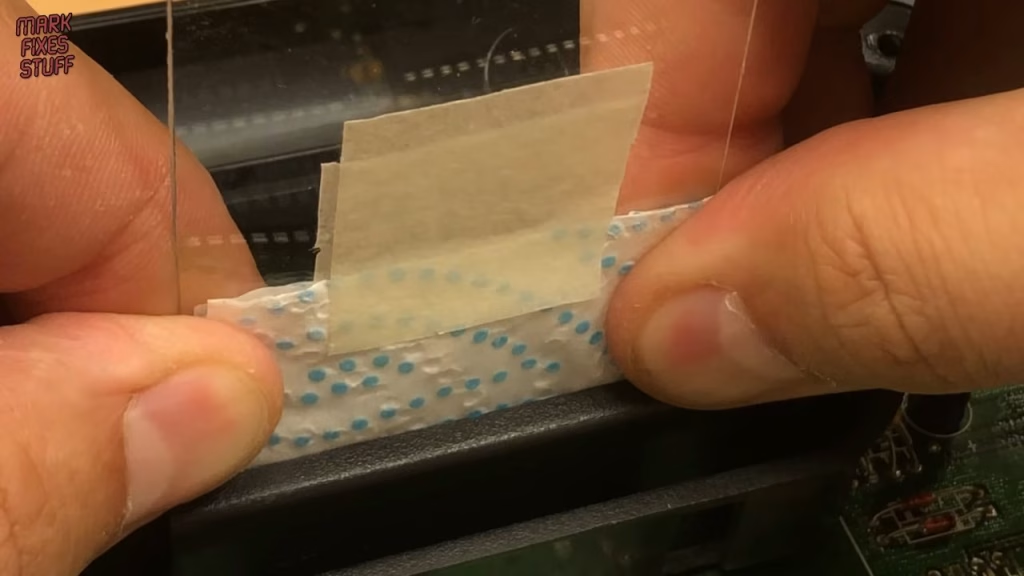
With the lower shielding back on and the board in the case (controller ports and difficulty switches go into the front first), I tackled the mucky slot. My cleaning jig is a piece of thin Mylar cut roughly to the slot’s shape, thinner than a real cartridge edge, wrapped in a strip of J-Cloth or thick kitchen paper held with masking tape and slit to match the cartridge edge connector. Squirt contact cleaner on both sides, push it slowly but firmly into the slot and work it about. An impressive amount of dirt came out, and buildup like that can stop games working.
Mounting the mod board and power socket
People report the supplied sticky pads come loose over time, so I reinforced mine with super glue gel, applied onto well-stuck masking tape rather than directly onto the board. (I’d also picked up my spare mod board by mistake, so ignore that bit.) The first position was too far from the edge, making the jack hard to insert, and wobbly. Second attempt: fresh tape, glue, and a much better position at the rear hole, left to set over dinner. Afterwards it was so rigid I could move the main board by the cable. The power socket fits with its flat edge against the case, nut finger tight then nipped up with small grips, with the cable on the header centre negative.
Did the composite mod work?
With the shielding back on (its cutouts give access to the 2600 and 7800 colour phase adjustments, plus the RF audio carrier coil we removed), I powered it with my Mega Drive PSU, which gives about 14V with no load. A very welcome green LED, and the built-in Asteroids looked really good over composite. A 2600 cartridge was colourful and working as well as you can expect for composite on an LCD panel.
Restoring the case plastics
It was already a good-looking unit, but the plastic had that aged look. I used Simoniz black plastic restorer, layered on thinly, which covers small scuffs and minor discolouration without looking fake; a soft brush works it into the moulded grille texture. For the aluminium strip, a dab of 3-in-One oil on a lint-free microfibre cloth, polished in and the excess wiped away.
Playing some games
Using the Mega Drive pad to Atari 7800 adapter from a previous video, I played the built-in Asteroids (surprisingly addictive), one of my favourites, Galaga, then Defender II, which shifts around quickly with a good feeling of inertia for a 2600 title, and the 2600 version of Battlezone, which oddly uses filled graphics rather than wireframe but is still a ton of fun.
Related
More Atari 7800 on the site: modding an NTSC Atari 7800, the Mega Drive controller adapter for the 7800 and how to spot dry, cold or cracked solder joints.
Leave a Reply