
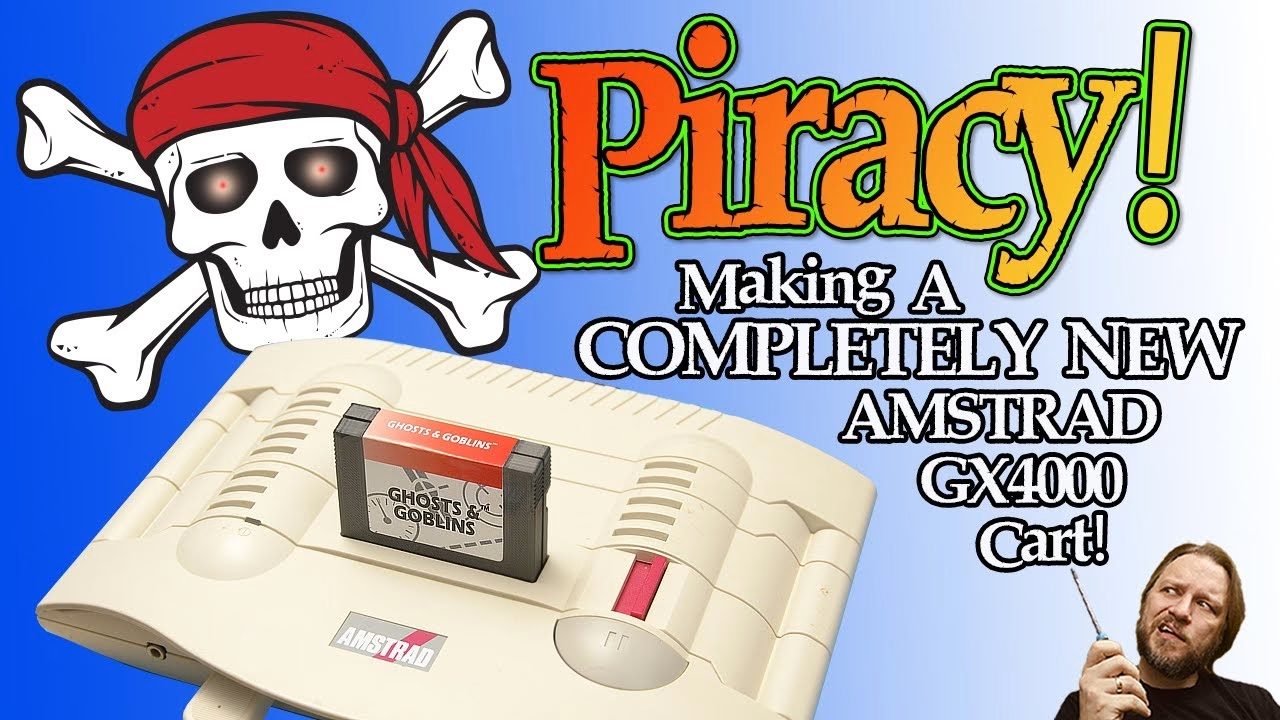
Original Amstrad GX4000 cartridges are scarce and expensive, and the usual way to make your own is to plunder the ACID copy protection chip from a real cart. I didn’t want to butcher any originals, so this build uses all new parts: a community-designed PCB, a 74112 flip-flop in place of the ACID chip, an EPROM burned from a converted CPR file, a 3D printed shell and a label I designed from scratch in Photoshop. The finished cartridge runs Ghosts ‘n Goblins on a real GX4000. This video was sponsored by PCBWay, who made the boards.
The console here is a working GX4000 on loan, which will also be useful for taking comparison readings against my fire-damaged one. Did I really want to go to all the hassle of restoring a burnt console just to play Burning Rubber? Not really. So instead, we’re making standalone pirate carts: actual single titles in their own cases, not a multicart.
Why are GX4000 cartridges so rare?
Amstrad launched the GX4000 in Europe in 1990 at £99. Inside it was a repackaging of the CPC Plus hardware, Amstrad’s refresh of the ageing CPC line, and with the Amiga already on the market and the Mega Drive on the horizon, interest was low and the console flopped. Only around 30 games were released, many planned titles were cancelled, and because the carts didn’t sell well either, some are now rare and pricey.
The PCB, EPROMs and parts
The board was designed by Chinnery, who released the Gerber files on the cpcwiki.eu forum (sign-up required). I uploaded them to PCBWay and they made the boards for me. The contact edge is slightly bevelled for easy insertion into the slot.
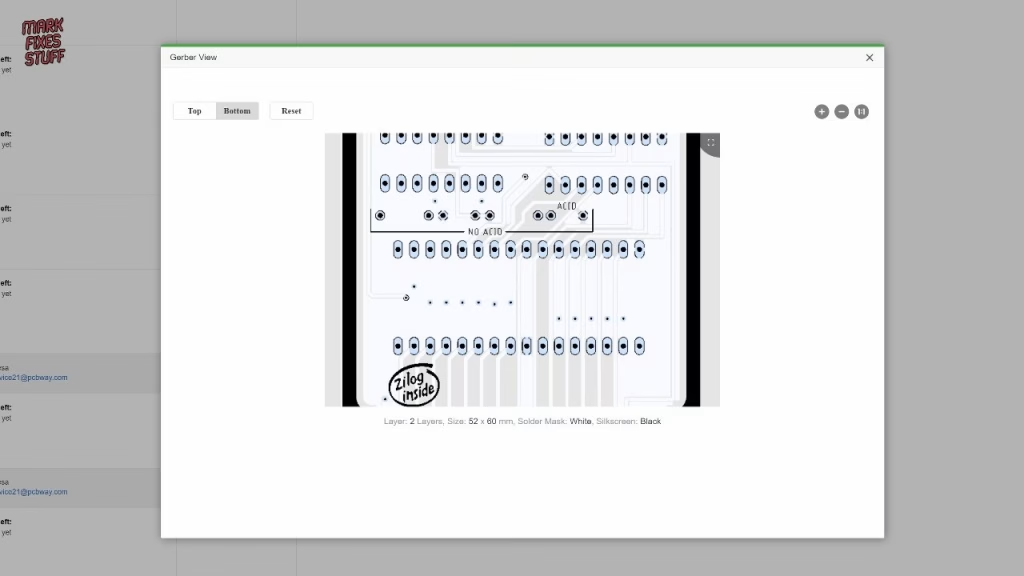
You need an EPROM sized for the game you’re burning:
- 27C1001 (1 megabit, 128KB): enough for the official GX4000 releases.
- 27C2001 (2 megabit, 256KB): for larger unofficial titles such as the 2018 port of Ghosts ‘n Goblins.
- 27C4001 (4 megabit, 512KB): for big ports like 2022’s Blinky’s Scary School.
Beyond that, it’s two 4.7K quarter watt resistors (the board doesn’t carry much current) and 100nF ceramic capacitors, marked 104 and more often expressed as 0.1µF for through-hole parts.
How does the ACID chip work, and how do you get around it?
The ACID (Amstrad Cartridge Identification Device) tells the console or CPC Plus whether the cartridge is genuine. It wasn’t really anti-piracy, since making a cartridge at home was beyond most people in 1990; it was more about controlling what software could be released, much like Nintendo’s approach with the NES. Inside a genuine cart there’s little more than an EPROM, but if the protection handshake fails the data from the EPROM is scrambled, making the cartridge useless.
Option one is to fit a scavenged ACID chip, which only needs one capacitor alongside it. But real carts are finite and expensive, so that isn’t sustainable. Option two exploits a flaw: the host signals that the ACID’s response is wrong for long enough that the response can simply be flipped. That’s what a 74112 dual JK flip-flop does here, satisfying the host machine that the cartridge is genuine. For the flip-flop hack, all the passives on the PCB need populating.
Soldering the board
There’s no room for sockets inside the shell (they make the chips stand too high), so the 74112 is soldered straight to the board, held in place with a bit of Blu Tack, with plenty of flux. A tip from working on white PCBs: flux looks much messier on them, which at least makes it obvious when you’ve cleaned it all off. And yes, it’s leaded solder, and no, I’m not sorry. A clean with isopropyl and a cotton bud tidied it up.
The 104 ceramic capacitors are non-polar, but I still like the markings facing the same way (two of mine were slightly different, which annoyed me more than it should). For the 4.7K resistors I used a small lead-bending tool I 3D printed a couple of years ago, which gives nice sharp bends, makes insertion easier and looks neater, and I lined up the colour bands too. The silkscreen makes it really clear what goes where.
Converting CPR files and burning the EPROM
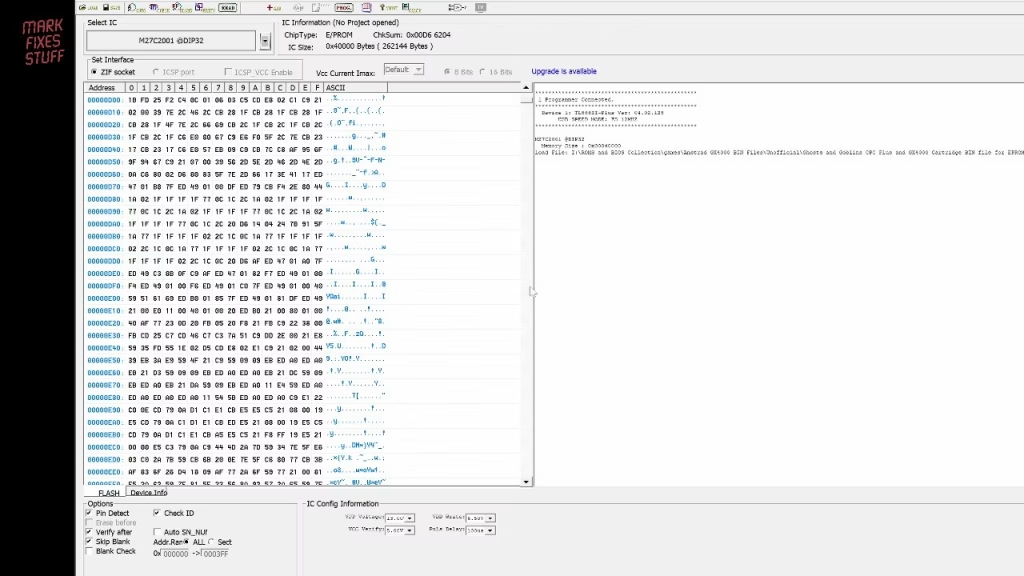
CPC Plus cartridge dumps are normally in .CPR format, which needs converting to a raw .bin for the EPROM programmer. I used Oscar Sanchez’s CPR Tools, which is very simple. The Ghosts ‘n Goblins CPR file is 257KB, and the conversion gave a 256KB bin: exactly right for a 27C2001.
In the programmer software, select the device type, load the bin into the buffer (I always scroll through; human-readable text is a good sign) and hit program. It took a little over two minutes and verified fine. Before soldering the EPROM in, I tested it using a board I’d built earlier with a socket. A socketed EPROM won’t fit in a shell, but it will just about go into the console slot at an angle. After a bit of jiggery-pokery with the flap at the back that was blocking the power switch, Ghosts ‘n Goblins booted first time.
A 3D printed shell and a custom label
The case is Cwiiis’ design, from the same cpcwiki.eu thread. It’s clever: it clips shut with no screws or glue.
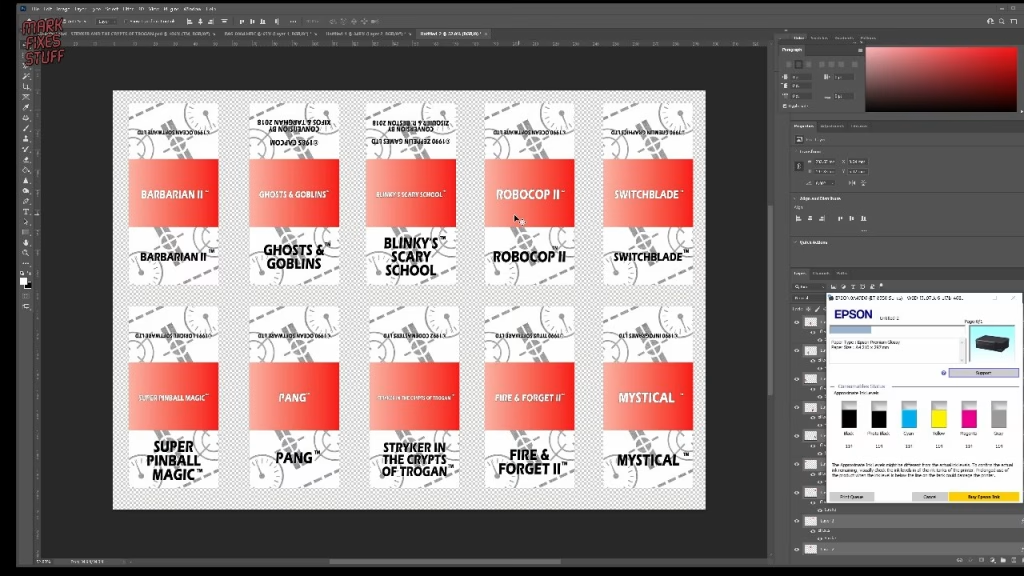
For the label I measured an original with calipers and built a Photoshop document with guides for the top fold and the red-to-white gradient. I then photographed the background graphic from an original cart and rebuilt it: raising the brightness to knock out noise, removing everything but the pattern with the background eraser, and using the clone stamp, healing tool and polygonal selections to paint out the Ocean copyright text and repair scuffs. This kind of job always looks terrible until it suddenly doesn’t. Just don’t become a pixel peeper.
Since this isn’t a reproduction, I took a few liberties: spine text (always missing on the originals), stroked capitals so text doesn’t get lost on the background, a trademark symbol, and credits on the back to Capcom for the 1985 original and to the team behind the 2018 conversion. The layers are named and grouped (front, back, spine) so anyone can edit it. I’ve shared the editable GX4000 cartridge label on my website.
For printing, paste into a document the size of your output media. Landscape A4 fits 10 labels per sheet. I used a semi-gloss photo paper profile with relative colorimetric intent, and borderless off (it scales the image down). They won’t fool a collector, but they’re better than no label, and better than some originals.
Did it work?
With the EPROM soldered in, the board drops onto the shell’s locating lug and the top clips on with a push. Getting the sticker started took about five minutes; I lined up the spine first, and ended up with a few bubbles and ridges, but it’s okay. Into the slot, power on, and Ghosts ‘n Goblins comes to life.
I played it for about an hour. It’s a really good version for an 8-bit machine: frustrating and difficult, but fair, so when you die you feel you deserved it. Plenty of running around in your pants, and the graphics change nicely in the second level. I also tried Switchblade (unique look, no idea what was going on) and Blinky’s Scary School.
More from the Amstrad GX4000 projects: Does It Work? Switching On a Fire and Water Damaged Amstrad GX4000.
Related
If you like making your own carts, see my editable Atari 2600 label template and burning Amiga Kickstart ROMs with a TL866. More Amstrad: a CPC 464 found in the woods.
Leave a Reply