

If your Sega Dreamcast randomly reboots, cuts out or resets itself in the middle of a game, the culprit is very often not the console’s main board at all. It’s the six pins that connect the power supply board to the motherboard, which build up a layer of corrosion over time. In this guide I open up my own original Dreamcast, lift the power supply off and clean those contacts with isopropyl alcohol. It’s quick, needs no soldering, and the fault applies to all Dreamcast models.
Why does a Dreamcast reboot or reset by itself?
The Dreamcast’s power supply is a separate board that sits on top of six pins coming up from the motherboard. Over time those pins build up a barrier of corrosion, and the springy leaves inside the socket stop making a solid contact. I’ve fixed a lot of Dreamcasts with random reboots, and you’ll usually find it happens once the console gets hot: thermal expansion moves the contacts just enough to break the connection for a moment, and the machine resets.
Tools you’ll need
- A small bottle of isopropyl alcohol (99.9% pure) or a similar cleaning solution
- A cross-tip screwdriver (a magnetic one makes life much easier)
- A small flat-ended screwdriver for easing the prongs and clips
- A handful of cotton buds and a toothpick
- Kitchen towel or a tea towel to protect the lid
Opening the Dreamcast
Before you start, lay some kitchen towel (or a tea towel) on the bench and flip the console upside down onto it. It’s an easy thing to forget, and it stops you scoring the top of the case while you unscrew the bottom. This one is my original Dreamcast from back in the day, and it’s gone a bit yellow from being poorly stored.
There aren’t many screws in a Dreamcast; Sega were quite good like that. One of them hides underneath the modem unit, so if you’ve got the modem (or a broadband adapter) fitted, remove that first to reach the corner screw. With the four screws out, flip the console back over and lift the lid, taking care that the GD-ROM drive isn’t getting hurt as it comes up.
A warning about the power supply capacitors
Big warning here: the capacitors on the power supply board can still hold quite a lot of charge and can give you a fairly hefty shock. Keep your hands clear of the components on that board while you work.
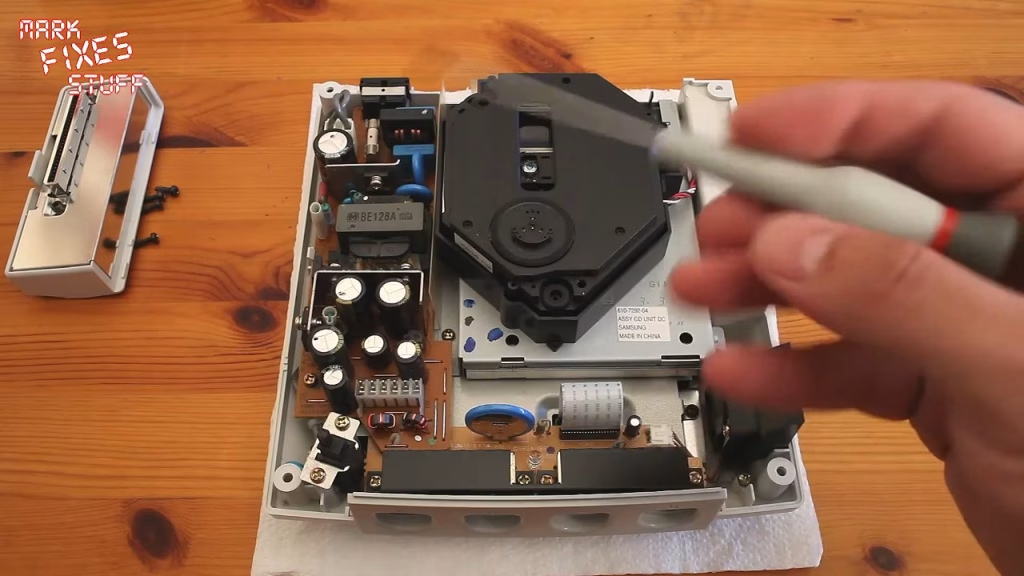
Lifting off the power supply board
The power supply is held down by two gold screws, plus another tucked away at the back, and a small plastic clip. Undo the screws and unclip it, then slide the flat screwdriver underneath and gently lever the board up. As it comes up you’ll see the pins moving independently of the socket. You can leave the power switch cable connected and just move the board to one side.
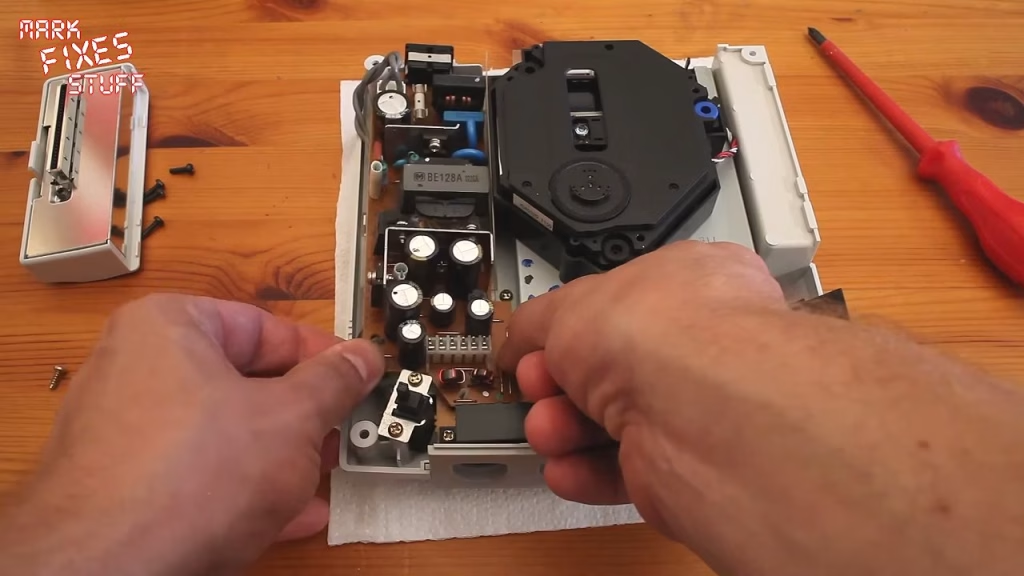
Cleaning the pins with isopropyl alcohol
Use isopropyl alcohol that’s 99.9% pure. That matters, because at that purity it works as a cleaning solvent but doesn’t conduct electricity, and you don’t want actual wetness sitting inside the console. If you don’t believe me, put your multimeter probes into the bottle: it won’t conduct. Clean the pins on the motherboard with a cotton bud and the alcohol. (In a brief jump cut I also changed the battery while I was in there.)
You can’t get a cotton bud into the socket on the power supply board, so I use a toothpick instead. Pop it gently into each hole, without pushing or putting any tension on the contact, and just rotate it. Do that for all six. It lightens up the contact surfaces nicely.
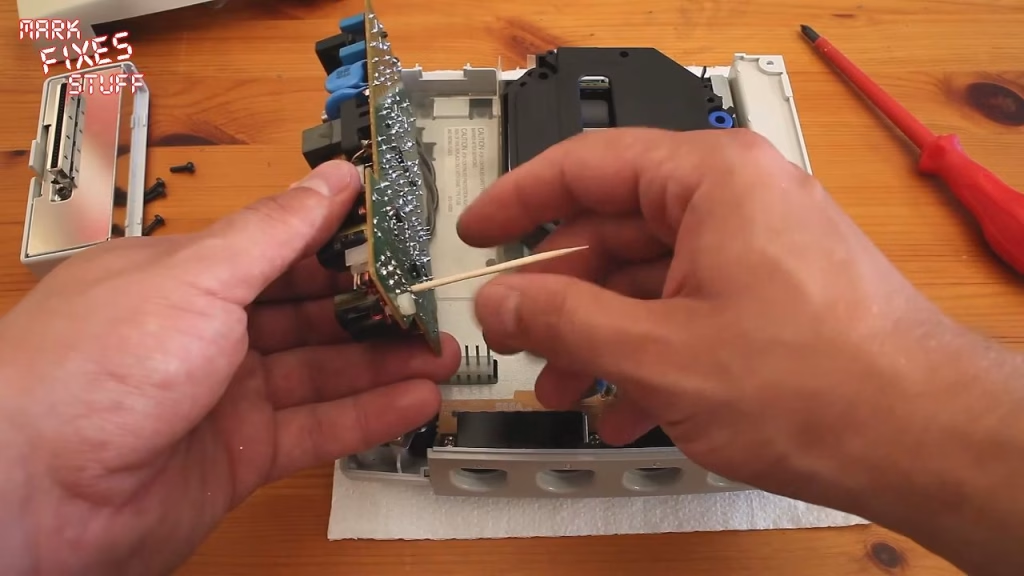
Sometimes you’ll also need to re-tension the connector by pushing the springs towards the back so they bring the contacts back into firm contact with the pins. I didn’t need to on this one, as the springs were fine.
Refitting the power supply
Line the power supply up with the six pins. Move the switch cable out from underneath first, otherwise it gets trapped and the board won’t sit flush. Then gently rock the board left and right until the pins pop all the way through. Check that the IEC power connector is sitting flat at the back and the clip is back over the top of the board, reconnect the switch cable, and refit the two gold screws and the one at the back. Forgetting that last one probably won’t be tragedy inducing, but it would be a bit rubbish.
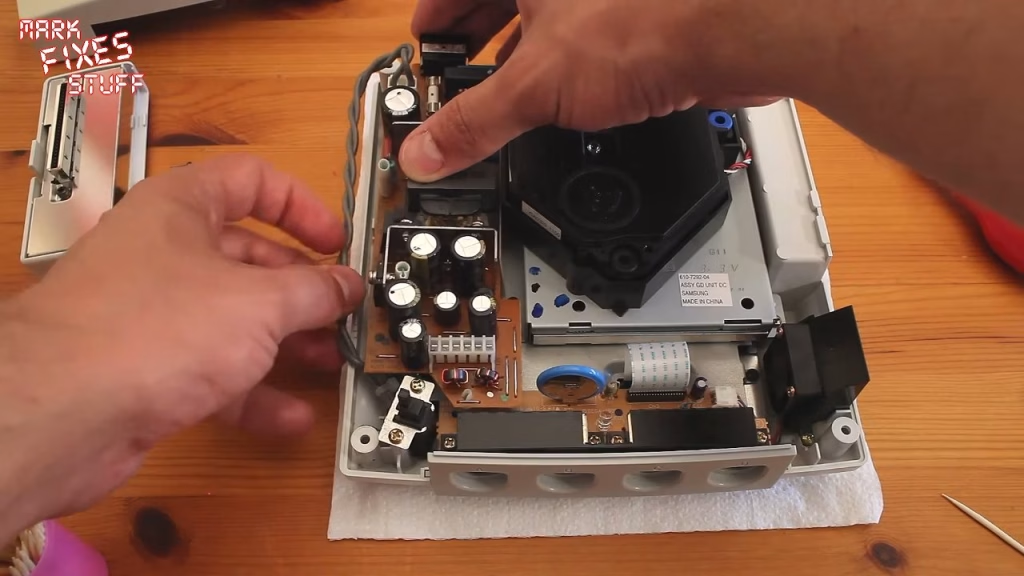
Putting it back together
Make sure the switch cable is tucked back in, replace the lid and screw it all back together with the four screws. That’s the whole job: no parts to buy, and it deals with the most common cause of a Dreamcast that resets once it warms up.
Related
More Dreamcast work on the bench: fixing a Dreamcast controller port fuse and fitting a battery mod, installing a custom Dreamcast BIOS, and the slightly grim rescue of a VMU covered in real poo.
Leave a Reply