
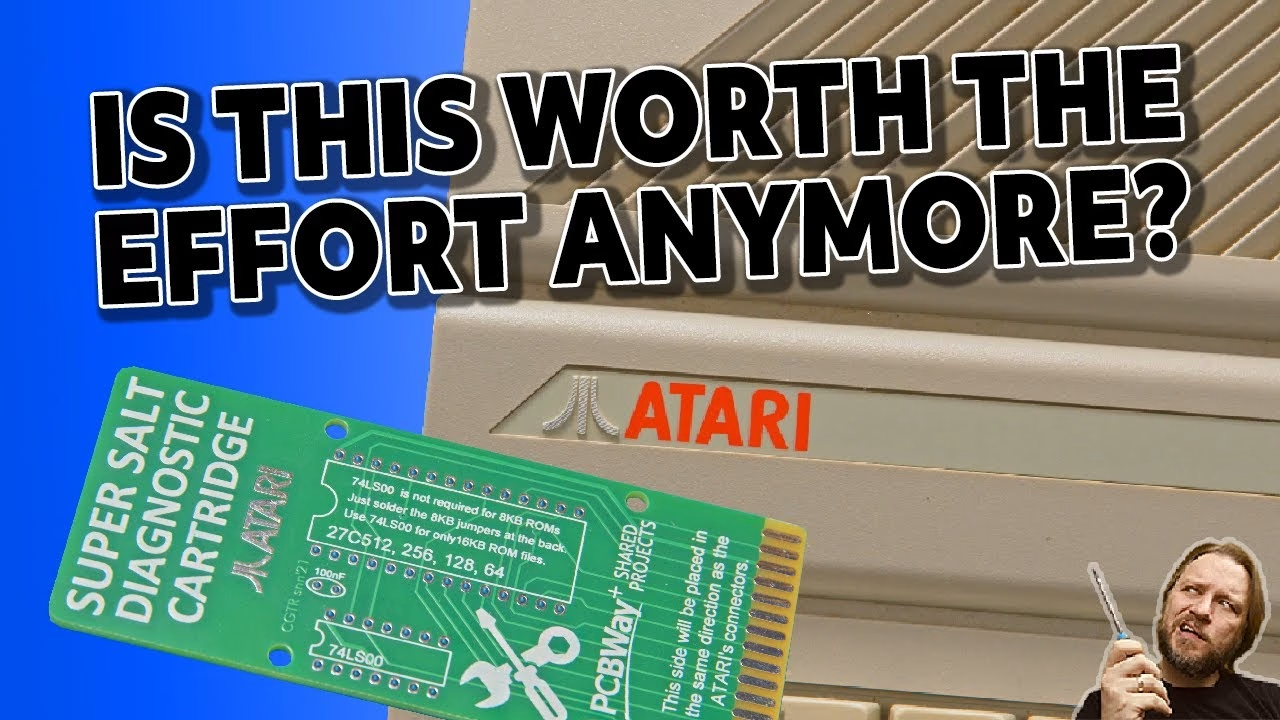
The Super Salt is an Atari 8-bit diagnostic cartridge from back in the day, and you can build a replica of it with just three parts: an EPROM, a 74LS00 and a 100nF capacitor. I built one to give my Atari 65XE a proper workout after repairing it when it lost its colour. Here’s the build, programming the EPROM on my (cheap, modified) EPROM programmer, and what the cartridge can (and can’t) test. The PCBs came from PCBWay, who support the channel.
Super Salt cartridge parts list
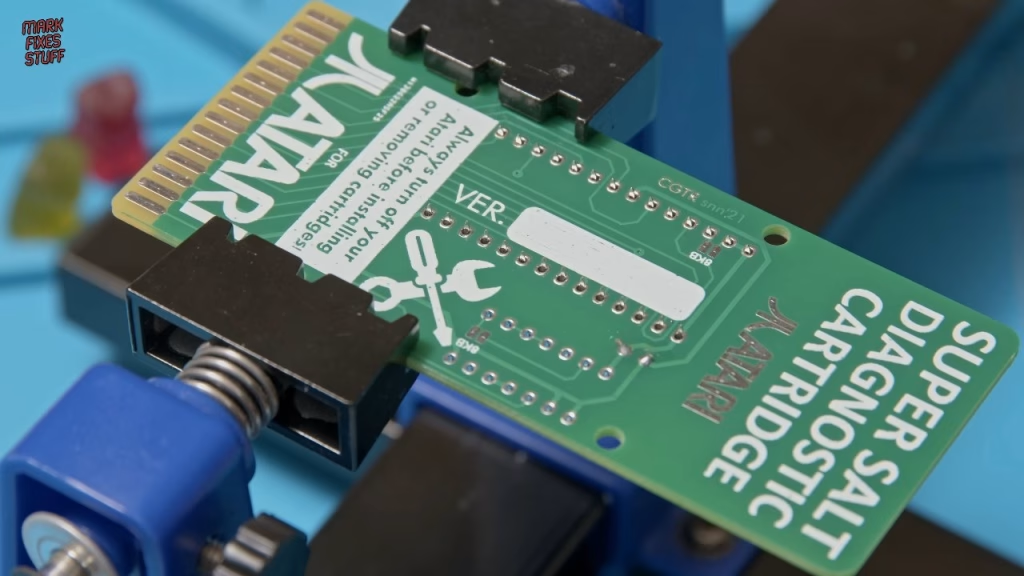
The board is a community design that lets you burn the Super Salt ROM to a range of EPROM sizes. You can order it from the Super Salt project page on PCBWay.
- A 28 pin wide DIP socket and an EPROM. The smallest I could find were 27C256 parts: the 256 is kilobits, so 32KB.
- A 100nF ceramic capacitor (usually marked 104).
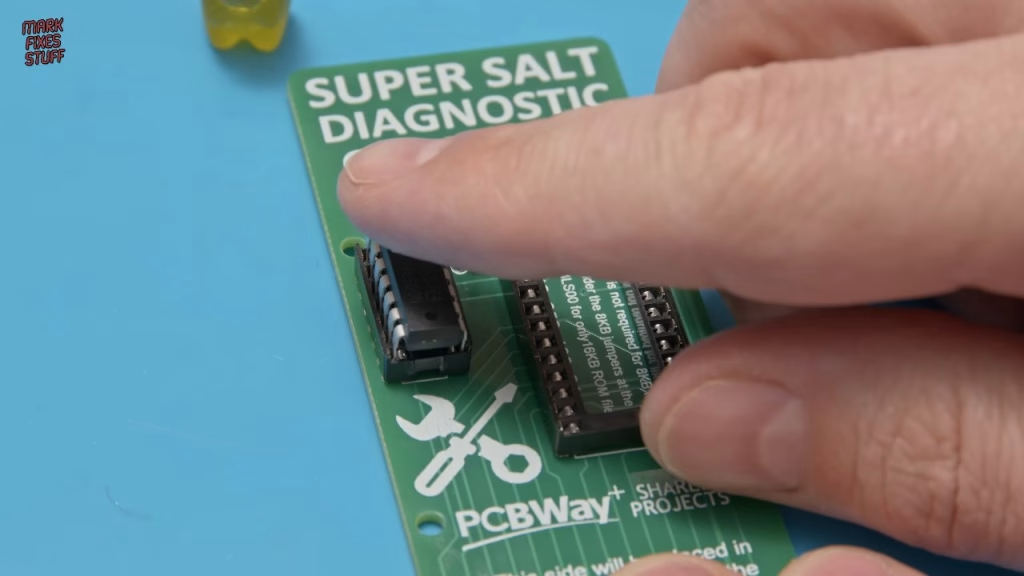
- A 74LS00 quad two-input NAND gate, which I socketed too. It’s worth about 30p, but everyone moans at me when I don’t socket chips.
If you use an 8KB 27C64 EPROM you don’t need the 74LS00 or the capacitor at all. I was using a bigger chip, so I fitted both.
Soldering the cartridge board
The capacitor goes on first because the sockets will stand taller than it. It isn’t polarised, so either way round is fine; splay the legs so it doesn’t drop out while you solder. My iron sat at its usual 330°C, and I used leaded solder (I couldn’t find my lead-free, and it’s not like I’m selling this cartridge).
For the sockets, Kapton tape holds them in place nicely: it’s heat resistant and comes off cleanly. Solder four opposing corner pins first so the socket can’t drop out, then do the rest. Socket soldering is forgiving, so you can go back for a second dab if a joint doesn’t look like it’s taken.
Testing the 74LS00 and programming the EPROM
Before fitting the logic chip I tested it in my EPROM programmer’s logic IC mode. There’s an auto find button that fires test states at the chip and returns possible matches. It did find the 7400, but you can’t click through to it, so you still have to pick it from the huge list manually (it could be useful for an unmarked chip). Once selected, the vector test came back all normal.
For the EPROM I used a Hitachi 27C256 because it was cleaner than the others, and noted its 12.5V programming voltage. Make sure the programmer’s extra voltage boost switch is off for this. I selected the Hitachi part in the DIP28 package, checked the device info tab and set VPP to 12.5V. I’ve bought enough EPROMs from AliExpress sellers with new identities that I take the markings with a pinch of salt.
The EPROM needs to be completely full, so if the ROM image is smaller than the chip you have to duplicate it to fill the space. Someone had already done this and labelled a 27C256 version, which was handy. Scrolling through the buffer showed human readable text, a good sign the file was right.
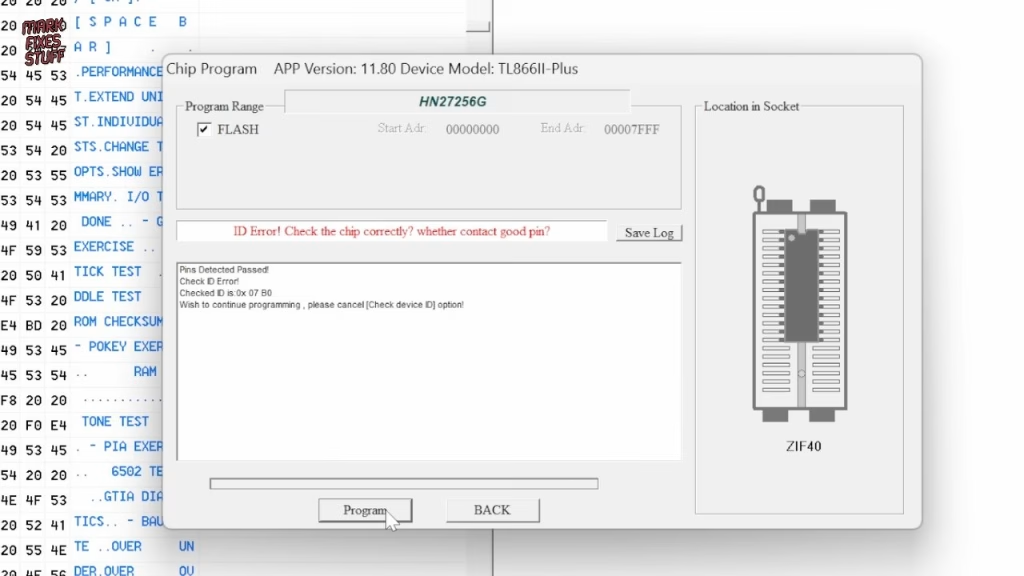
Programming threw a check ID error: the chip’s ID didn’t match the device selected in software. That’s common with remarked chips, so I disabled ID checking. What I always do is leave “verify after” ticked, so the programmer reads the data back and compares it to the buffer. It programmed and verified fine.
Both chips go in with the notch matching the socket notch, and it’s worth checking from the side that every leg is actually in the socket. Yes, the EPROM window should have a label on it. I’ll do it later.
Which way round does the Super Salt go in?
You’d be forgiven for pushing it in with the chips facing you. That’s wrong: these cartridges go in with the chips on the bottom. You probably won’t blow your Atari up if you get it wrong, but you will look very silly. I hooked the 65XE up with a Retro Computer Shack cable and my old power supply, and after a brief moment of worry, the Super Salt menu came up.
What can the Super Salt test?
There are a few versions of the Super Salt image, and I use the one I’m used to. Some routines need extra hardware: one of the tests needs the external port box, which I don’t have. But plenty works without it. In the individual test menu, the first character of each line selects the test, so J runs the joystick test.
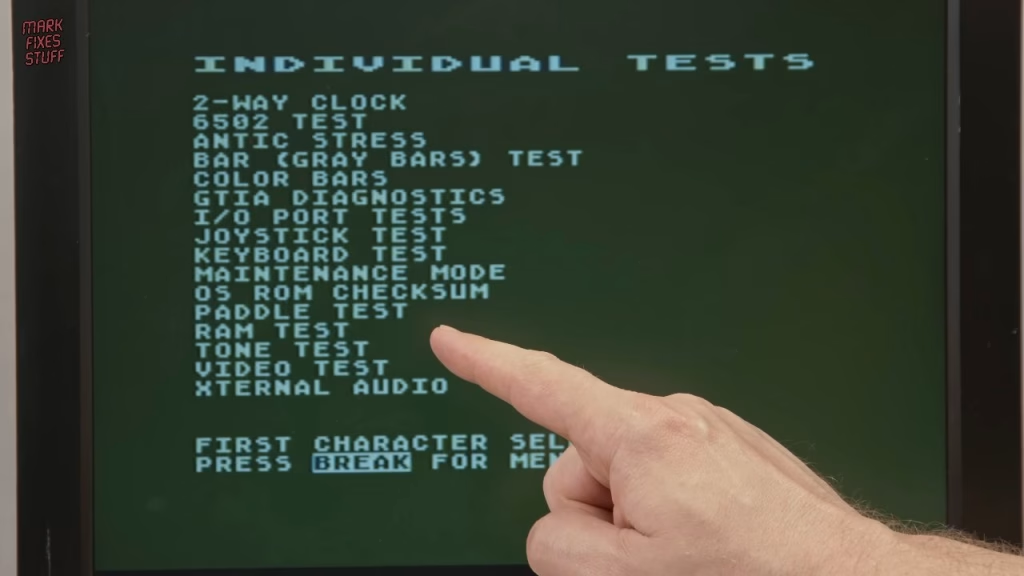
- Joystick and fire button test
- GTIA test (important for games, as it handles where things are drawn on screen)
- Sound test
- Keyboard, ROM and RAM tests
- Colour bar and greyscale bar tests
Is it worth the effort?
For a three part build that takes very little time, it gives you a genuinely handy set of tests for any Atari 8-bit. The cartridge booted first time on my 65XE and ran everything I could test without the port box. I’ve since used it again to check the RAM in an Atari 800 that I expanded to 48K.
More from the Atari diagnostic cartridges: Atari 800 48K RAM Upgrade, Super Salt Diagnostic Test and a 3D Printed Keycap.
Related
More EPROM and chip testing projects: making an EPROM adapter and burning Amiga Kickstart ROMs on a TL866 and building a vintage DRAM tester to check AliExpress 4116 and 4264 chips. For more Atari, see the A10400 Pico multicart build.
Leave a Reply