
If your Arduino Nano (or one of the many Nano clones) has suddenly stopped working, with no power and no LED activity at all, it isn’t always dead. A common failure is a single surface mount diode on the underside of the board, and you can sometimes bring the Nano back by replacing it. Here’s how I revived my own clone. Please note this is a kludge and not an official guide, so do it at your own risk.
How I killed my Arduino Nano
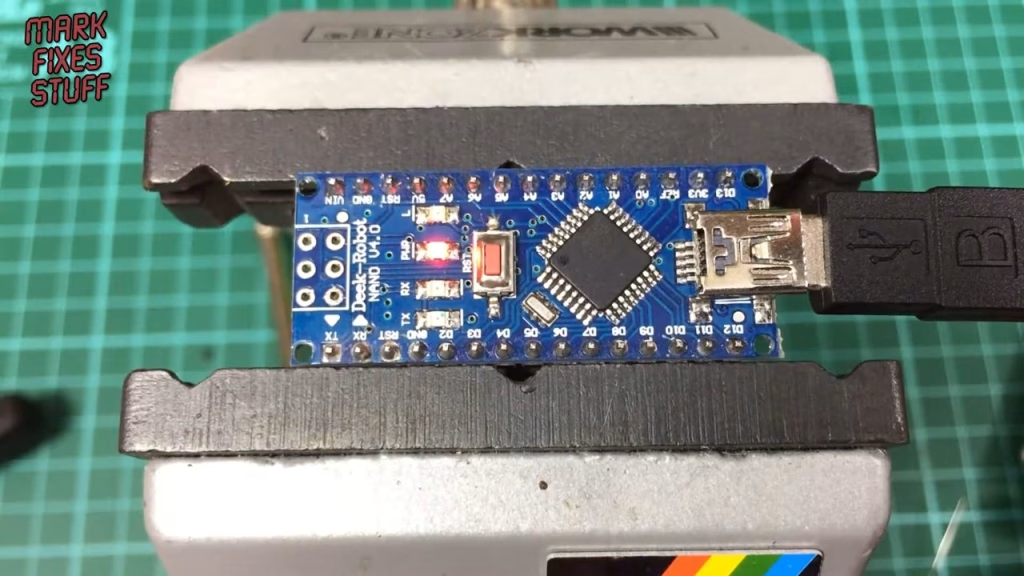
The victim was my DEKE Robot Nano V4.0, an Arduino Nano clone. I touched the top pins while I was also touching my MacBook Pro, which wasn’t earthed, and the Nano was plugged into a power supply that was. The charge dumped straight through it. Plugging it back in afterwards gave nothing at all: no lights, no USB, completely forked. (I’ve since earthed the MacBook.)
Why won’t my Arduino Nano power on?
Flip the board over and you’ll find a small surface mount diode on the back, marked with a line for the cathode. That diode quite often goes when people do silly things like I did, and when it fails the Nano gets no power. Replace it, and there’s a good chance the board comes back to life. Big thank you to Peter Edwards for the heads up on this one.
Removing the failed diode
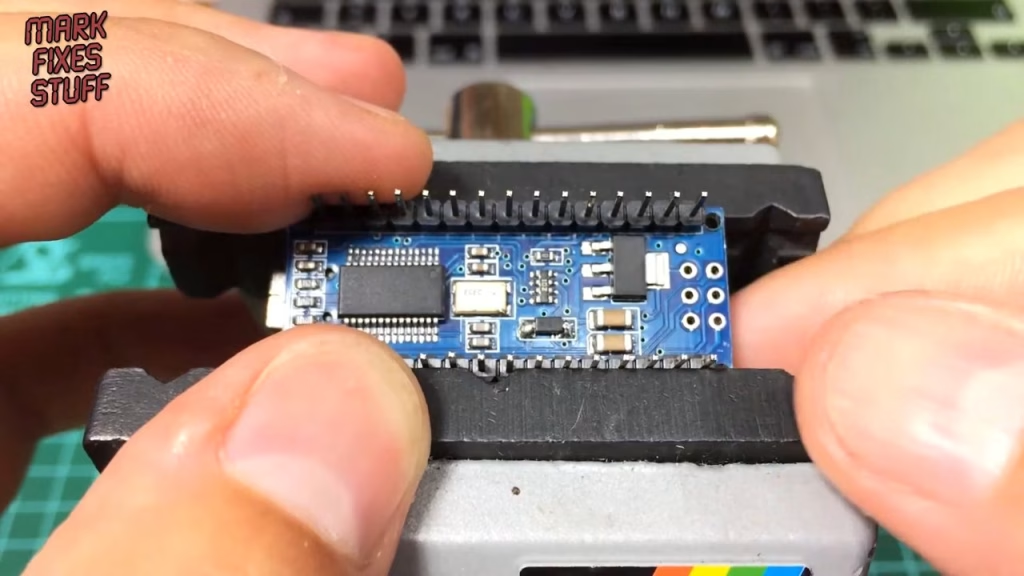
I didn’t have a proper replacement to hand, so I used a through-hole diode just to prove the Nano would start working again. This was a bit of a brute force method. With the Nano held lightly in a vice, I gripped the side of the diode with a pair of long grips, brought the iron in to heat one pad, and gently lifted that end clear of the solder, then turned the board round and did the other side.
It can take a couple of goes. Lift gently: what you don’t want to do is rip the pad off the board. This clone cost about three pounds in total, so I wasn’t too worried about killing it, but if you’ve got a sketch loaded it’s very convenient to get the original board going again.
Fitting a replacement diode (the kludge)
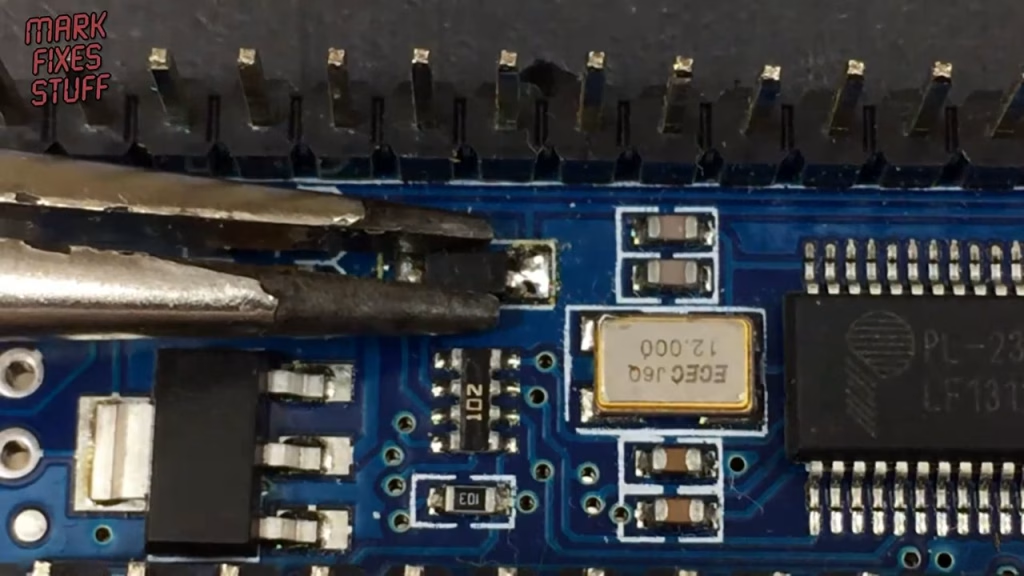
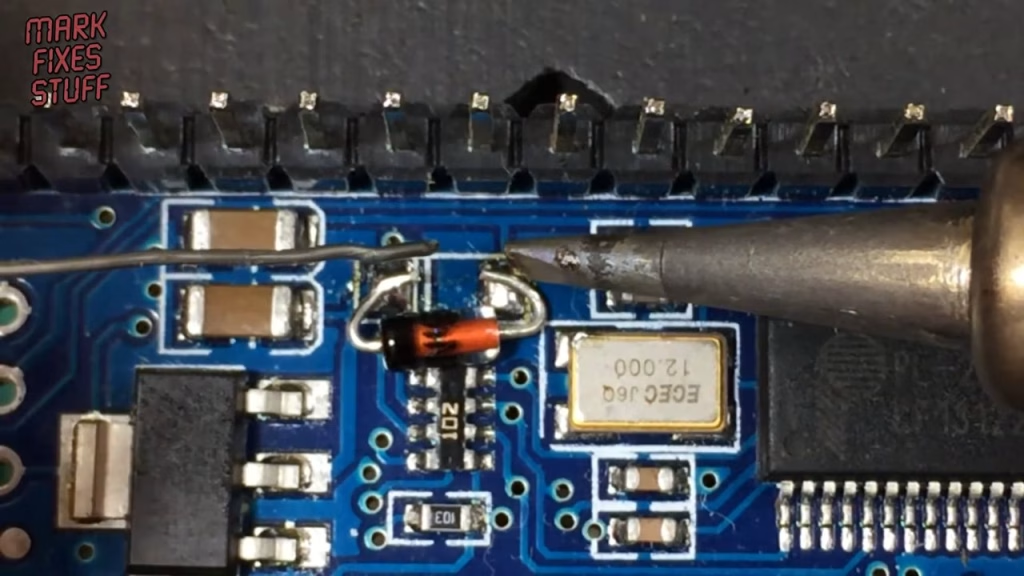
Next I placed the through-hole diode roughly where the SMD part sat, making sure the cathode band lined up with the line printed on the board. The proper repair is an SMD S4 diode, so remember this is a kludge. I tacked one end by heating lead and pad together with solder, which wasn’t the best joint, then did a better job on the other side now it wasn’t moving around. After pushing the leg down closer to the pad with the grips, I went back and redid the first joint properly.
Did it work?
Yes. With the replacement diode firmly fixed and aligned correctly, I plugged the Nano back in and it powered straight up. The sketch on it was still intact and running fine, and the reset button behaved exactly as it should. Not bad for a few minutes’ work and a spare diode.
Related
If you’re working on small boards like this, have a look at how to identify and repair a dry, cold or cracked solder joint and removing SMD can capacitors without hot air. For an Arduino-based retro project, see building a Tapuino virtual C64 datasette.