
Not every fix makes it into a video. Some are too quick, too boring, or not complete enough to be genuinely helpful on camera. Here are two that happened off camera: a Ram Turbo joystick interface for the Sinclair Spectrum that didn’t work, and a donated Spectrum 48K board that was missing its Z80 CPU.
Fixing a Ram Turbo Interface with dead joystick directions
As I mentioned in a previous video, I had a Ram Turbo Interface for the Spectrum that simply did not work properly. Not all of the joystick directions would register, and neither would fire.
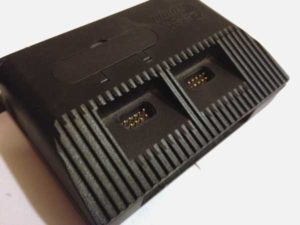
It’s a “pull-apart” unit, held together only by the friction on four mating posts, so getting inside is easy. I suspected that the (nearly) 30 year old interface might be suffering from dry solder joints, and on opening it up I found the soldering had been very poor from the start.
A quick refresh of all the solder joints and the unit is now fully functional. To test it I played Dizzy II with the joystick in Kempston mode, loading from a DivIDE plugged into the expansion connector on the back. All of the pins on both joystick ports now produce a response from the Spectrum. Now it’s working I might actually clean it.
A Spectrum 48K board without its Z80 CPU
Those of you who saw my video “A bloody heavy package arrives” will know that Ash, aka ElectronAsh on YouTube, sent me a package of Sinclair Spectrum goodies. It included a board that *was* working, until he borrowed its Z80 to test a non-working board, which then sprang to life.
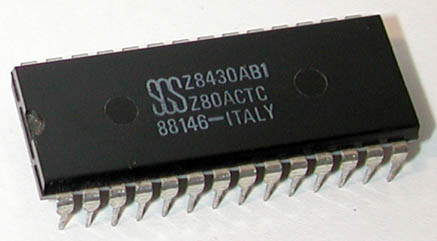
The board now sports a brand new 40 pin DIL socket and an SGS Z80. It starts up to the “© 1982 Sinclair Research Ltd” screen, and will probably go further, but I need a keyboard membrane before I can do anything with it.
Why won’t an SGS Z80 work with a DivIDE?
The only catch is that this SGS version of the Z80 has no support for the M1 line, so it can’t be used with a DivIDE or similar devices that rely on the non-maskable interrupt. Worth knowing if you’re replacing a Spectrum CPU and plan to use modern storage.
The membrane replacement will become a video in ultra clear HD, and as ever, the membrane will be provided by SellMyRetro.com.
Related
For more on dodgy joints, see repairing a dry, cold or cracked solder joint. On the keyboard side, here’s my Spectrum+ membrane replacement and how to safely remove the faceplate on a rubber key Spectrum.