
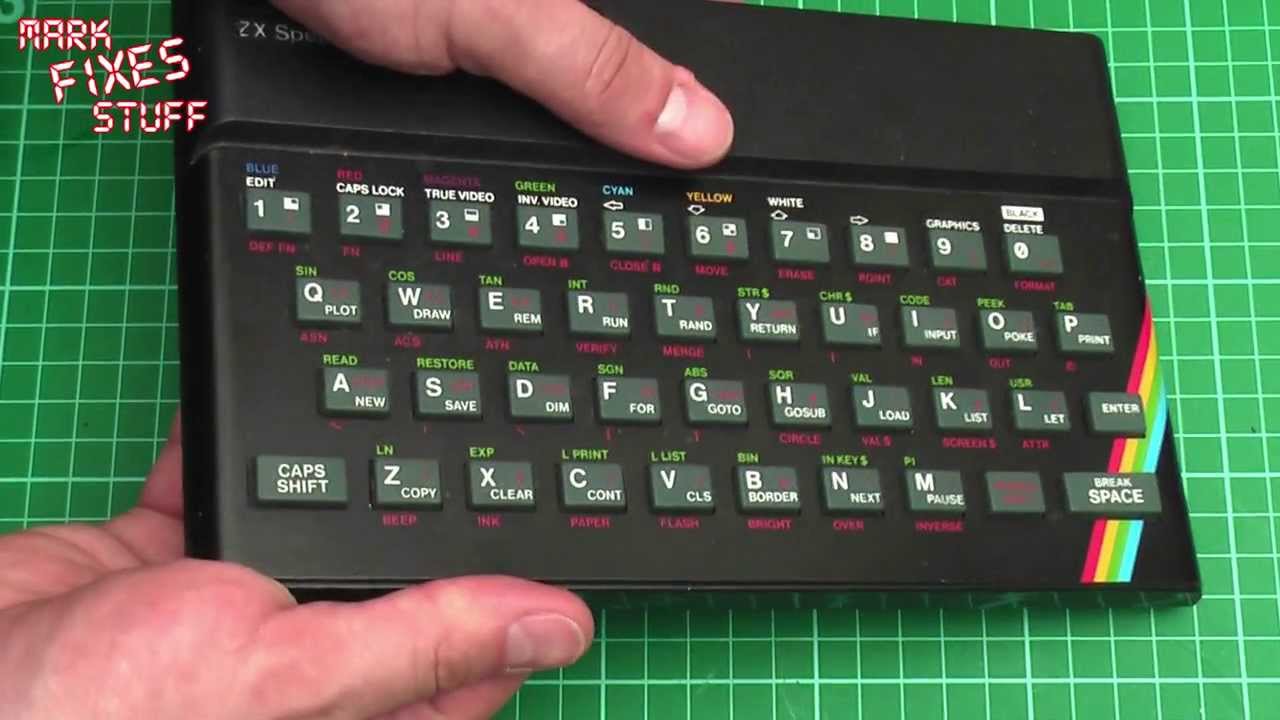
If your rubber keyed ZX Spectrum won’t respond when you press keys, the keyboard membrane is the usual suspect, and to get at it you first have to get the metal faceplate off. That thin aluminium plate bends very easily, so in this video I show the safe way to remove the faceplate on a 16K or 48K rubber key Spectrum without damaging it: a little heat, some patience and a plastic opening tool.
We’ve all been there: a Spectrum turns up off eBay or out of the loft, you go to type LOAD and nothing happens. Not a click, nothing on the screen. The original membranes simply die with age (one of the tails on this machine disintegrated about ten years ago), and modern replacement membranes don’t suffer the same way. But first, the faceplate.
How is a rubber key Spectrum faceplate held on?
There are two ways, and you need to check which one you have before trying anything. The majority are stuck down with double-sided tape. Some, however, are held on with soft metal tabs (copper or brass, I think) that poke through slots in the top case. The slots are present on all rubber key models, but only some faceplates actually use tabs.
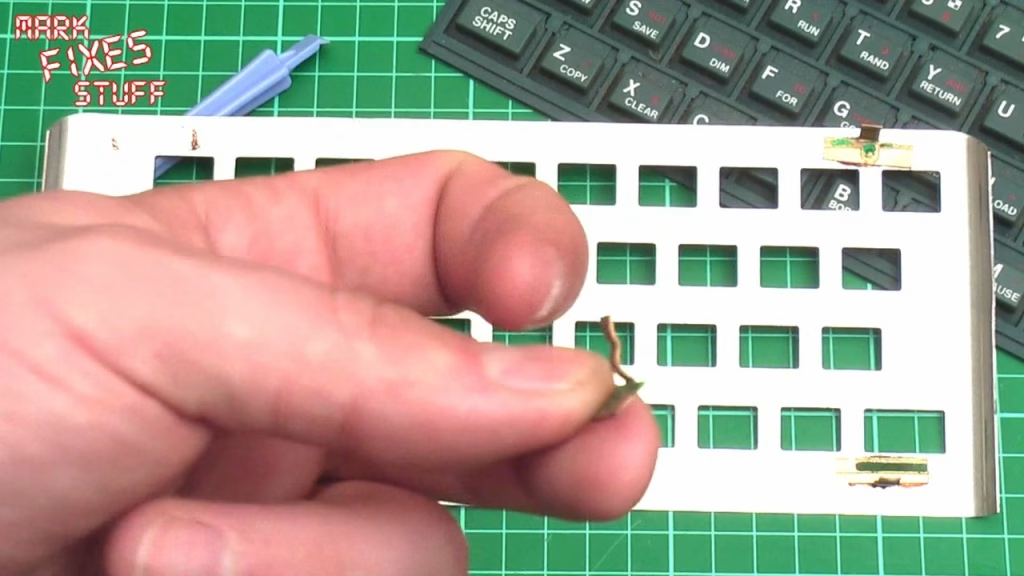
Open your Spectrum up and look through those slots. If you can see tabs in four locations, happy days: that’s the easiest type to remove, because you just bend the tabs back. The faceplate I show in the video is what happens when someone doesn’t realise this, heats it up and tries to rip it off with a screwdriver. One tab has come away completely, and they then tried to hide the damage with a CD-R pen. It looks really shoddy.
Tools you’ll need
- A plastic phone opening tool (a spudger, or “prizer” as I like to call them). Soft plastic won’t scratch the plate much.
- A source of gentle heat. I wouldn’t recommend anything hotter than a hairdryer.
- A screwdriver for the five case screws.
- Kitchen towel and a mild cleaning spray for the clean-up afterwards.
Opening the case
Remove the five screws on the underside, flip the machine over and lift the top off gently. Disconnect the two membrane tails from the main board (or, as on mine, find that one has already disconnected itself by falling apart), and check for those metal tabs before going any further.
Heating and lifting the faceplate
Gently warm the edges of the faceplate with the hairdryer, working on one edge at a time so you never apply too much heat to the front of the Speccy. It’s an aluminium plate, so it’s hard to damage with a hairdryer, but take it easy anyway.
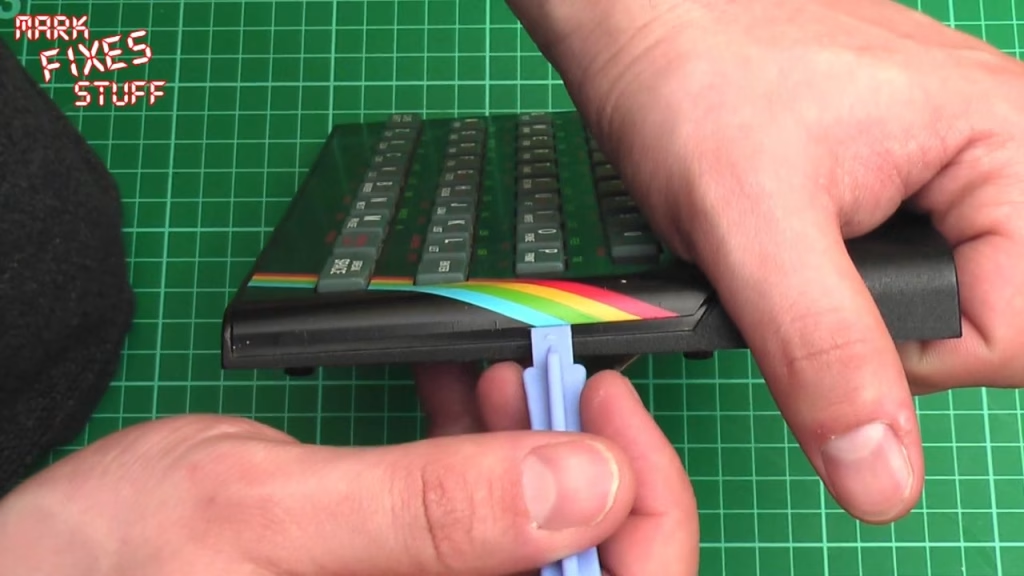
The key trick: pick up the top case and flex the plastic itself to break the adhesive bond. The plastic will return to its shape far more readily than the very thin aluminium, so flexing the case breaks the bond without bending the faceplate. When you can see the plate starting to move (it will still be stuck down), slide the opening tool very gently under the edge and let it cut through the tape.
Take this really slowly and don’t apply force. Re-heat, go along the front bottom edge, then the sides and top, putting just a little leverage on the tool each time. Some faceplates practically fall off; others are really stuck, and you just have to take your time. On this one I could feel the tape slicing through, especially in the middle, and it came away more easily than I expected. Once it’s off, put it somewhere high and safe where it won’t get squashed.
What’s underneath (and cleaning it)
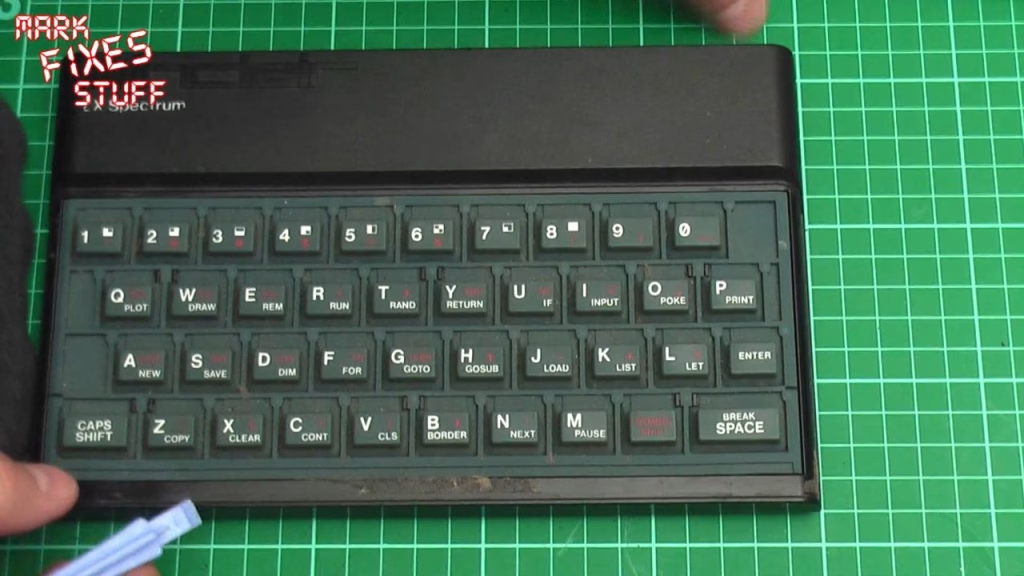
Under the faceplate you’ll find the rubber keymat and, usually, thirty years of dirt. On the back of the faceplate there will be a lot of old tape. I tend to leave that on the aluminium, because you can do more damage to the plate removing it, but I do take it off the plastic body. If any corners of the plate have splayed out while lifting, use the tape to stick them back down rather than bending them again.
Now lift off the keymat and you’ll find the membrane. Swap it for your new one (which should have two tails that plug into the main board), give the keymat a wash, and it’s back together with fresh double-sided tape.
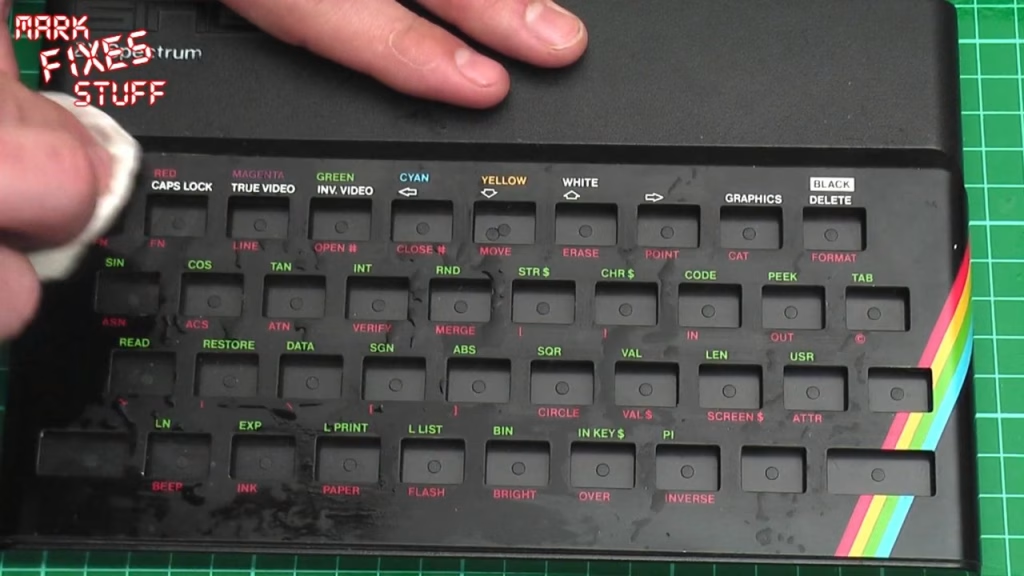
While the faceplate is off, give it a clean: it’s far easier without the keys poking through. I lay some kitchen towel over the top, saturate it with cleaning solution, then lift it off and wipe gently. If you’re worried about deforming the plate, rest it on the Spectrum’s top shell so the sides support it, and still don’t press too hard.
Did it work?
Yes: the faceplate came off flat, with only the couple of small dents it already had, which was the whole point. Reassembly is the same in reverse with some new double-sided tape. If anyone has other tips for dealing with the old tape, let me know in the comments.
Related
Once the faceplate’s off, you might want my guide to changing a Spectrum+ and 128K membrane, or how to replace the KB keyboard ribbon connectors. If your faceplate is beyond saving, I’ve also looked at newly made 48K faceplate replacements and coloured key mats, faceplates and membranes.