
A standard PC floppy drive won’t work in a Commodore Amiga (trust me, I’ve tried), even though the connector looks the same and fits. Some of the pins carry different signals. But with a few small mods, many PC drives can be converted. Here I convert an ALPS DF354 to work in my Amiga 500: moving one solder jumper, cutting one track and adding two jumper wires. If you’ve hoarded a pile of old PC floppy drives, now might be the time to give some of them a new lease of life.
Why won’t a PC floppy drive work on an Amiga?
The drive connectors are physically the same, but two pins behave differently. On the Amiga, pin 2 of the connector needs to reach the drive controller chip (pin 5 on this board), and pin 34 needs to carry the drive’s ready signal. The drive select jumper is also different: most PC drives expect DS1, and most Amigas expect DS0. The basic mods are similar from drive to drive, often with only the solder pad locations changing. Not every model can be converted, but plenty can.
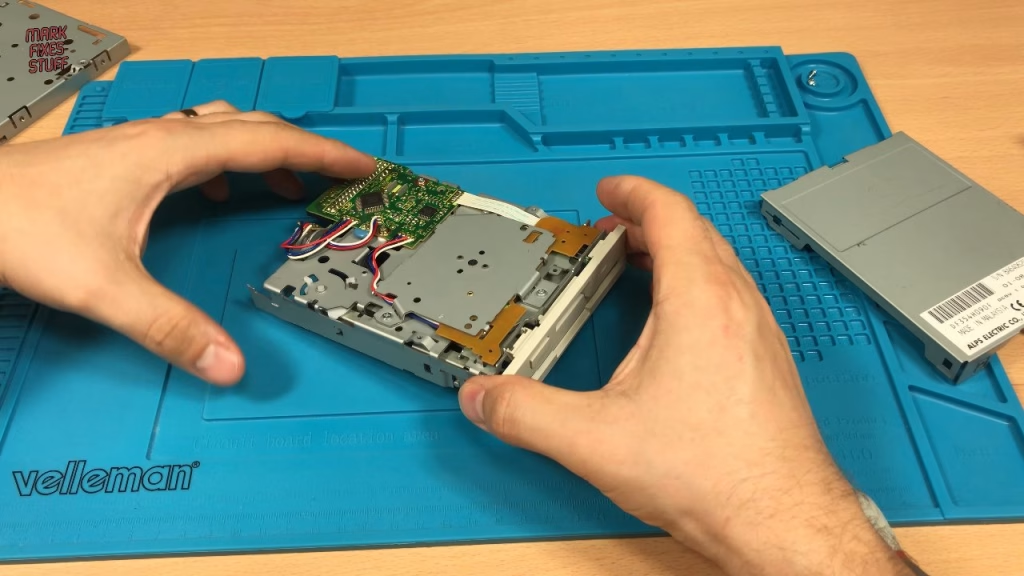
Opening the ALPS drive
A well-placed thumbnail pops the top panel off easily (the other side decided it didn’t want to come off). Inside, this drive looks like it’s probably never been used, which is another advantage of PC drives over their Amiga counterparts, most of which were thrashed to death. Underneath, the board is hidden by a plate held with two screws, so those come out along with the lower part of the case. Sometimes there’s a blob of solder on CN1, but it’s missing on this drive.
The conversion, step by step
- Move the drive select jumper from DS1 to DS0.
- Lift pin 5 of the controller chip.
- Cut the track from pin 19 of the chip to pin 2 of the drive connector.
- Wire pin 2 of the drive connector to pin 5 of the chip.
- Wire the ready point on the board to pin 34 of the drive connector.
Moving the DS0 jumper
My iron was over 350°C, which is a bit hot for this, so I knocked it down by about 20 degrees and worked fast. After removing the solder from DS1, I cleaned up with solder wick, always moving the wick while heat is applied so it doesn’t stick and rip off a pad. Flux cleans the pads and makes soldering easier, so a dab went on before picking up a few stray bits of solder and bridging DS0 with fresh solder.
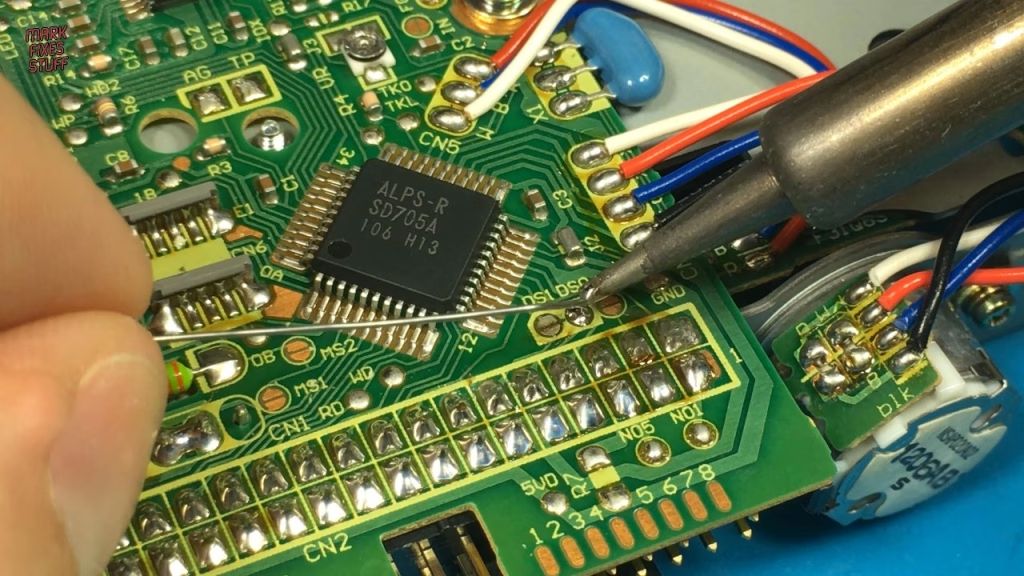
Lifting pin 5 and cutting the pin 19 track
Counting along to leg 5 of the chip, you can be quite brutal here, because the pad underneath isn’t needed. Mine lifted, which was actually handy as it meant I didn’t need to insulate it. I straightened the pin, removed what was left of the pad from the board, and cleaned the remaining solder off the underside of the pin with a desoldering pump and the iron.
Next, the track from pin 19 of the chip down to pin 2 of the drive connector has to be severed. I checked with a meter that there was no longer any continuity between those points, and that I hadn’t accidentally cut any other tracks.
Soldering the jumper wires
The first wire runs from pin 2 of the drive connector to pin 5 of the chip; I used a piece of Dupont cable. I find it easier to remove the old solder, add flux, put fresh solder on the pin and then push the wire into it. The chip end is trickier, as you’re soldering onto the lifted leg itself: cut the wire to length, strip just enough, add flux and a blob of solder, and heat the wire and pin together.
The second wire is easier. Tack it onto the ready point on the board (I added a bit of fresh solder there to make sure it wasn’t going anywhere), then take it to pin 34 of the drive connector.
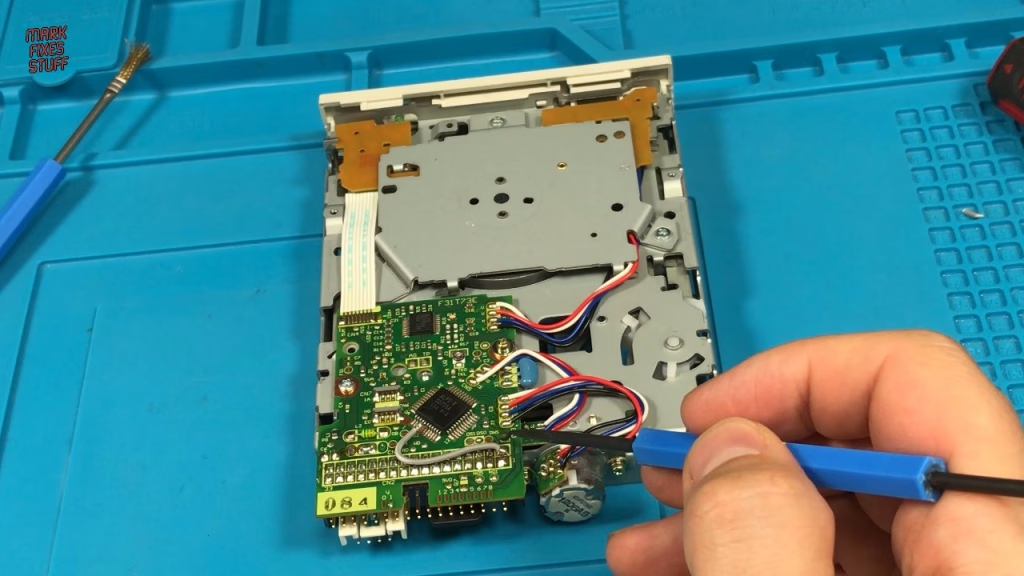
With the base plate and screws back on, it was ready to test. I’d already regreased this drive, cleaning off the old hardened grease and applying fresh.
Did the converted PC drive work on the Amiga?
Back on my stunt Amiga 500, I connected drive power, the drive data cable (pin 1 to pin 1, usually indicated by the coloured stripe), the keyboard and the drive, plus a proper RGB cable. Power on: nothing, but only because there was no disk in. For a tough first test I used an ST and Amiga dual-format disk from the 90s; these are quite difficult to read because they use an extended format. Lots of drive activity, and it loaded straight through to the full game.
Then a Jet Set Willy II disk (“official”, in the sense that a schoolboy pirated it in the 90s). It loaded with no problem, which was really surprising, because it doesn’t load on my proper Amiga drive. By then it was nearly five in the morning, so further testing will have to wait.
Related
More Amiga projects on the site: building an Amiga A600 chip RAM expansion, burning Amiga Kickstart ROMs, cleaning up an A501 battery leak and cloning an Amiga hard drive.
Leave a Reply