
When my house fire turned a Commodore 64 into a lump of charcoal, I had one question: could the RAM inside still work? To answer it properly I needed a proper RAM tester, so I bought the Multi Retro DRAM Tester by Philtronics. This post covers what it is, what it tests, how it did on eight fire-damaged 4164 DRAM chips, and who I think it’s for.
Not sponsored: I bought this tester with my own money, there’s no commission, and I have no affiliation with Philtronics.
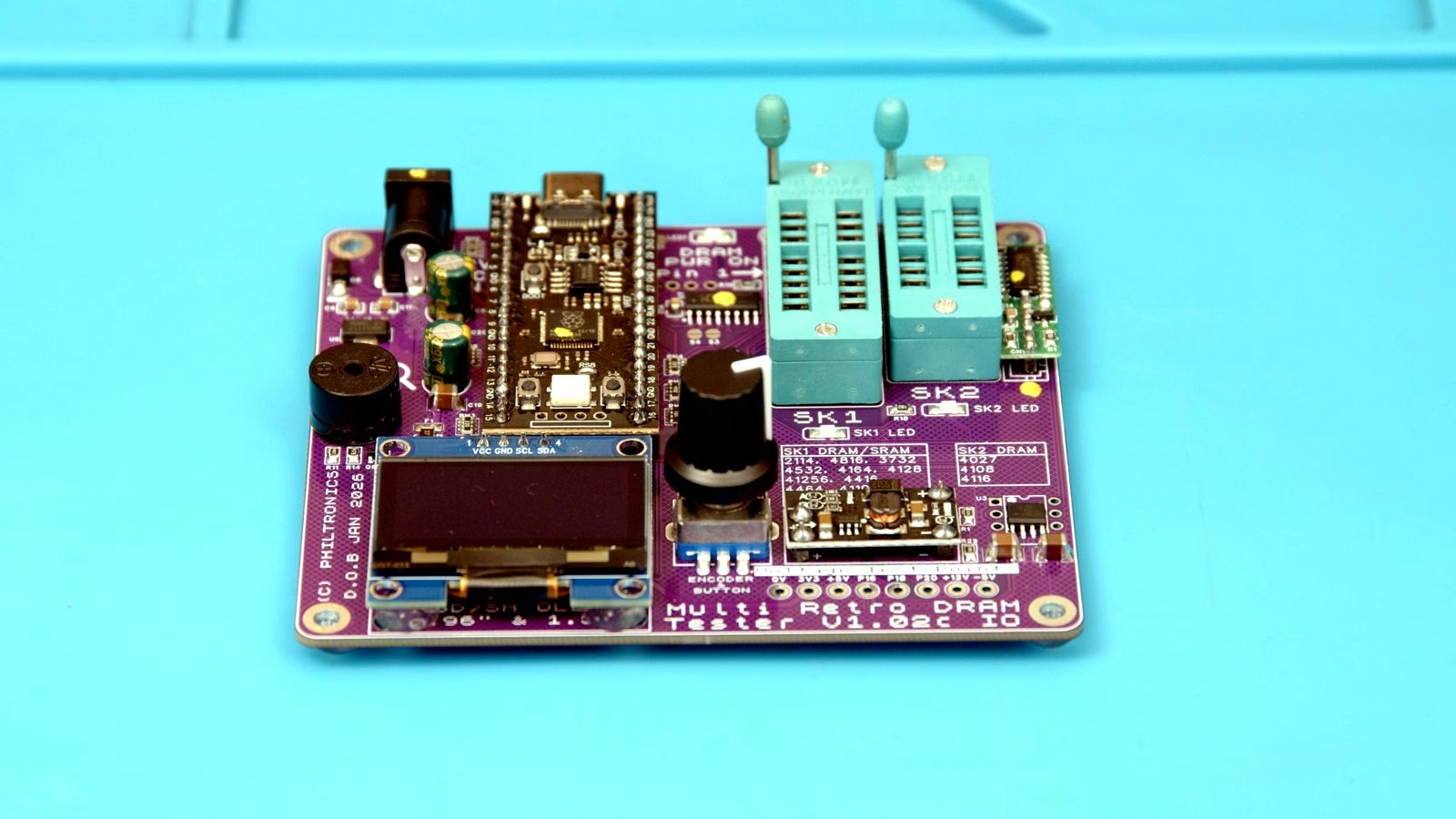
What is the Multi Retro DRAM Tester?
It’s a fully built and tested bench tool for checking the memory chips in vintage computers, consoles and arcade boards. You drop a chip into one of the two ZIF sockets, pick the chip type (or let it work it out), and it runs a full set of memory tests and gives you a clear pass or fail on its OLED screen. It’s made by Phil at Philtronics, and it’s sold through eBay with support by email.
The two sockets matter:
- SK1 is for standard +5V DRAM and SRAM, which covers the vast majority of chips, including the 4164s in a Commodore 64.
- SK2 is the multi-voltage socket for older DRAM that needs -5V and +12V as well, such as the 4116, 4027 and 4108.
Which RAM chips does it test?
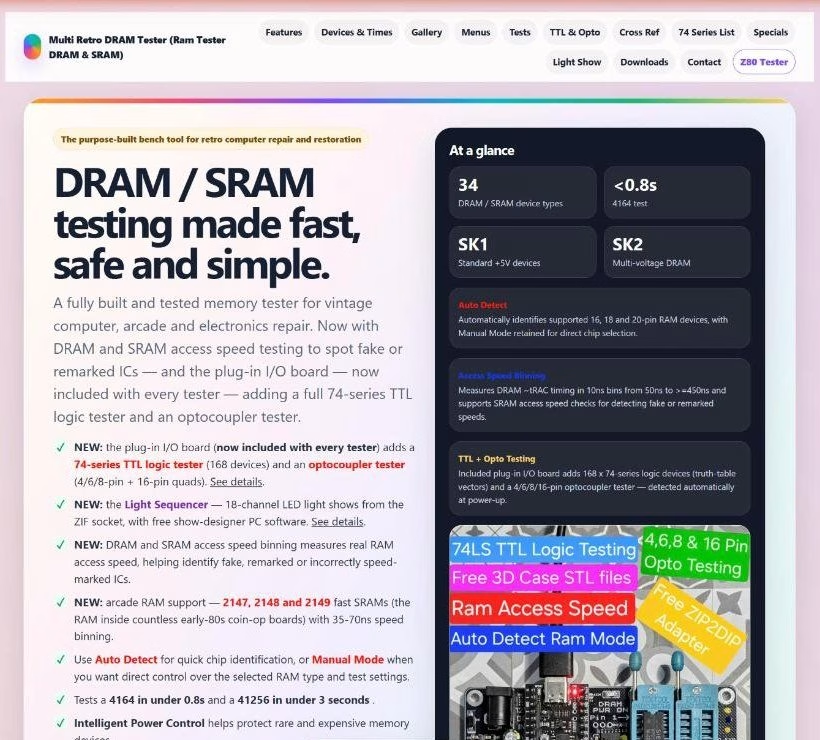
According to Philtronics, it now supports 34 DRAM and SRAM device types: 22 DRAM and 12 SRAM selections. That includes the chips retro repairers run into all the time:
- 4164 / 4264 / 4864 (64K x 1), the main RAM in the Commodore 64 and plenty of other 8-bit machines
- 41256 (256K x 1) and 4464 / 41464 (64K x 4)
- 4116 (16K x 1, multi-voltage in SK2)
- 2114 SRAM, used as colour RAM on early C64 boards
- Fast arcade SRAMs such as the 2147, 2148 and 2149
- Larger parts like the 511000, 44256 and 514400, including ZIP packages
The site also has a full cross-reference table, so if your chip has a different manufacturer prefix (TMS4164, MB8264, HM4864 and so on) you can see which selection to use.
Auto detect, proper test algorithms and speed checking
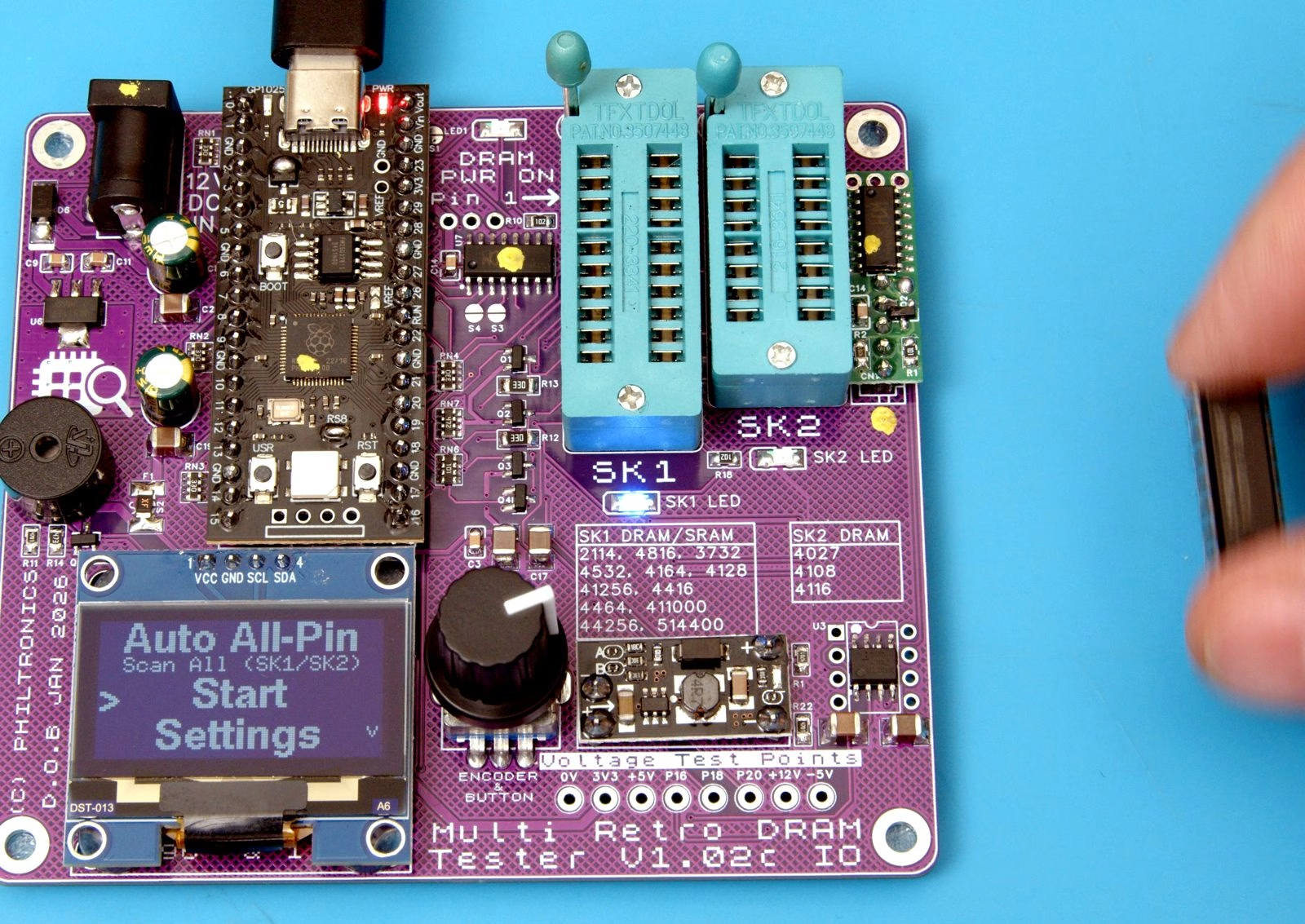
I’ll be honest: I read a bit of the manual and then stuck it in Auto All-Pin mode. Auto detect cycles through the supported pin counts until it finds a matching chip and sets the test up for you, which is perfect for someone lazy like me. If a dirty or damaged chip won’t detect, there’s a Manual Mode where you choose the exact type yourself.
Behind that simple screen it runs proper, industry-standard memory tests rather than a quick write-and-read. The list includes March C-, March B, Checkerboard, Row Retention, Random Data, GALPAT and an Extreme composite stress test, plus pre-tests that check for shorted pins, leakage and broken address lines before the main run.
The feature that impressed me most is access speed binning. It measures how fast each chip actually responds, so it can catch fake or re-marked parts sold as faster than they really are. Very handy with certain marketplaces.
Intelligent power control
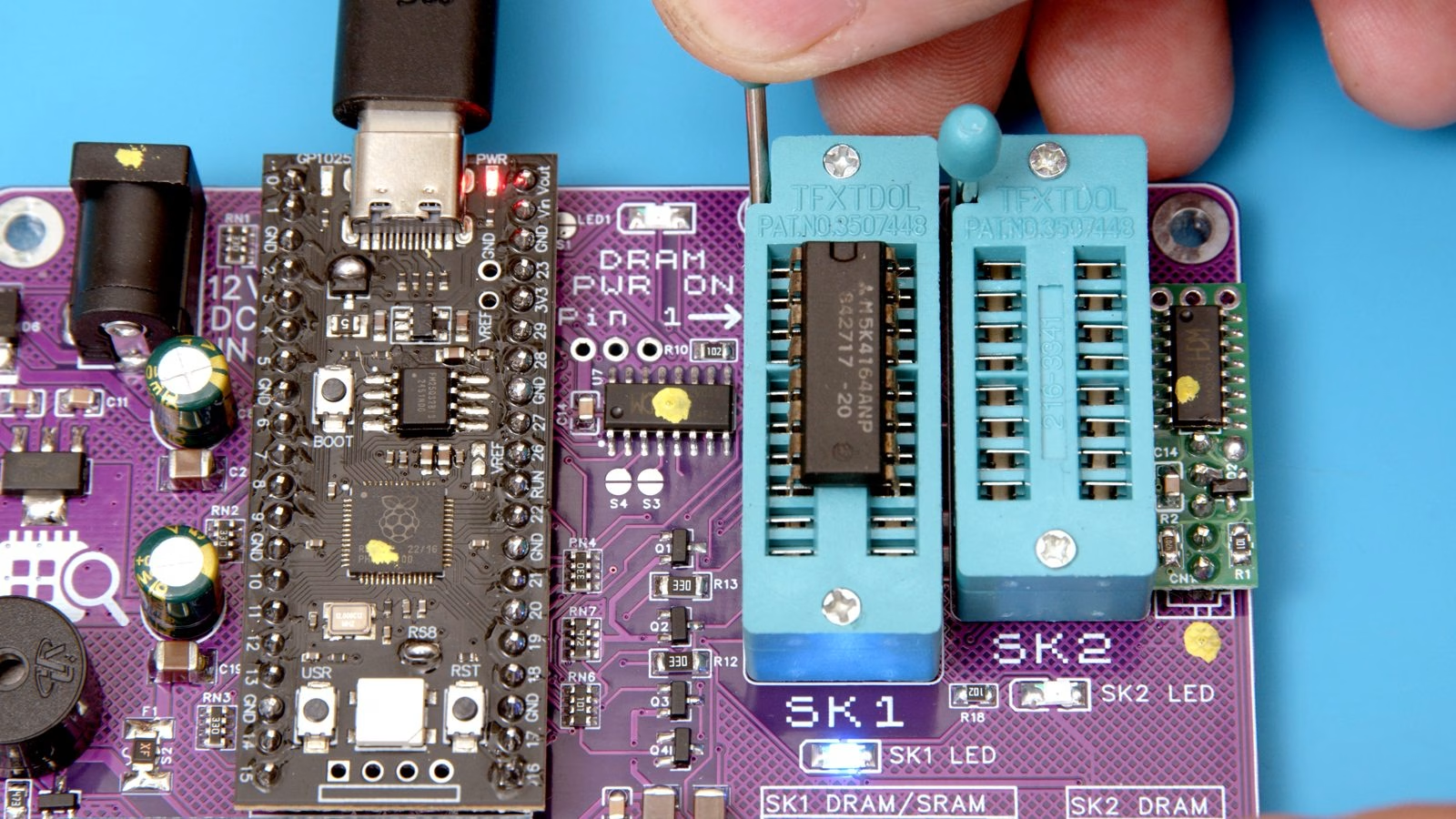
Many simple RAM testers leave the ZIF socket powered all the time. This one only powers the socket while a test is running, switches off at the end of every test, and cuts power straight away if it detects a fault. There’s also a resettable fuse. If you’re testing rare or expensive memory, that’s real peace of mind.
Powering it and the free software
You can power it from USB-C, which also connects it to a computer, or from a centre-positive 9 to 12 volt adapter on the barrel jack. Use one or the other, never both. It works completely standalone from its own screen and rotary knob, but there’s also free Multi Retro DRAM Commander software for Windows, macOS and Linux if you want logging and more control. Firmware updates are a simple drag-and-drop UF2 file over USB, with no programmer needed.
The real test: eight fire-damaged 4164 DRAM chips
The board these chips came from was inside a Commodore 64 that was completely destroyed by my house fire, at temperatures far in excess of 300°C, and it was then soaked by the firemen’s hoses. I desoldered all eight 4164s from U9-U12 and U21-U24, gave them only a very light clean (anything harsher might have skewed the results), and put each one on the tester with every test option switched on.
I won’t spoil the result here: watch the video to see how many of the eight survived. What I will say is that a single test on a 4164 takes under a second, so the tester made the whole process quick and painless, whatever the results.
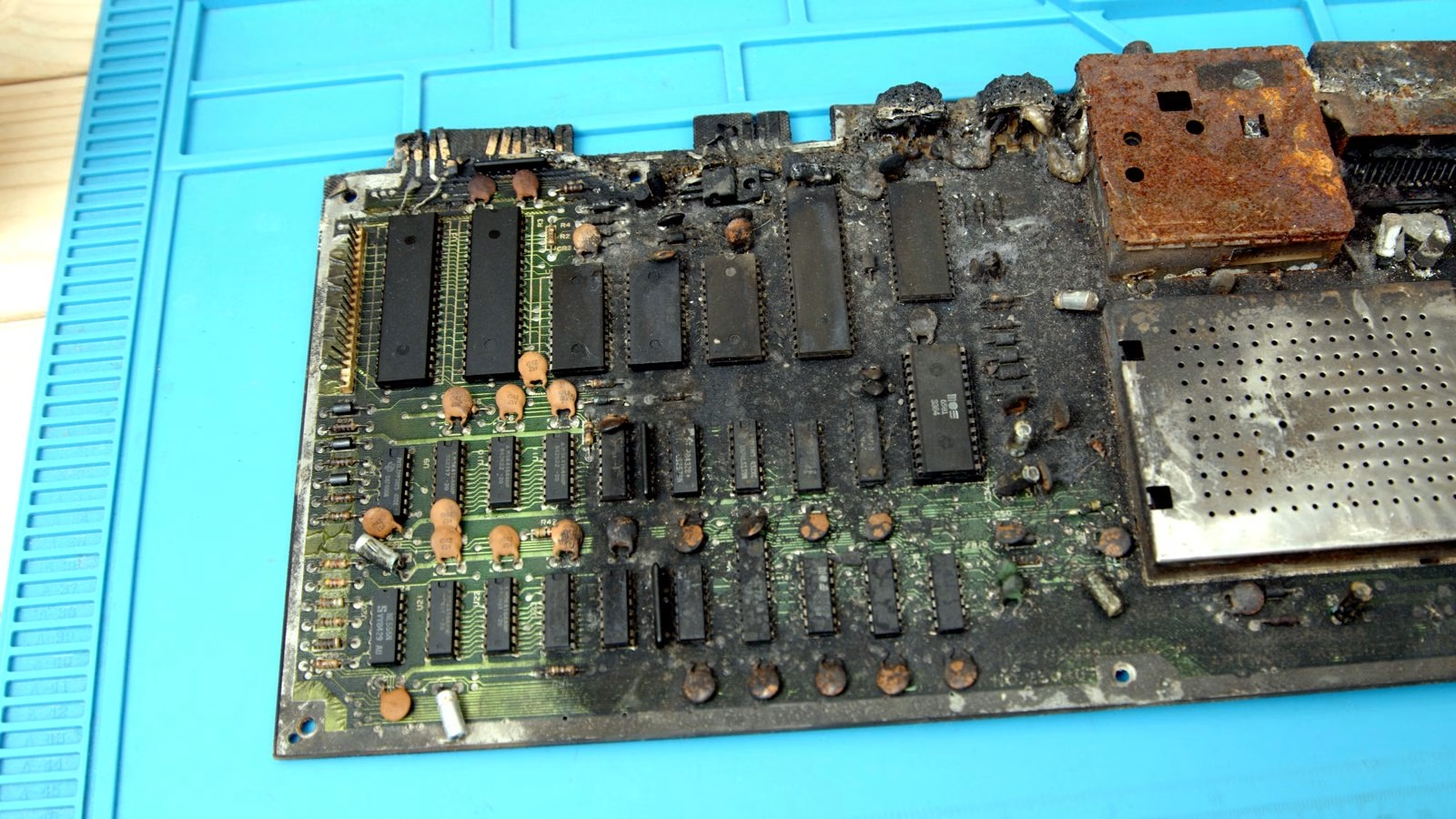
Want the whole story of the burnt board, from identifying it to desoldering every chip? Read Can RAM Survive a House Fire? Recovering 4164 DRAM From a Fire Damaged Commodore 64.
Bonus features: TTL logic and optocoupler testing
Every new tester now ships with a plug-in I/O board that adds a 74-series TTL logic tester, covering 168 devices with full truth-table tests, plus an optocoupler tester for 4, 6 and 8-pin parts and 16-pin quads. It’s detected automatically at power-up. There’s even a light sequencer mode for a bit of fun with LEDs in the socket.
Who is it for?
If you repair or restore retro computers, consoles or arcade boards and you regularly find yourself swapping RAM chips to chase a fault, this is a genuinely useful bench tool. Being able to prove a chip good or bad in seconds, rather than guessing, saves a lot of time, and the speed checking helps you avoid fakes when buying replacements. I’ve already got a big pile of burnt boards to work through, and I’ll be using it in plenty of future Mark Fixes Stuff videos.
Where to buy the Multi Retro DRAM Tester
Full details, the supported chip list, firmware and the manual are on the official site: multiretrodramtester.co.uk. It’s sold through Philtronics on eBay, and support is by email through the site.
Leave a Reply