
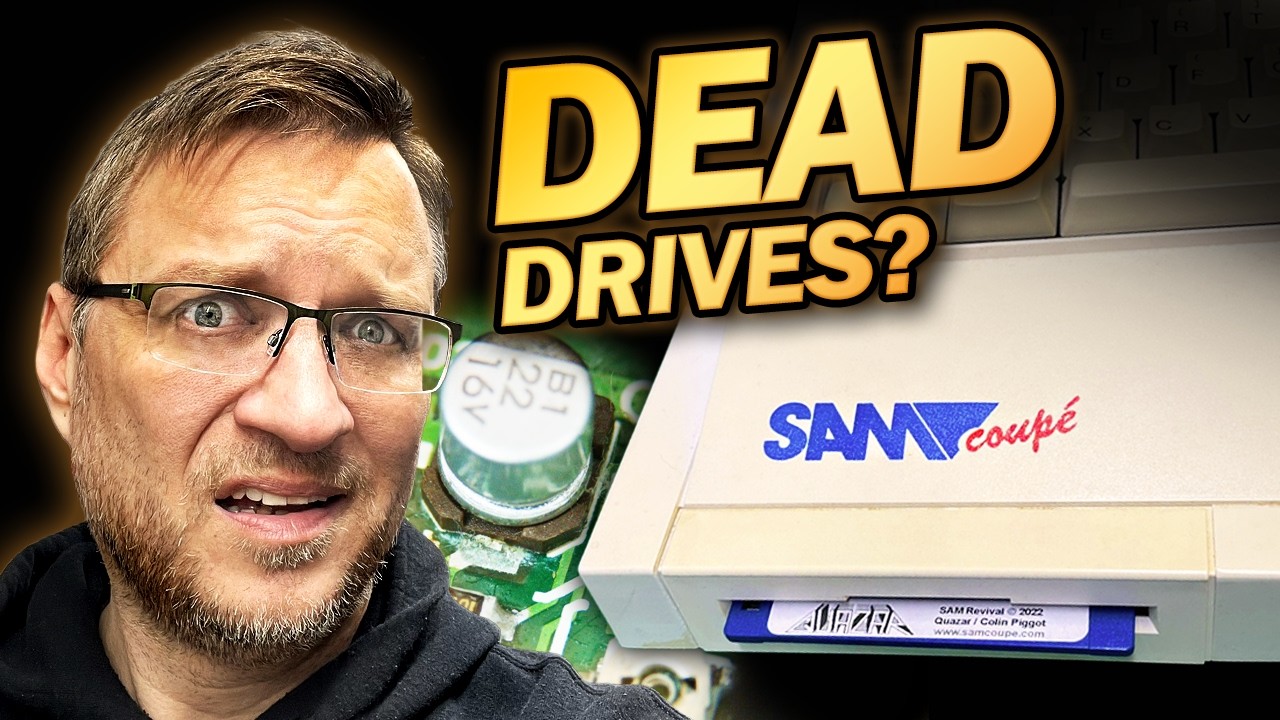
I fixed a SAM Coupé floppy drive by replacing the perished belt and swapping out a couple of leaking capacitors, and I documented the whole process on this YouTube video: https://youtu.be/19lqp-Lwg08?si=RiE8MhND6WOceGfv.
If you have an old Citizen style drive rattling around, this account will give you a practical, first person view of what to expect before you dive in. I keep things casual and honest about the mistakes I made, so you can learn from them without frying anything important.
How I Repaired a SAM Coupé Floppy Drive, Step by Step
First, I did the usual checks on the SAM Coupé itself. I verified the power supply was outputting the correct voltages, checked that the machine would power up and even confirmed the ROM version by typing the diagnostic command from the video — print peek 15 returned 30 divided by 10, which indicates version three. The machine had some display noise, probably down to a noisy supply and using RF, but it was booting. The real problem was that both 3.5 inch Citizen drives were dead, which was frustrating but a fixable problem if I took my time.
I pulled the drive out of its plastic case, which is handily held together with clips and a couple of machine screws when installed, then removed the top shield by undoing a single screw and popping a locking lug out at the front. Once open, the issues were obvious: the drive belt had perished and at least one electrolytic capacitor had leaked, leaving that telltale green alkaline goop on the PCB and a horrid pong in the workspace. The dust shutter and eject button were taken off first to keep them safe while I worked, then I removed the motor gantry screws and temporarily desoldered the spindle motor wires so the gantry would not be flopping around on fragile leads.
The mechanical bits needed careful handling. I removed the extension springs with a hook tool and used a head spacer I had made to keep the top and bottom heads apart while taking the disc cage off, because once those pinions are freed the heads will crash together if you are not careful. Some captive track load pinions would not budge until I gently bent a corner of the cage to free the first one, after which the others slid out. With the mechanism open I cleaned the rollers, spindle hub and brass pulley, reassembled the gantry with a new belt and then reinstalled the drive into the SAM Coupé. To test, I booted a disk and the drive began to read properly, which was a brilliant moment even if my keyboard had decided to misbehave so I could not do much more than a basic boot test.
How I Replaced the Perished Belt and Leaky Caps
The belt had expanded and softened over decades and was no longer able to transmit motion reliably, so I ordered a replacement from Data Serve Retro and it fitted perfectly. Routing the new belt is fiddly but not mystical: I looped it around the motor pulley, dropped the gantry into place keeping gentle tension, then brought the belt down around the flywheel with tweezers to seat it on the bearing. The belt tends to centralise itself as you rotate the flywheel, and once seated you can screw the gantry down so it cannot come out of place. Seeing the motor turn smoothly through the tiny holes in the motor casing is a small but satisfying check that the belt fit was good.
The caps were uglier. One had leaked badly and corroded the pads, so I stabilised the alkaline residue with vinegar before doing anything else. Rather than try to apply excessive heat to brittle, pitted pads I clipped the crusty capacitor bodies off, desoldered the remaining leads, cleaned the holes with fresh leaded solder and solder wick, then removed fluxy residue with isopropyl alcohol on a cotton bud. For replacements I used SMD 22 microfarad and 10 microfarad parts, but I could not source a 2.2 microfarad non polar in SMD so I shoehorned a through hole part into the cramped space, tacking its legs to pre-tinned pads and checking clearance carefully so the motor and head leads would not foul it.
I made a couple of mistakes while learning the hard way, like overheating adjacent plastic sockets with a hot air gun and having to accept a bit of melted plastic as collateral. I took extra care on the next cap near the optical home sensor and avoided heat that could have ruined it. After reinstalling the motor wires, cleaning the spindle bearing and brass pulley, lubricating metal-on-metal points with plastic safe silicone grease and refitting the tension springs, I reassembled the dust flap and top cover. The drive returned to life in the SAM Coupé and started loading disks. Lemmings popped up on screen even though my keyboard had gone half-dead, which limited play testing. All told, the belt and capacitor refresh fixed the drive and bought the whole machine a lot more life.
If you want the full visual step by step, the video at https://youtu.be/19lqp-Lwg08?si=RiE8MhND6WOceGfv shows everything I describe, including the messy bits and the little victories.
I still have more to do on the SAM Coupé, such as making a proper Meanwell power supply and fitting RGB to HDMI and a Gotek/FlashFloppy drive, so there will be more repairs to share soon. If you like hands on retro kit stories, watch the video and stick around, because there are always more surprises when you start taking classic hardware apart.



Leave a Reply